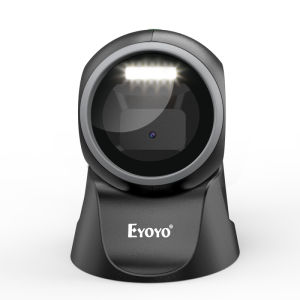
Eyoyo 1D 2D Desktop Barcode Scanner: A Comprehensive Guide
Eyoyo 1D 2D Desktop Barcode Scanner: A Comprehensive Guide
Introduction to Eyoyo Barcode Scanners
Eyoyo 1D 2D Desktop Barcode Scanners are a versatile and reliable choice for businesses in various industries. Designed to seamlessly integrate into POS systems, these scanners are equipped with automatic sensing technology and omnidirectional capabilities, making them an ideal solution for hands-free QR code scanning.
Key Features of the Eyoyo Scanner
- Plug-and-play USB connectivity: No need to install any drivers, apps, or software to get started.
- Super decoding capability: Scans most 1D, QR, and 2D barcodes from paper and screen, supporting special barcode types.
- Efficiency improvement: Reduces data entry errors, increasing overall productivity.
Benefits of Using Eyoyo Barcode Scanners
Using Eyoyo barcode scanners offers numerous advantages for businesses, including:
- Ease of use: With plug-and-play functionality, setting up the scanner is quick and hassle-free.
- Versatility: Suitable for various industries, such as supermarkets, malls, bookstores, convenience stores, retail shops, libraries, drugstores, and catering services.
- Improved accuracy: Minimizes human error by automating the barcode scanning process.
How to Use the Eyoyo Scanner
Getting started with your Eyoyo barcode scanner is simple and straightforward. Follow these steps to set up and customize your scanner settings.
Setting Up the Scanner
- Connect the scanner to your computer using the provided USB cable.
- No additional software installation is required; the scanner will automatically recognize and configure itself.
Scanning Barcodes with the Eyoyo Scanner
To scan a barcode, simply aim the scanner at the target code and press the trigger button. The scanner will automatically detect and decode the barcode, sending the data to your connected device.
Customizing Your Scanner Settings
For more advanced users, the Eyoyo scanner offers customizable settings to optimize its performance. Refer to the user manual for instructions on adjusting settings such as scan speed, sensitivity, and decoding algorithms.
Applications of the Eyoyo Scanner
The Eyoyo 1D 2D Desktop Barcode Scanner is widely used across multiple industries due to its versatility and reliability.
Retail & Supermarket
In retail and supermarket environments, the scanner streamlines inventory management, pricing, and checkout processes by quickly and accurately scanning product barcodes.
Bookstores & Libraries
Bookstores and libraries benefit from the scanner's ability to track inventory, manage book loans, and process returns efficiently.
Other Industries
The Eyoyo scanner is also suitable for use in convenience stores, retail shops, drugstores, and catering services, where payment scanning and inventory management are essential.
Conclusion
The Eyoyo 1D 2D Desktop Barcode Scanner is a valuable tool for businesses looking to streamline their operations and improve efficiency. With its plug-and-play functionality, super decoding capabilities, and versatile applications, this scanner is an excellent choice for various industries, including retail, supermarkets, bookstores, libraries, and more.

Eyoyo Philippines
You May Also Like
CRG 325 Compatible Toner Cartridge (Brand New)
Price Tag Gun Crown MX-5500 Price Labeller With Labels Introductory package (Free ink roll and Tag)
Maintenance Box T6715 T671500 T6716 T671600 for Epson Workforce Pro WF-C5290 WF-C5790 WF-M5298 WF-M5299 WF-M5799 WF-4720 WF-4730 WF-4734 WF-4740
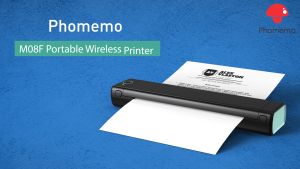
Phomemo M08F Portable Printer: Legit A4 Paper Printer Thermal Portable Printers Wireless for Travel Compact Bluetooth Mobile Printer Support 8.5\" X 11\" US Letter A4 Upgrade Inkless Small Printers Compatible with Phone Laptop
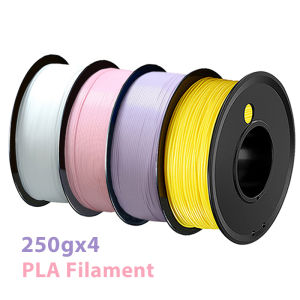
250g 1Kg 3D Printer Filament PLA Yellow white pink Purple 1.75mm wire Vacuum Packaging For 3D Printing Fliament pla white250gx4
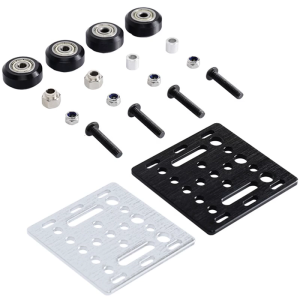
Durability V Wheel V Gantry Plate for Smooth Motion Enhances Stability in 3D Printer Framework Machinery Easy Installation
CANON GI790 BLACK / CYAN / MAGENTA / YELLOW
GENUINEOriginal CANON GI-790 printer INK box G1000 G2000 G3000 G4000 G1010 G2010 G3010 G4010
LC233 LC 233 231 LC231 Premium Color Compatible Ink Cartridge for Brother MFC-J5720/J4120/ J4620/J5320/DCP-J562DW/ MFC-J480DW/
Comprehensive Guide: Mastering Epson L1110 & L3100 Series Printers
10x Compatible Ink Cartridge for Brother LC 985 LC975 LC67 LC1100 LC980 XL Ink Cartridge for Brother DCP 185C 195C 9805C Printer