1500W Upward LED Fog Machine & DMX512 Control Remote
1500W Upward LED Fog Machine & DMX512 Control Remote
Introduction to Professional Lighting Effects & Digital Display Fog Machine
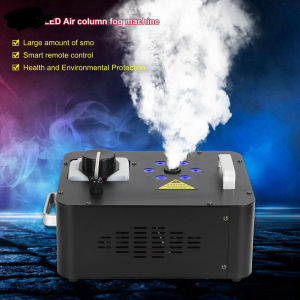
Professional lighting effects have revolutionized the way we experience live events, concerts, and theatrical performances. Among these effects, fog machines play a crucial role in creating immersive atmospheres and enhancing visual experiences. This article will introduce you to the high-performance fog generator, the 1500W upward LED fog machine, and its DMX512 control remote.
Key Features of High-Performance Fog Generator
The 1500W upward LED fog machine is a versatile, digital display fog machine that can be controlled via a DMX512 control remote. This fog machine features:
- A powerful 1500W heating element for quick fog generation
- An upward LED light source that creates vibrant lighting effects
- A compact design suitable for various event setups
- A built-in timer for automatic operation
Benefits of Using a 1500W Upward LED Fog Machine
By using a 1500W upward LED fog machine, you can enjoy the following benefits:
- Enhance visual experiences with immersive fog effects
- Create vibrant lighting effects using the upward LED light source
- Save time and effort with automatic operation via the built-in timer
- Enjoy a compact design that fits various event setups
How to Set Up & Operate Your DMX512 Control Remote
Setting up and operating your DMX512 control remote is simple and straightforward. Follow these steps:
- Connect the DMX512 control remote to the fog machine using the provided cable
- Power on both the fog machine and the control remote
- Use the control remote to adjust the fog machine's settings, such as fog density, color, and intensity
Step-by-Step Guide to Remote Control Operation
To operate the DMX512 control remote, follow these steps:
- Turn on the fog machine and the control remote
- Press the "Mode" button to select the desired fog effect
- Adjust the fog density using the "Density" button
- Change the color using the "Color" button
- Adjust the intensity using the "Intensity" button
Troubleshooting Common Issues
If you encounter any issues while using the DMX512 control remote, refer to the following troubleshooting guide:
- If the fog machine does not turn on, check the power connection and ensure it is properly plugged in
- If the fog machine does not produce fog, check the fluid level and refill if necessary
- If the fog machine produces too much fog, adjust the density setting using the control remote
Maximizing Your Fog Machine's Performance & Impact
To maximize your fog machine's performance and impact, consider the following tips:
- Position the fog machine strategically to create the desired effect
- Experiment with different fog densities, colors, and intensities to find the perfect combination
- Use the built-in timer to automate the fog machine's operation
Tips for Enhancing Visual Effects
To enhance visual effects using the 1500W upward LED fog machine, try these tips:
- Combine the fog machine with other lighting effects to create a cohesive atmosphere
- Experiment with different fog densities, colors, and intensities to find the perfect combination
- Position the fog machine strategically to create the desired effect
Best Practices for Maintenance & Longevity
To ensure the longevity of your 1500W upward LED fog machine, follow these best practices:
- Regularly clean the fog machine and its components to prevent dust buildup
- Refill the fluid reservoir before it runs out to avoid damaging the heating element
- Store the fog machine in a cool, dry place when not in use
By following these tips and best practices, you can maximize the performance and impact of your 1500W upward LED fog machine and enjoy immersive visual experiences at your next event.

Lucky 1990
Review

You May Also Like
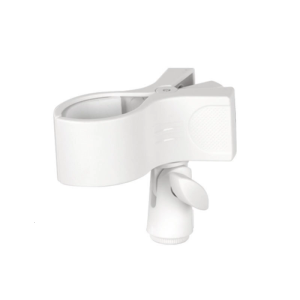
Adjustable Microphones Holder Stand Clip with Strong Spring Clamp and Foam Protections for Home Studios and Stages
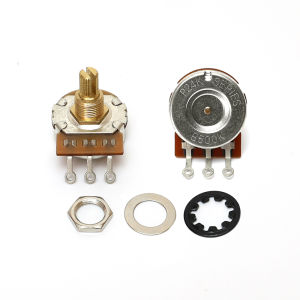
10pcs Guitar Potentiometers 24-Tooth Thread Shaft 3/8" Pots Guitar Parts500K/250K Option
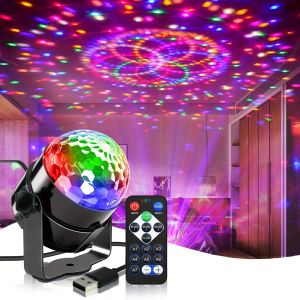
LED Colorful Strobe Light RGB with Remote Stage Disco Light Rotating Strobe for Home Room Parties Birthday Wedding Bar Show Lamp

Baby Touch: Box of Books Board book Original English books

Cohens Pathways of the Pulp 12th Edition: A Comprehensive Dental Education Resource

Powerpuff Girls Cartoon Network The Movie Special Collection Animated Film Collection
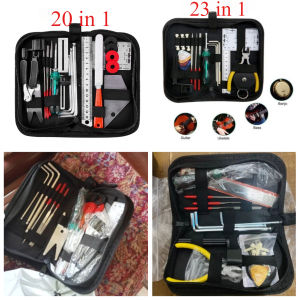
【HOT】Guitar Tools Guitar Maintenance Kit Repair and Maintenance Tool Kit String Action Ruler Gauge Measuring Tool String Winder
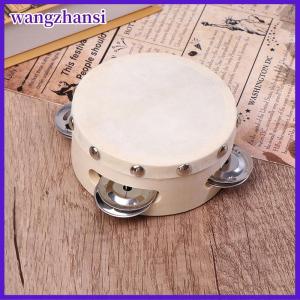
wangzhansi 4 Inch Hand Held Tambourine With Metal Single Row Jingles Sheepskin Drum Skin Wooden Tambourines Entertainment Musical Toy

4books/set English vocabulary in Use Education Book
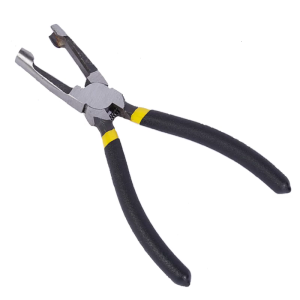
Light Bulb Piercing Forceps LED String Light Pliers for Advertising Production Line Lights Perforated Characters
Heavy Duty Electric Guitar and Amplifier Cable Cord Chord 5 meters black