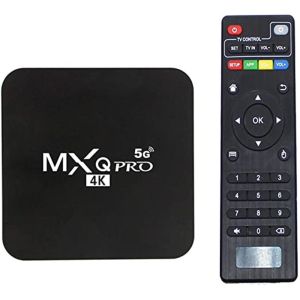
MXQ Pro 4K Android 11.0 TV Box 5G for Non Smart TV Ultra HD Quad Core TV Box 2.4G Wifi Smart Tv Box To Connect Wifi 4K Android + I8 Mini Keyboard 2.4GHz BACKLIT with Touchpad
MXQ Pro 4K Android 11.0 TV Box 5G for Non Smart TV Ultra HD Quad Core TV Box 2.4G Wifi Smart Tv Box To Connect Wifi 4K Android + I8 Mini Keyboard 2.4GHz BACKLIT with Touchpad
Introduction to MXQ Pro 4K Android 11.0 TV Box
The MXQ Pro 4K Android 11.0 TV Box is a top-of-the-line device designed to transform any non-smart TV into a smart TV with advanced features and capabilities. Packed with cutting-edge technology, this Ultra HD Quad Core TV Box is compatible with 5G networks and offers seamless connectivity through 2.4G Wi-Fi.
Overview of the Device
The MXQ Pro 4K Android 11.0 TV Box comes equipped with an Allwinner H3 quad-core processor running at 1.3GHz, paired with a Mali-600MHz GPU, providing smooth performance and exceptional graphics. It offers 8GB RAM and 128GB ROM storage, ensuring that users can enjoy a wide range of applications and media files without any lag.
Key Features & Specifications
- Model: MXQ Pro
- OS: Android 9.1
- CPU: Allwinner H3 Quad-core 1.3GHz
- GPU: Quad core ARM Mali-600MHz
- RAM: 8GB
- ROM: 128GB
- Color: Black
- Material: Plastic
- Battery: Lithium BLC-5
- Photoelectric resolution: 1200dpi
- Frequency: 2.4G
- Remote control distance: 8 meters
- Keyboard language: English
Compatibility with Non-Smart TVs
The MXQ Pro 4K Android 11.0 TV Box is compatible with non-smart TVs, making it easy for users to upgrade their viewing experience without the need for expensive smart TV purchases. The device supports AV and 3G connections, allowing for versatile connectivity options.
Setting Up & Connecting Your MXQ Pro 4K Android 11.0 TV Box
Setting up the MXQ Pro 4K Android 11.0 TV Box is a straightforward process that can be completed in just a few simple steps.
Installation Process
- Connect the power adapter to the TV box and plug it into a power outlet.
- Connect the HDMI cable to the TV box and the TV.
- Turn on your TV and select the appropriate input source.
Connecting to Wi-Fi
To connect the MXQ Pro 4K Android 11.0 TV Box to Wi-Fi, follow these steps:
- Press the home button on the remote control to access the main menu.
- Select 'Settings' from the menu.
- Choose 'Network' and then 'Wi-Fi'.
- Select your Wi-Fi network and enter the password.
Pairing with I8 Mini Keyboard
Pairing the I8 Mini Keyboard with the MXQ Pro 4K Android 11.0 TV Box is easy. Simply press and hold the pairing button on the keyboard until the LED light starts blinking. Then, select 'Input Device' from the settings menu on the TV box and choose 'Keyboard'.
Exploring the MXQ Pro 4K Android 11.0 TV Box & I8 Mini Keyboard
With its advanced features and capabilities, the MXQ Pro 4K Android 11.0 TV Box and I8 Mini Keyboard offer a seamless and enjoyable viewing experience.
Decoding Capabilities & Media Formats
The MXQ Pro 4K Android 11.0 TV Box supports a wide range of media formats, including HD MPEG1/2/4, H.264, HD AVC/VC-1, RM/RMVB, Xvid/DivX3/4/5/6, RealVideo8/9/10, and more. It can decode 1080P (full-HD) videos effortlessly, ensuring a smooth and high-quality viewing experience.
Keyboard Functions & Shortcuts
The I8 Mini Keyboard offers a variety of functions and shortcuts to enhance the user experience. Some notable features include:
- Music control buttons for adjusting volume, pause, mute, and skipping tracks
- Direction keys and confirmation key
- Hotkeys for opening applications, browsing, and more
- F1-F12 keys for additional functionality
Remote Control Features & Range
The MXQ Pro 4K Android 11.0 TV Box comes with a remote control that has a range of up to 8 meters. The remote control allows users to navigate through menus, adjust settings, and control media playback with ease.
Maximizing the Potential of MXQ Pro 4K Android 11.0 TV Box & I8 Mini Keyboard
To get the most out of the MXQ Pro 4K Android 11.0 TV Box and I8 Mini Keyboard, consider these tips and tricks.
Enhancing Viewing Experience
- Adjust the picture settings to optimize image quality
- Customize the audio settings for a personalized listening experience
- Install and use streaming apps like Netflix, Hulu, and Amazon Prime Video for access to a wide range of content
Customizing Settings & Preferences
- Personalize the home screen layout and widgets
- Set up parental controls to restrict access to inappropriate content
- Adjust the system settings to suit your preferences
Troubleshooting Common Issues
If you encounter any issues with the MXQ Pro 4K Android 11.0 TV Box or I8 Mini Keyboard, try the following troubleshooting steps:
- Restart the device
- Update the firmware and software
- Reset the device to factory settings if necessary

PENTAPRIME
You May Also Like

VEVSHAO A22 1000ANSI Full HD 1080P Projector 4K Auto Focus 10W*2 Home Cinema Day or Night Still Bright

EXPOSE 55 Inch Smart Android TV 50 Inch Frameless 4K UHD Flat screen Smart TV Built in Bluetooth Netflix Digital Televisions Google TV
A10 Projector: Portable & Powerful 4K Android 11 Mini Projector
4K HDMI Wireless Display Adapter & WiFi Miracast Dongle: A Comprehensive Guide

Christmas Snowflake Projector Light Large Decoration Christmas Party Laser Led Stage Light Rotating Xmas Lighting Garden Decor
Transform Your Romantic Bedroom with a Planetarium Projector & 13 Sheets of Film

ZDSSY HY300 Ultra Android 11 Projector 4K HD Home Cinema Auto Keystone Built-in Netflix YouTube Speaker BT5.4 Dual-band wifi Projector Outdoor Movie
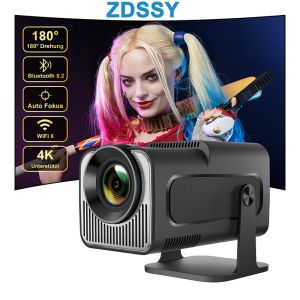
ZDSSY projector hy320 Mini Portable Cinema Outdoor Android 11 Auto Keystone Projector FHD 1080P Smart Projector Support 300ANSI Lumens with WiFi 6 BT 5.0 180 Degree RotationLCD 4K Projector Video Game Console
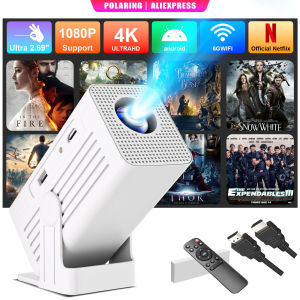
【Built in App | Ultra Resolution 2.69 | AI Auto Keystone】Polaring N6 Projector Smart 4K Projector WiFi bluetooth(US-Plug)
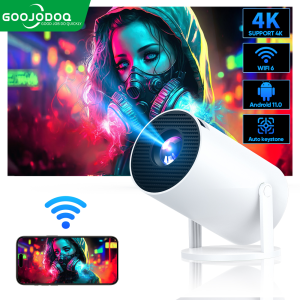
GOOJODOQ HY300 Projector 8000 Lumens Projector 4K Ultra Full HD 1080P Built-in App Android Smart Box Netflix YouTube Multimedia Portable Projector Bluetooth 2.4 & 5G Wi-Fi 270° Free Angles High Stand Android 11 System
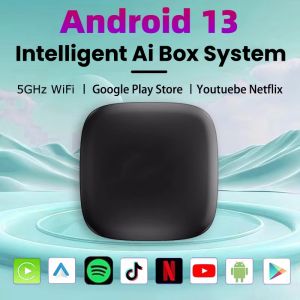
Car Ai Box Android 13 Wireless Android Auto & CarPlay Smart TV Box Support Youtube Netflix Car Accessories intelligent systems