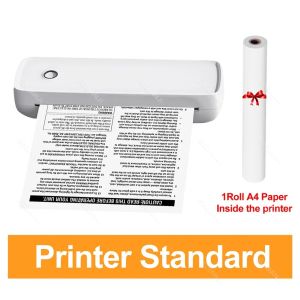
Portable A4 Thermal Printer: Mini Bluetooth Label Printer & PDF Contract Text Printer
Portable A4 Thermal Printer: Mini Bluetooth Label Printer & PDF Contract Text Printer
Introduction to Portable A4 Thermal Printer
The Portable A4 Thermal Printer is a compact yet powerful device designed to meet the printing needs of various applications, including PDF contracts, text documents, and tattoo stencil transfer paper. This mini Bluetooth label printer offers a range of features and benefits that make it an ideal choice for professionals who require high-quality printing on-the-go.
Key Features & Benefits
- Compact Design: The Portable A4 Thermal Printer is lightweight and easy to carry, making it perfect for mobile work environments.
- Bluetooth Connectivity: Connect to any Bluetooth-enabled device for seamless wireless printing.
- Versatile Printing: Print PDF contracts, text documents, and tattoo stencil transfer paper using 210mm thermal paper.
- Energy-Efficient: The printer is powered by a rechargeable battery, providing long-lasting performance without the need for constant charging.
How to Choose the Right Printer
When selecting a portable thermal printer, consider the following factors:
- Printing Quality: Ensure the printer can produce high-resolution prints for clear and legible text and images.
- Connectivity Options: Look for printers with Bluetooth connectivity to enable wireless printing from various devices.
- Paper Size Compatibility: Check if the printer supports the desired paper size, such as 210mm thermal paper.
Setup & Installation Guide
Connecting to Bluetooth Devices
To connect your Portable A4 Thermal Printer to a Bluetooth-enabled device, follow these steps:
- Turn on the printer by pressing the power button.
- On your device, go to the Bluetooth settings and search for available devices.
- Select the Portable A4 Thermal Printer from the list and follow the prompts to establish a connection.
Loading 210mm Thermal Paper
To load the thermal paper, perform the following actions:
- Open the paper tray located at the back of the printer.
- Insert the roll of 210mm thermal paper, making sure it is aligned properly.
- Close the paper tray and gently pull the paper through the printer until it reaches the print head.
Using the Charging Cable
To charge the Portable A4 Thermal Printer, connect the provided charging cable to the USB port on the side of the printer and plug it into a power source. The LED indicator will turn green when the printer is fully charged.
Printing Applications & Techniques
Printing PDF Contracts & Text Documents
To print PDF contracts or text documents using the Portable A4 Thermal Printer, follow these steps:
- Connect the printer to your device via Bluetooth.
- Open the desired document on your device.
- Select the print option and choose the Portable A4 Thermal Printer as the printer destination.
- Adjust any necessary settings, such as paper size and orientation.
- Click 'Print' to send the document to the printer.
Tattoo Stencil Transfer Paper Printing
Printing tattoo stencils using the Portable A4 Thermal Printer requires the following steps:
- Connect the printer to your device via Bluetooth.
- Open the tattoo stencil design file on your device.
- Load the tattoo stencil transfer paper into the printer.
- Select the print option and choose the Portable A4 Thermal Printer as the printer destination.
- Adjust any necessary settings, such as paper size and orientation.
- Click 'Print' to send the stencil design to the printer.
Troubleshooting Common Issues
If you encounter any issues with your Portable A4 Thermal Printer, refer to the following troubleshooting tips:
- Printer Not Responding: Ensure the printer is turned on and connected to your device via Bluetooth.
- Paper Jam: Remove any stuck paper from the printer and reload the thermal paper.
- Low Battery: Charge the printer using the provided charging cable before attempting to print again.
Conclusion & Final Thoughts
The Portable A4 Thermal Printer offers a versatile and convenient solution for professionals who require high-quality printing on-the-go. With its compact design, Bluetooth connectivity, and support for various printing applications, this mini Bluetooth label printer is a valuable addition to any mobile work environment. For more information, please refer to the user manual included with the product. }

GZQIANJI Store
Review

You May Also Like

2 In 1 Mini Heat Press Machine 11.5cm X 6.5cm And Iron
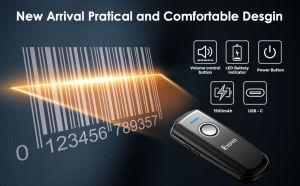
Eyoyo Mini 1D Wireless Barcode ScannerCompatible with Bluetooth Function & 2.4GHz Wireless & Wired Connection Portable Barcode Reader Work with Windows MacAndroid IOS Phones Tablets or Computers
Quali-Products - CUYI Cleaning Solution 1L For Eco Solvent Ink

DR 2355 Drum Kit for HL-L2320D / MFC-L2700D / L2700DW / L2740DW Brother Printers
Epson L1300 Eco Solvent Wiper: A Comprehensive Guide
Canon PG-810 Black Ink Cartridge: Compatible with Canon Printer IP 2770 & More
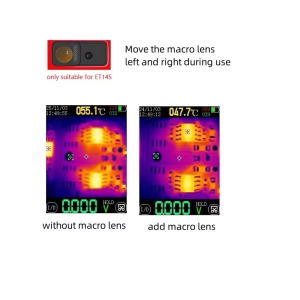
TOOLTOP ET14S Thermal Imager Macro Lens: Unleashing the Potential of Thermal Imaging
ETQ Compatible Toner Cartridge NPG28 for Canon ir2020 2016 2018 2022 NPG-28
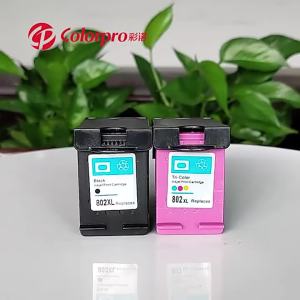
Compatible with Hp 802 Ink Cartridge HP deskjet 1050 1000 1010 1101 2050 Continuous Supply Printer
OPC Drum DR-2255 DR-2355 DR-2455 Compatible for DCP-L2540DW HL-2130 HL-2240D HL-2270DW HL-L2365DW etc.
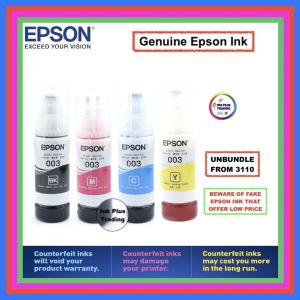
Epson Original Ink 65ml Bottles: A Comprehensive Guide