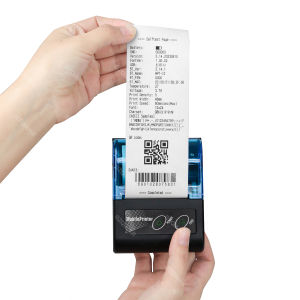
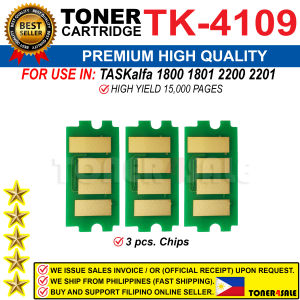
TK4109 TK 4109 Compatible for Kyocera Taskalfa 1800 1801 2200 2201 Toner Kit Cartridge
TK4109 TK 4109 Compatible for Kyocera Taskalfa 1800 1801 2200 2201 Toner Kit Cartridge
Introduction to TK4109 Compatible Toner Kit
What is the TK4109 compatible toner kit?
The TK4109 compatible toner kit is a high-quality alternative to the original Kyocera toner cartridges, designed to work seamlessly with Kyocera Taskalfa printers. These compatible toner kits provide excellent print quality while offering significant cost savings compared to the OEM toner cartridges.
Which printers does the TK4109 compatible toner kit work with?
The TK4109 compatible toner kit is specifically designed to work with the following Kyocera Taskalfa printers: Taskalfa 1800, Taskalfa 1801, Taskalfa 2200, and Taskalfa 2201. By using this compatible toner kit, you can enjoy reliable printing performance and consistent print quality.
How to Install TK4109 Compatible Toner Kit
Step-by-step guide to installing the toner kit
To install the TK4109 compatible toner kit, follow these steps:
- Turn off the printer and unplug it from the power source.
- Open the printer's front cover and remove the empty original toner cartridge.
- Carefully remove the new TK4109 compatible toner kit from its packaging.
- Align the toner kit with the printer's cartridge slot and gently slide it into place.
- Close the printer's front cover and plug the printer back into the power source.
- Turn on the printer and allow it to perform its initialization process.
Troubleshooting common installation issues
If you encounter any issues during the installation process, try the following troubleshooting tips:
- Make sure the toner kit is compatible with your printer model.
- Ensure that the toner kit is properly aligned with the printer's cartridge slot.
- Check that the toner kit is securely inserted into the printer.
- Consult the printer's user manual or contact the manufacturer's support team for further assistance.
Benefits of Using TK4109 Compatible Toner Kit
Cost savings compared to original toner cartridges
Using the TK4109 compatible toner kit can help you save money on printing costs. Compatible toner kits are generally less expensive than OEM toner cartridges, allowing you to stretch your budget further while still achieving excellent print quality.
High-quality print results
The TK4109 compatible toner kit is designed to provide consistent print quality that rivals that of the original Kyocera toner cartridges. By using this compatible toner kit, you can enjoy sharp, clear prints that meet your business needs.
Choosing the Right TK4109 Compatible Toner Kit
Factors to consider when choosing a compatible toner kit
When selecting a TK4109 compatible toner kit, consider the following factors:
- Compatibility: Ensure that the toner kit is specifically designed for your Kyocera Taskalfa printer model.
- Quality: Look for a toner kit that offers high-quality print results and consistent performance.
- Cost: Compare prices among different brands and options to find the most cost-effective solution.
Top brands and options for TK4109 compatible toner kits
Some popular brands offering TK4109 compatible toner kits include:
- Brother
- Canon
- HP
- Lexmark
These brands offer reliable and high-quality toner kits that can help you save money on printing costs while still achieving excellent print quality.
Maintaining Your Printer with TK4109 Compatible Toner Kit
Tips for extending the life of your toner kit
To extend the life of your TK4109 compatible toner kit, follow these tips:
- Print in draft mode whenever possible to reduce ink usage.
- Clean the printer's print head regularly to prevent clogs and maintain optimal print quality.
- Store the toner kit in a cool, dry place when not in use.
Best practices for printer maintenance
To keep your Kyocera Taskalfa printer running smoothly, follow these best practices for printer maintenance:
- Clean the printer's exterior regularly to remove dust and debris.
- Replace the air filter according to the manufacturer's recommendations.
- Update the printer's firmware to ensure compatibility with the latest software and drivers.

Toner4sale
Review
You May Also Like
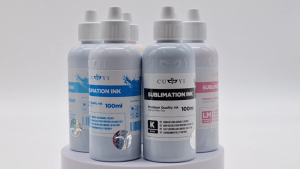
PaperCornerPh - Sublimation CUYI Ink for Epson Printer Sublimation Paper (CMYK LC LM) 100ML
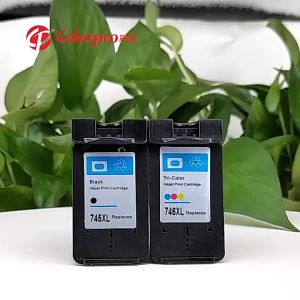
Canon Compatible Refillable Ink Cartridge PG745/CL746XL High-Capacity Tri-Color Printer Ink
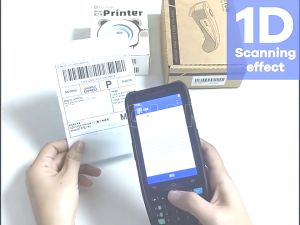
GZQIANJI Android 10 Handheld POS PDA Terminal 1D 2D QR Barcode Scanner Reader Support 3G 4G GPS WiFi Bluetooth with 4.0 Inch Touchscreen

EPSON 664 INK GENUINE 100% ORIGINAL (L360 L3110 L200 L565 L220 L130)\\n\\n Understanding EPSON 664 INK GENUINE\\n\\n What is EPSON 664 INK GENUINE?\\n\\nEPSON 664 INK GENUINE is a high-quality ink cartridge specifically designed for EPSON printers such as L360, L3110, L200, L565, L220, and L130. This ink cartridge guarantees optimal performance and print quality, ensuring your documents and photos look their best.\\n\\n Benefits of using 100% ORIGINAL EPSON INK\\n\\nUsing 100% original EPSON ink provides numerous benefits, including:\\n\\n- **Superior Print Quality**: Original EPSON ink cartridges produce vibrant colors and sharp text, making your prints stand out.\\n- **Reliability**: Genuine EPSON ink cartridges are tested and optimized for EPSON printers, reducing the risk of print errors and ensuring consistent performance.\\n- **Durability**: Original EPSON ink cartridges have a longer lifespan compared to compatible alternatives, providing cost savings over time.\\n\\n Compatible Ink for EPSON Printers\\n\\n Advantages of using compatible ink cartridges\\n\\nWhile original EPSON ink cartridges offer superior print quality and reliability, compatible ink cartridges can be a cost-effective alternative. Some advantages of using compatible ink cartridges include:\\n\\n- **Cost Savings**: Compatible ink cartridges often come at a lower price point, allowing you to save money on printing costs.\\n- **Wide Availability**: Compatible ink cartridges are readily available from various manufacturers, providing more options for consumers.\\n\\n How to choose the right compatible ink for your printer\\n\\nWhen selecting a compatible ink cartridge for your EPSON printer, consider the following factors:\\n\\n- **Compatibility**: Ensure the compatible ink cartridge is specifically designed for your printer model.\\n- **Quality**: Look for reputable manufacturers that prioritize quality and reliability.\\n- **Price**: Compare prices from different manufacturers to find the best value for your budget.\\n\\n Installing EPSON 664 INK GENUINE\\n\\n Step-by-step guide to installing genuine EPSON ink cartridges\\n\\nFollow these steps to install EPSON 664 INK GENUINE in your printer:\\n\\n1. Turn off your printer and open the ink cartridge access door.\\n2. Remove the old ink cartridge by gently pulling it out of its slot.\\n3. Carefully remove the new EPSON 664 INK GENUINE from its packaging.\\n4. Insert the new ink cartridge into its designated slot and close the ink cartridge access door.\\n5. Turn on your printer and allow it to initialize.\\n\\n Troubleshooting common ink installation issues\\n\\nIf you encounter any issues during the ink cartridge installation process, refer to the following troubleshooting tips:\\n\\n- **Print Quality Issues**: If your prints appear faded or blurry, try cleaning the print head or replacing the ink cartridge.\\n- **Ink Cartridge Not Detected**: Ensure the ink cartridge is properly inserted and the ink cartridge access door is closed.\\n\\n Maximizing Printer Performance\\n\\n Best practices for maintaining optimal printer performance\\n\\nTo keep your EPSON printer running smoothly, follow these best practices:\\n\\n- **Regular Maintenance**: Clean the print head and replace the ink cartridges regularly to maintain optimal print quality.\\n- **Proper Storage**: Store ink cartridges in a cool, dry place away from direct sunlight to prevent drying out.\\n- **Software Updates**: Keep your printer software up-to-date to ensure compatibility with the latest ink cartridges and features.\\n\\n Tips for extending the lifespan of your ink cartridges\\n\\nTo extend the lifespan of your EPSON 664 INK GENUINE, consider the following tips:\\n\\n- **Use the Right Paper**: Using high-quality paper can help prevent ink smudging and bleeding, reducing the amount of ink used.\\n- **Print in Draft Mode**: Printing in draft mode can reduce ink usage, extending the lifespan of your ink cartridges.\\n- **Store Ink Cartridges Properly**: Storing ink cartridges in a cool, dry place can help prevent drying out and extend their lifespan.\"
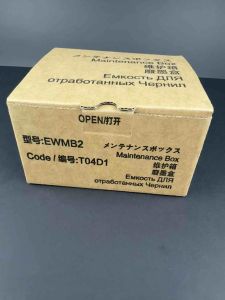
Maintenance Box T04D1 C13T04D100: A Comprehensive Guide for Epson EcoTank Printers

Charger for T80 Handheld Android PDA Scanner charge battery and device together only charger without device and battery
BLing3D PLA Carbon Fiber 3D Printer Filament 1.75mm 1kg - Frosted Texture High Strength Low Shrinkage
Comprehensive Guide: Mastering Epson L1110 & L3100 Series Printers
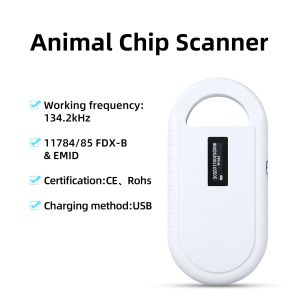
5YOA Pet Scanner OLED Display ISO11784/5 Animal Pet ID Reader Chip Transponder USB RFID Handheld Microchip Scanner for animals

CF217A 17A Compatible Toner Cartridge For MFP M130a MFP M130nw MFP M130fn MFP M130fw M102a M102w
SUNLU High Speed PETG 3D Filament 1.75mm 30mm/s - 600mm/s Print Range High Flow Speedy 3D Printer Filament Fit Most FDM Printers Dimensional Accuracy +/- 0.02mm 1kg Spool (Black)