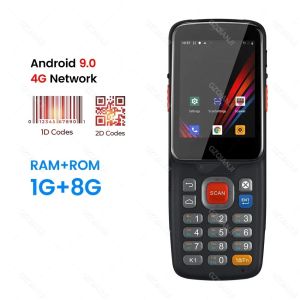
Android 11 PDA Handheld Terminal: A Comprehensive Guide
Android 11 PDA Handheld Terminal: A Comprehensive Guide
What is the GZPDA13/GZP39H?
The GZPDA13/GZP39H is a versatile Android 11 PDA handheld terminal designed for efficient data collection, barcode scanning, and connectivity. This portable device offers users a seamless experience by integrating advanced features such as WiFi, 4G, and Bluetooth connectivity. The GZPDA13/GZP39H is a cost-effective solution for businesses looking to streamline their operations and improve efficiency.
Key Features
- Android 11 operating system
- 1D/2D barcode scanning capabilities
- QR code scanning
- WiFi, 4G, and Bluetooth connectivity
- Touchscreen and keyboard input
- Data collector functionality
Technical Specifications
- Brand Name: GZPDA
- Type: Barcode Scanner
- Scan Element Type: CCD
- Origin: Mainland China
- Optical Resolution: 300*300
- Scan Breadth: Not specified
- Scan Speed: 100 scans/second
- Interface Type: USB
- Product Type: Bar Code Scanner
- Colour Depth: 16 bit
- Model Number: GZPDA13/GZP39H
- Novelty: New
- Scanning Light Source: Natural Light+LED
How to Use the Android 11 PDA Handheld Terminal
Using the GZPDA13/GZP39H is simple and intuitive. Follow the steps below to get started with your device.
Scanning & Connectivity
To scan barcodes or QR codes, simply point the scanner at the code and press the trigger button. The scanned data will be transmitted via WiFi, 4G, or Bluetooth to your desired destination. To connect to a network, navigate to the settings menu and select the appropriate connection type.
Keyboard & Touchscreen
The GZPDA13/GZP39H features a responsive touchscreen and keyboard input for ease of use. Navigate through menus and enter data using either the touchscreen or keyboard.
Benefits of Using the GZPDA13/GZP39H
The GZPDA13/GZP39H offers numerous benefits for businesses and individuals alike.
Improved Efficiency
With its fast scanning speed and versatile connectivity options, the GZPDA13/GZP39H streamlines data collection processes, saving time and increasing productivity.
Enhanced User Experience
The intuitive interface and responsive touchscreen make the GZPDA13/GZP39H easy to use, even for those new to barcode scanning and data collection.
Cost-Effective Solution
Investing in the GZPDA13/GZP39H is a cost-effective solution for businesses looking to improve efficiency and streamline operations without breaking the bank.
Frequently Asked Questions
Compatibility & Support
Q: Is the GZPDA13/GZP39H compatible with Windows, Mac, or Linux operating systems? A: Yes, the GZPDA13/GZP39H is compatible with a wide range of operating systems, including Windows, Mac, and Linux.
Q: What kind of support is available for the GZPDA13/GZP39H? A: Our dedicated customer support team is available to assist with any questions or concerns you may have regarding the GZPDA13/GZP39H.
Maintenance & Troubleshooting
Q: How do I clean the GZPDA13/GZP39H? A: To clean the GZPDA13/GZP39H, use a soft, dry cloth to wipe down the exterior. Avoid using harsh chemicals or abrasive materials that may damage the device.
Q: What should I do if my GZPDA13/GZP39H is not working properly? A: If you are experiencing issues with your GZPDA13/GZP39H, please refer to the troubleshooting guide included with your device or contact our customer support team for assistance.

GZQIANJI Store
You May Also Like
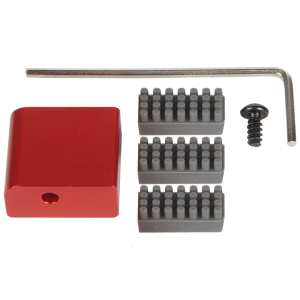
Aluminum Alloy 3D Printing Nozzle Wiping Set for Easy Maintenance in Home Studios School and Industrial Environment
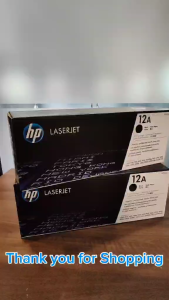
HPee 12A (Q2612A) Laser Jet Black Original Toner Cartridge
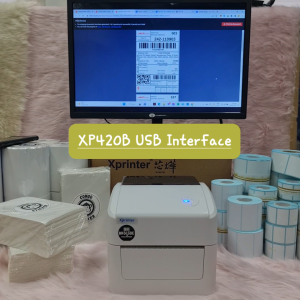
GPRINTER WAYBILL PRINTER XPRINTER THERMAL WAYBILL PRINTER USB AIRWAYBILL PRINTER ONLINE SELLING WAYBILL PRINTER
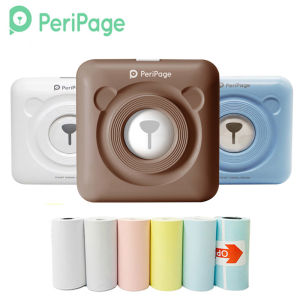
203dpi A6 Peripage Pocket Mini Printer: A Comprehensive Guide
Brandnew Ink Cartridge for GT5810/GT5820/310/315/410/415
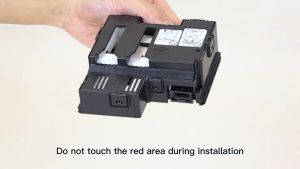
Genuine Canon MC-G04 Maintenance Cartridge: Essential Printer Supplies

Ink Suction Tool Cartridge Cleaning Solution Suction Tools Kit For Canon / HP
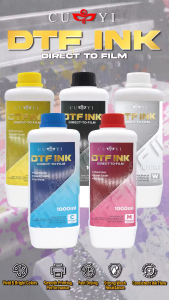
CUYI DTF Ink Textile Pigment Ink 1000ML Very Convenient for DTF Printers
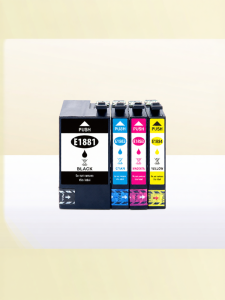
Compatible 4-color Epson Ink Cartridges T1881

Phomemo Carry Bag for M110/D30/P12/Q30S Label Maker and M02/M02S/M02 Pro/T02Photo Pocket Printer Stores Wireless Thermal Printer and Self-Adhesive Paper. Waterproof and Fashion
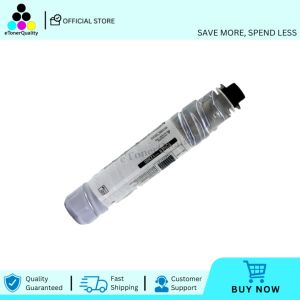
Compatible Toner Cartridge Type 1230D For Gestetner 1610D MP1500 MP1610 2015 2018 1810 2020 MP2000 MP2011 MP1911 MP1811 MP2012 MP1812