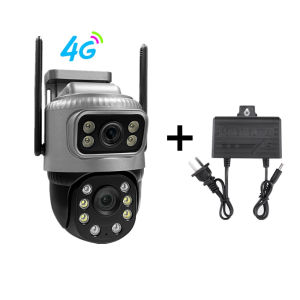
4K 8MP Dual Lens 4G PTZ Camera: The Ultimate Outdoor Surveillance Solution
4K 8MP Dual Lens 4G PTZ Camera: The Ultimate Outdoor Surveillance Solution
What is a 4K 8MP Dual Lens 4G PTZ Camera?
The 4K 8MP Dual Lens 4G PTZ Camera is a state-of-the-art outdoor surveillance solution designed to provide unparalleled security and monitoring capabilities. With its dual lens system, this camera offers high-resolution images and videos, allowing you to capture every detail in your surroundings. Additionally, it supports 4G connectivity, making it easy to set up and use even in remote locations.
Key Features
- Dual Lens System: The camera features two lenses, one for wide-angle coverage and another for zoom-in capabilities, providing comprehensive surveillance.
- High-Resolution Video: With 4K resolution and 8 megapixels, the camera delivers crystal-clear images and videos, even in low-light conditions.
- PTZ Functionality: Pan-Tilt-Zoom (PTZ) technology enables you to remotely control the camera's movement, ensuring you can monitor any area of interest.
- Wireless Connectivity: The camera supports both 4G and Wi-Fi connectivity, making it easy to install and access from anywhere.
- AutoTracking Technology: This feature allows the camera to automatically track moving objects, enhancing surveillance capabilities.
Benefits of Using This Camera
- Enhanced Security: The high-resolution video and auto-tracking technology provide a robust security solution, deterring potential intruders and helping you stay informed about any suspicious activity.
- Convenience: With wireless connectivity and remote control capabilities, you can easily monitor your property from anywhere, at any time.
- Flexibility: The dual lens system and PTZ functionality offer versatile surveillance options, ensuring you can cover all areas of interest.
How to Install & Set Up Your 4K 8MP Dual Lens 4G PTZ Camera
Step-by-Step Installation Guide
- Choose a suitable location for your camera, ensuring it has a clear view of the area you want to monitor.
- Mount the camera securely using the included mounting hardware.
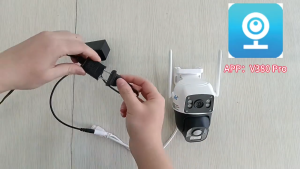
- Connect the power supply to the camera and ensure it is powered on.
- Follow the manufacturer's instructions to connect the camera to your wireless network or 4G SIM card.
- Access the camera's settings through the mobile app or web interface to configure its features and start monitoring.
Connecting to Wireless Network
To connect your 4K 8MP Dual Lens 4G PTZ Camera to a wireless network, follow these steps:
- Power on the camera and access its settings through the mobile app or web interface.
- Select the wireless network option and enter your Wi-Fi credentials.
- Wait for the camera to establish a connection with your network.
- Once connected, you can access the camera's live stream and recorded footage from anywhere.
Maximizing Security with AutoTracking IP Camera
Understanding AutoTracking Technology
AutoTracking technology allows the camera to automatically detect and track moving objects within its field of view. This feature enhances surveillance capabilities by ensuring that you don't miss any important details or events.
Enhancing Surveillance with PTZ Functionality
Pan-Tilt-Zoom (PTZ) technology enables you to remotely control the camera's movement, allowing you to monitor any area of interest. This feature provides greater flexibility and coverage, ensuring you can keep an eye on your property from multiple angles.
Tips for Maintaining Optimal Performance
Regular Maintenance Tasks
To ensure optimal performance of your 4K 8MP Dual Lens 4G PTZ Camera, perform the following maintenance tasks regularly:
- Clean the camera's lenses to remove dust, dirt, and debris.
- Check the camera's firmware for updates and install them as needed.
- Monitor the camera's battery level (if applicable) and replace the battery if necessary.
Troubleshooting Common Issues
If you encounter any issues with your camera, refer to the troubleshooting guide in the user manual or contact the manufacturer's support team for assistance. Some common issues include:
- Connection problems: Ensure that the camera is properly connected to your wireless network or 4G SIM card.
- Image quality issues: Clean the camera's lenses and adjust the camera's settings to improve image quality.
- Battery-related issues: Replace the battery if it is not holding a charge or is damaged.

V380 Camera Factory Store
Review

You May Also Like
CCTV Camera V380 Pro Dual Lens Auto Tracking PTZ 8MP 4G Sim Card IP66 Waterproof Outdoor Two Ways Audio and Speaker AI Motion Dection Video Surveillance Camera
CCTV YCC365 Plus IP Camera: A Comprehensive Guide
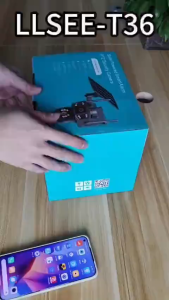
V380 pro 12MP Solar CCTV Cell Camera Dual lenses three-screen Night Color Image Solar cctv camera outdoor cctv 4G/Wifi cctv solar light outdoor waterproof solar cctv camera cctv solar connect to cellphone
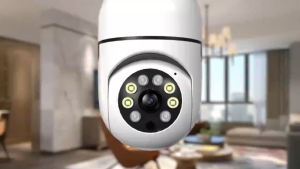
V380 Bulb Camera: A Comprehensive Guide to Automatic Tracking & Intelligent Wireless Security
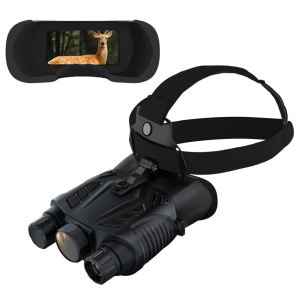
BekinTek WiFi GPS Helmet Mounted Night Vision Binoculars Full Color Head Mountable Optics Telescope Rechargeable Goggles Full Dark Observing Support 2.4G WiFi Remote Viewing GPS Positioning 8x Digital Zoom 2.5K Video Record 15M Photo

Ultimate Guide to Portable Outdoor Telescopes & Durable Binoculars
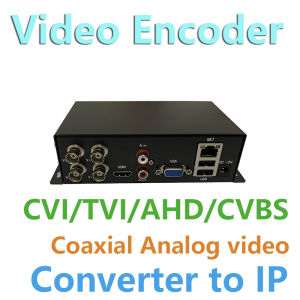
4CH CCTV Video Encoder: A Comprehensive Guide to Analog to Network Conversion
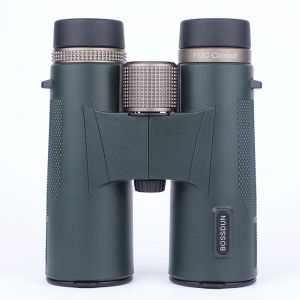
12x42 HD Professional Binoculars with ED Lens BAK4 Prism Waterproof Metal Body for Birdwatching Hunting Camping Travel Outdoor
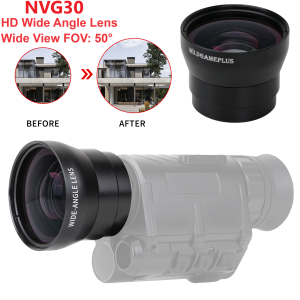
NVG30 Wide Angle Lens 55MM Scope Lens Wide 50° FOV lens For For NVG30 940nm IR Night Vision Monocular Telescope 40° FOV add 15°

【New】DJI GT3 Neo - Camera Drone | 4K/30fps | 135g Ultra Light Weight | Palm Landing | Beginner Friendly | Easy Control | AI tracking | 5 Shooting Modes

AKASO Brave 4 Pro | 4K30FPS Ultra HD Video | 20MP Photos | EIS 2.0 SuperSmooth Stabilization