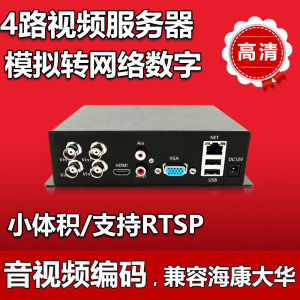
⭐⭐⭐4CH CCTV VIDEO ENCODER ANALOG TO NETWORK SURVEILLANCE VIDEO CONVERTER VIDEO SERVER AHD CVI CVBS CONVERTER TO IP
Powerful functions of 4-channel network video server1. Convert 1-4 analog signals to network signals, connect to Haikang, Dahua, Xiongmai, Univision, Tiandiweiye NVR, and display 4 independent channel images.2. Support coaxial HD encoding, compatible with Xiongmai AHD, Haikang TVI, Dahua CVI coaxial camera3. The encoding resolution can be as high as 1080P, lossless image quality, smooth in real time4. H.265X encoding, compatible with H264, more stable and smoother than H264 transmission!5. Simple mobile phone monitoring, only need to enter the device serial number to realize mobile phone monitoring6. Support audio and video intercom, realize video conference function7. Support RTSP protocol and provide SDK development kit The series DVS is designed specially for security and defence field which is an outstanding digital surveillance product. It introduces embedded LINUX operating system which is more stable. It introduces standard H.264mp video compressed format and G.711A audio compressed format which insures the high quality image, low error coding ratio and single frame playing. It introduces TCP/IP network technology which achieves the strong network communication ability and telecommunication ability.Powerful functions of 4-channel network video server1. Convert 1-4 analog signals to network signals, connect to Haikang, Dahua, Xiongmai, Univision, Tiandiweiye NVR, and display 4 independent channel images.2. Support coaxial HD encoding, compatible with Xiongmai AHD, Haikang TVI, Dahua CVI coaxial camera3. The encoding resolution can be as high as 1080P, lossless image quality, smooth in real time4. H.265X encoding, compatible with H264, more stable and smoother than H264 transmission!5. Simple mobile phone monitoring, only need to enter the device serial number to realize mobile phone monitoring6. Support audio and video intercom, realize video conference function7. Support RTSP protocol and provide SDK development kitPorduct main functionReal-time surveillance·with analog output interface can do surveillance through device of monitor or DVS, etc.Storage·Max support TF card with 32G(part of model support) for local storage of snapshot image. ·can do snapshot remote storage via CMS software or myeye platform·storage data is using dedicated format, can not be modified to make data saftyCompression format· Audio and video signal is compressed by individual hardware, to make the image and voice synchronously stableBackup function·client side pc can download file from TF card for back up via network Video playback function·can do full real-time record, and search, net surveillance, video search and download, etc. ·support play back mode of fast-play, slow-play, etc.·can do partial enlargement of any of the areaNetwork operation function·can remote surveillance via network (including mobile) ·remote PTZ control·remote video search and realtime playbackAlarm linkage function·alarm link to record, snapshot, email sending, etc.Telecom interface·with RS485 interface for PTZ control;· with Ethernet port for remote access function , remote upgrade & maintaince function.Intelligent operation·for the same setting operation on menu can do copy & paste operation. Video output connection1.BNC output:BNC video output is divided into: PAL/NTSC BNC(1.0VP-P ,75Ω),can be connected to monitor or surveillance integrated equipment such as DVS, etc.BNC output can support preview of the monitor image only.Make sure the stable and reliable of transmission link:The video transmission line should adopt high quality coaxial pair which is chosen by the transmission distance. If the transmission distance is too far, it should adopt shielded twisted pair, video compensation equipment and transmit by fiber to insure the signal quality.The video signal line should be away from the electro magnetic Interference and other equipments signal lines. The high voltage current should be avoided especially.Insure the connection stable and credibleThe signal and shield lines should be firm and connected credible which avoid false and joint welding and oxidation.2. Network output: Connect to LAN and WAN via common standard, using the PC that is in the same LAN line with DVS bysoftware or IE browser to set parameters, real-time preview, remote playback and download, etc.When replace the monitor by the computer display, there are some issues to notice.:1、do not make it running for a long time, in order to extend the using life of device. 2、regularly degauss to keep monitor normally work.3、Keep away from device with severe electromagnetic interface.TV is not a credible replacement as a video output. It demands reducing the use time and control the power supply and the interference introduced by the nearby equipments strictly. The creepage of low quality TV can lead to the damage of other equipments.

Yisunder.sun
Review
You May Also Like
(2026 New) HIKVISION DS-2CD1347G3-LIU 4MP ColorVu 3.0 Audio Fixed Turret Network Camera CCTV Camera 24/7 Colorful Smart Hybrid Light Motion Detection Built-in Mic

Nail-Free Cctv Camera Stand Holder Home Camera Monitor Bracket

MINIFELE 262 Intelligent Camera Detector Anti-Peeping Protection Portable Detect Anti-Peeping Gadget Sound and Light Alarm Anti-sneak Signal Detector

Kids HD Digital Flip Screen and Instant Printing Camera Photo Video Games MP3 Pix & Play Co.
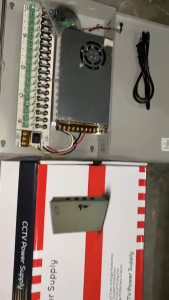
Hikvision CCTV Camera Centralized Power Supply Box 4/9/18CH 12V5A/10A/20A/30 Power Box CCTV Exclusive
VSYSTO U5X 4K Action Camera support WiFi Taillight & Temp Display Rechargeable Sport Cam for Motorcycle & Bike
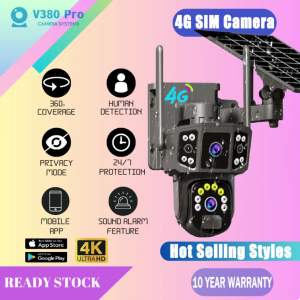
BUY 1 TAKE 1 V380 Pro Solar CCTV Camera With 4G Sim Card HD Three Screen Monitor Surveillance Outdoor Human Detection Two-Way Audio Night Vision IP Security Cameras
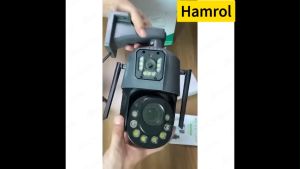
Hamrol 8MP Dual Lens WiFi PTZ Camera 36X Optical Zoom Outdoor Color Night Vision Security CCTV
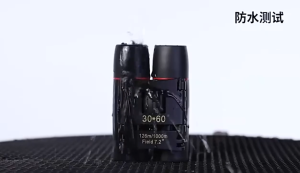
30 x 60 Telescope Night Vision 30x/60x60 1000m/3000M HD Binoculars Telescopescope with Free Telescope BagTelescope Binoculars long rangescopetelescope originaltelescope for moontelescope astronomicalmonocular telescope
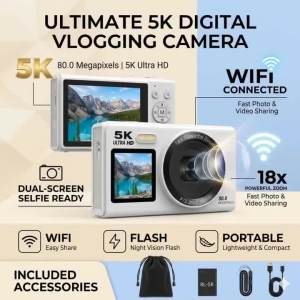
5K Dual Screen Digital Camera 80MP Retro CCD Photographic Cameras 8000W Pixel Auto Focus with 18x Zoom for Kid Photography
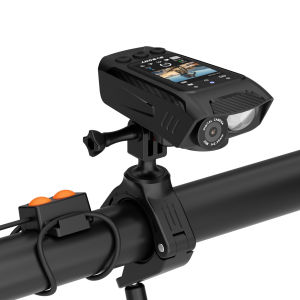
SVBONY SVGo C1 4K Cycling Action Camera Smart Cycling Recorder with GPS IPS Full Color Screen for Road Mountain Biking