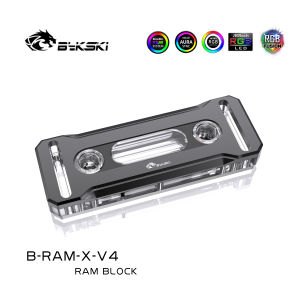
Bykski RAM RGB CPU Cooler RAM Heatsinks Use Memoria Ram DDR5/DDR4 Water Cooling Block for Dual Channel RAM Cooled RGB Radiator Copper B-RAM-X-V4
Bykski RAM RGB CPU Cooler RAM Heatsinks Use Memoria Ram DDR5/DDR4 Water Cooling Block for Dual Channel RAM Cooled RGB Radiator Copper B-RAM-X-V4
Introduction to Bykski RAM RGB CPU Cooler
The Bykski RAM RGB CPU Cooler is a cutting-edge cooling solution designed specifically for enthusiasts who want to take their system's performance to the next level. This innovative cooler utilizes water cooling technology and supports both Memoria Ram DDR5 and DDR4 memory modules. It comes equipped with a dual-channel RAM cooled RGB radiator, ensuring optimal cooling performance and enhanced visual effects.
What is the Bykski RAM RGB CPU Cooler?
The Bykski RAM RGB CPU Cooler is a high-performance cooling solution that combines water cooling technology with advanced RGB lighting effects. It features a copper B-RAM-X-V4 water block, which is compatible with both DDR5 and DDR4 memory modules. This allows users to enjoy superior cooling performance while maintaining a visually stunning setup.
How does the Bykski RAM RGB CPU Cooler work?
The Bykski RAM RGB CPU Cooler works by circulating coolant through a closed-loop system, which includes the copper B-RAM-X-V4 water block, dual-channel RAM cooled RGB radiator, and a high-quality pump. The coolant absorbs heat from the memory modules and transfers it to the radiator, where it is dissipated into the surrounding air. The RGB lighting effects can be customized using the included software, allowing users to create a unique and personalized look for their system.
Benefits of Using Memoria Ram DDR5/DDR4 Water Cooling
By utilizing the Bykski RAM RGB CPU Cooler, users can enjoy several benefits, including improved cooling performance, enhanced RGB lighting effects, and support for dual-channel RAM configurations.
Improved Cooling Performance
Water cooling technology provides superior heat transfer compared to traditional air cooling methods, resulting in lower temperatures and increased stability for your system. With the Bykski RAM RGB CPU Cooler, you can ensure that your memory modules remain cool even under heavy workloads, maximizing their potential and extending their lifespan.
Enhanced RGB Lighting Effects
In addition to its impressive cooling capabilities, the Bykski RAM RGB CPU Cooler also features customizable RGB lighting effects. Users can adjust the color and brightness of the LED lights using the included software, creating a visually stunning setup that complements their system's aesthetics.
Dual Channel RAM Support
The Bykski RAM RGB CPU Cooler is designed to support dual-channel RAM configurations, allowing users to achieve faster data transfer rates and improved overall system performance. This makes it an ideal choice for gamers, content creators, and other power users who demand the best performance from their systems.
Installation & Setup Guide
Installing the Bykski RAM RGB CPU Cooler is a straightforward process that requires minimal technical expertise. Follow these steps to get started:
Preparing Your System for Installation
Before installing the Bykski RAM RGB CPU Cooler, make sure to gather all necessary tools and components, including the cooler itself, thermal paste, and any required mounting hardware. It's also important to ensure that your system's case has enough clearance to accommodate the cooler and its components.
Installing the Bykski RAM RGB CPU Cooler
To install the Bykski RAM RGB CPU Cooler, begin by applying a small amount of thermal paste to the copper B-RAM-X-V4 water block. Next, carefully attach the water block to your memory modules, making sure that it is securely mounted and properly aligned. Finally, connect the radiator and pump to the water block, and route the tubing through your case's designated channels.
Configuring the RGB Lighting
Once the Bykski RAM RGB CPU Cooler is installed, you can configure the RGB lighting effects using the included software. This allows you to customize the color and brightness of the LED lights, creating a unique and personalized look for your system.
Troubleshooting Common Issues
Despite its robust design, the Bykski RAM RGB CPU Cooler may occasionally experience issues such as water leaks, overheating problems, or RGB lighting issues. Here are some tips for addressing these common issues:
Resolving Water Leaks
If you notice a water leak from the Bykski RAM RGB CPU Cooler, first check to ensure that all connections are secure and properly sealed. If the leak persists, you may need to replace the affected component or seek assistance from a qualified technician.
Addressing Overheating Problems
Overheating issues can occur if the Bykski RAM RGB CPU Cooler is not installed correctly or if the cooling system becomes clogged with dust or debris. To address this issue, make sure that the cooler is properly mounted and that all components are clean and free from obstructions.
Fixing RGB Lighting Issues
If you're experiencing issues with the RGB lighting on your Bykski RAM RGB CPU Cooler, try restarting your system and checking the settings in the included software. If the problem persists, consult the manufacturer's troubleshooting guide or contact their customer support team for further assistance.

Water Cooling
Review

You May Also Like
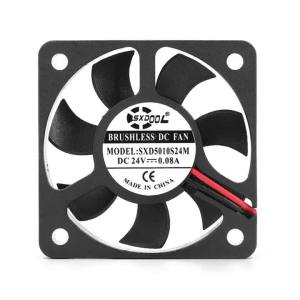
2pcs cooling fan 5cm 5010 DC 24V 2Pin 5CM 50x50x10mm 50mm PC Heatsink Cooler Cooling Fan SXDOOL customized OEM
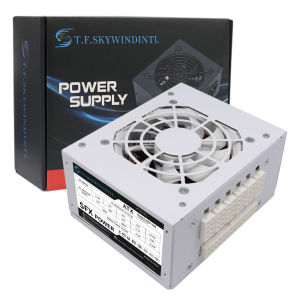
ATX/SFX 400/500/600W 80 Plus Mini Power Supply PSU For POS Full Voltage 94V-264V SFX-T500 Power Conversion ITX Solution/Micro
D04R-05TS5 40mm 5V 0.11A 2-Wire Cooling Fan 4015 4cm Low Noise Fan for Electronics

4 Digit High Brightness Red LED Display Module for Small Appliances Low Power Consumption Easy Installation Plastic Hous
DELL LATITUDE E7440 I5-4TH GEN I WINDOWS 10 I 4GB RAM 128GB STORAGE I PRELOVED
Summer Bamboos Fan With Willow Pattern Cooling Accessories Lightweight Silk Fabric Chinese Styles Decorative Craft
Universal MMCX Female Adapters For IE300/600/900 Headphones HassleFree Installation Maintains Original Sound Quality
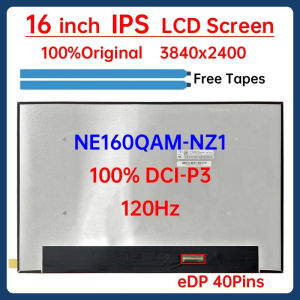
16 Inch 120Hz Laptop LCD Screen NE160QAM NZ1 NE160QAM-NZ1 Display Matrix Panel Replacement 3840x2400 IPS 100% DCI-P3 eDP 40 Pins

2.5\" SSD 250G 500G 1T 2T For Desktop Laptop WD Blue SA510 SATA 3.0 Internal Solid State Drive
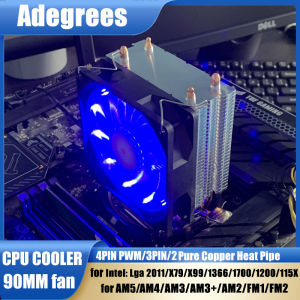
CPU Air-cooled Cooler PC Processor Radiator For Intel LGA 1366 1151 1155 1200 1700 2011 X79 X99 AMD AM3 AM4 AM5 Cooling Fan
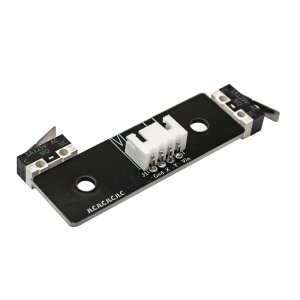
3D Printer Parts X/Y Axis Micro Switch PCB- Board Endstop Limit Switch V2.4 for for VORON 2.4