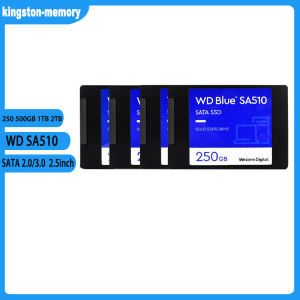
2.5\" SSD 250G 500G 1T 2T For Desktop Laptop WD Blue SA510 SATA 3.0 Internal Solid State Drive
2.5" SSD 250G 500G 1T 2T For Desktop Laptop WD Blue SA510 SATA 3.0 Internal Solid State Drive
Introduction to 2.5 Inch SSDs
What Are 2.5 Inch SSDs?
A 2.5 inch SSD, or solid-state drive, is a high-performance storage device designed to fit into desktop and laptop computers. It replaces traditional hard disk drives (HDDs) by utilizing flash memory technology, which significantly improves data access speeds and overall system performance.
Benefits of Using 2.5 Inch SSDs
There are several benefits to using a 2.5 inch SSD for your computer:
- Faster boot times and application loading
- Increased reliability and durability due to the lack of moving parts
- Reduced power consumption compared to HDDs
- Silent operation, as there are no spinning disks or mechanical components
Choosing the Right Capacity: 250G, 500G, 1T, or 2T?
Understanding SSD Storage Needs
When selecting a 2.5 inch SSD, it's essential to consider your storage needs. Common capacities include 250GB, 500GB, 1TB, and 2TB. Consider factors like the number of files you plan to store, the size of those files, and any future storage requirements.
Selecting the Optimal Capacity for Your Device
To determine the right capacity for your device, consider the following:
- For basic usage, such as web browsing and word processing, a 250GB SSD may suffice.
- If you frequently work with large files, such as high-resolution images or video editing, a 500GB or 1TB SSD would be more appropriate.
- For power users who require extensive storage for multiple applications and large file collections, a 2TB SSD is recommended.
Installing Your New Internal Solid State Drive
Preparing Your Device for Installation
Before installing your new 2.5 inch SSD, ensure that your computer is powered off and unplugged. Gather necessary tools, such as a screwdriver, and consult your computer's manual for specific installation instructions.
Step-by-Step Installation Process
- Open your computer case and locate the available drive bay for the SSD.
- Install the SSD mounting bracket if necessary, and secure the SSD in place using screws.
- Connect the SATA data cable from the SSD to the motherboard's SATA port.
- Connect the power cable from the power supply unit to the SSD's power connector.
- Close the computer case and power on the system.
Troubleshooting Common Issues
If your computer does not recognize the new SSD, check the following:
- Ensure the SSD is properly connected to the SATA port and power supply.
- Verify that the SSD is seated correctly in the drive bay.
- Check the BIOS/UEFI settings to ensure the SSD is detected.
Maximizing Performance with WD Blue SA510 SATA 3.0
Optimal Settings for High-Performance Storage
To get the most out of your WD Blue SA510 SATA 3.0 SSD, consider the following settings:
- Enable AHCI mode in the BIOS/UEFI to improve data transfer speeds.
- Optimize your operating system's power settings to prioritize performance.
- Regularly update your SSD firmware to ensure compatibility and performance improvements.
Tips for Maintaining SSD Health
To prolong the lifespan of your SSD, follow these guidelines:
- Avoid filling the drive beyond 80% capacity to maintain optimal performance.
- Regularly defragment the SSD to prevent data fragmentation.
- Monitor the drive's temperature to avoid overheating.
Conclusion: Making the Most of Your 2.5 Inch SSD
Recap of Key Takeaways
In summary, a 2.5 inch SSD offers numerous benefits over traditional HDDs, including faster performance, increased reliability, and reduced power consumption. When choosing the right capacity, consider your storage needs and future requirements. Proper installation and maintenance will help maximize the performance and longevity of your new SSD.
Final Thoughts on High-Performance Storage Solutions
Investing in a high-performance storage solution like the WD Blue SA510 SATA 3.0 SSD can significantly improve your computer's overall performance and user experience. By following the tips outlined in this article, you'll be able to make the most of your new solid-state drive and enjoy faster boot times, application loading, and data access speeds.

kingston-memory
Review

You May Also Like

14 Inch Laptop LCD Screen LP140QH2-SPA1 LP140QH2-SPB1 LP140QH2-SPD1 LP140QH2-SPC1 Display Matrix Panel QHD 2560x1440 eDP 40 Pins

AMD RYZEN 7 5700G/3.8GHZ/8CORE/16THD/16MB/AM4 OEM TRAY TYPE

DIFANG DC12V UPS Power Supply for WiFi Camera Outdoor Battery Backup Power Adapter 7500mAh Battery Emergency Power

92mm Fan for Sunon EE92251B3-D01A-A99 9CM 12V 0.10A Mute Cooling Fan 1.3W Low Noise
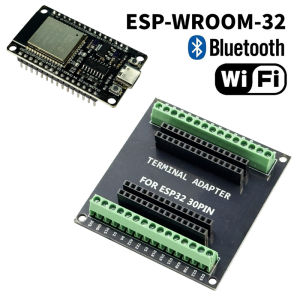
ESP-WROOM-32 ESP32-S DEVELOPMENT BOARD TYPE C ESP32 BLUETOOTH WIFI ESP32 NODEMCU BLUETOOTH MODULE + ESP 32 BREAKOUT BOARD 30 PIN

14 Inch IPS Laptop LCD Screen B140HAN06.3 B140HAN06.C Display Matrix Panel Replacement 1920x1080 eDP 30 Pins Non-Touch
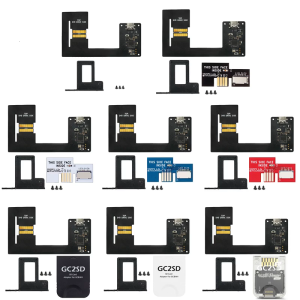
Open Source Gaming Picoloader For Consoles With Hotswap Design Firmware Customization Quick Install

16 Inch LCD Screen LP160UQ1 SPB1 LP160UQ1-SPB1 For Lenovo ThinkPad X1 Extreme 4th Gen Gen 5 P1 Gen 4 Gen 5 Display Matrix Panel
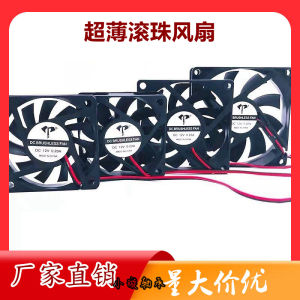
Ultra-Thin Ball 4010 5010 6010 7010 8010 Thickness 1cm Chassis Computer Cooling Fan

HP 13" Laptop Intel Core i5 8-Gen 8250u /Wifi/ Camera/For basic gaming work office use and online education 1-year warranty
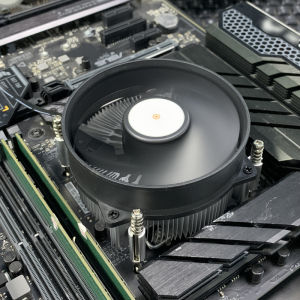
90MM CPU Air-cooled Cooler 4PIN PWM Aluminium PC Processors Cooler TDP 90W Radiator for Intel 1150/1151/1155/1156 Ventilador