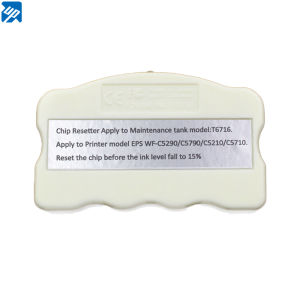
T6716 Maintenance Tank Chip Resetter for Epson WF-C5210 & C5790 Printers
T6716 Maintenance Tank Chip Resetter for Epson WF-C5210 & C5790 Printers
What is a T6716 Maintenance Tank Chip Resetter?
The T6716 maintenance tank chip resetter is a specialized tool designed to reset the ink level on the maintenance tank of certain Epson printers, including the WF-C5210 and C5790 series. This resetter allows users to extend the life of their maintenance tanks by resetting the ink level back to 15%, effectively saving on printing costs.
Product Overview
The T6716 maintenance tank chip resetter is compatible with specific Epson models, including the WorkForce Pro WF-C5790a, WF-C5290a, WF-C5710, and WF-C5210 printers. It comes with a 1:1 replacement warranty, ensuring that any defective units will be replaced. The package includes one chip resetter for the T6716 maintenance tank.
Compatibility with Epson Printers
The T6716 maintenance tank chip resetter is designed to work exclusively with the listed Epson models. Attempting to use it with other printers may result in damage or malfunction. It is essential to verify the compatibility of your printer before purchasing the resetter.
Key Features
- Resets the ink level on the maintenance tank to 15%
- Compatible with specific Epson printer models
- 1:1 replacement warranty
- Easy-to-use design
How to Use the T6716 Resetter
Using the T6716 maintenance tank chip resetter is a straightforward process. However, there are some important precautions to keep in mind.
Preparing Your Printer
Before using the resetter, ensure that your printer is turned off and unplugged from the power source. Remove the maintenance tank from the printer and locate the chip on the bottom of the tank.
Resetting the Chip
To reset the chip, insert the T6716 maintenance tank chip resetter into the chip slot on the maintenance tank. Press the button on the resetter until the ink level is reset to 15%. Reinsert the maintenance tank into the printer and turn the power back on.
Important Precautions
- Do not attempt to use the resetter if your printer model is not listed in the compatibility section.
- Reset the chip before the ink level falls below 15% to ensure proper functionality.
- Users must have an extra maintenance chip or tank with unused ink to activate the printer before installing the resetted maintenance tank.
Benefits of Using the T6716 Resetter
There are several benefits to using the T6716 maintenance tank chip resetter.
Cost Savings
By resetting the ink level on the maintenance tank, users can extend the life of their tanks and save money on printing costs. This is especially beneficial for businesses or individuals who print frequently.
Environmental Impact
Reducing the frequency of maintenance tank replacements helps minimize waste and reduces the environmental impact of printing.
Increased Printer Efficiency
Resetting the maintenance tank chip ensures that the printer operates efficiently and effectively, reducing the risk of clogs or other issues that may arise from low ink levels.
Where to Purchase the T6716 Resetter
The T6716 maintenance tank chip resetter can be purchased from official Epson retailers, online retailers, and authorized service centers.
Official Epson Retailers
Visit the Epson website to find authorized retailers near you.
Online Retailers
The resetter is available on popular online marketplaces such as Amazon, eBay, and Walmart.
Epson Authorized Service Centers
For customers who prefer to purchase directly from Epson, authorized service centers offer the resetter along with other printer parts and accessories.

LDD.COM
Review

You May Also Like
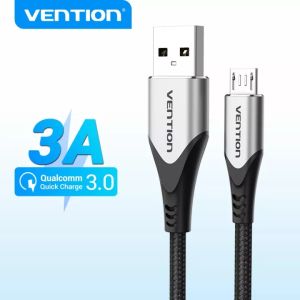
Vention Micro USB Cable 3A Fast Charger Data Transfer Cable & Data Sync For Android Mobile Phone Tablet Bluetooth headset Micro Usb Cord Braided Nylon Usb Data cable -COA
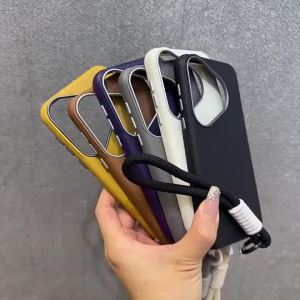
Case for samsung a04 A06 A17 A07 a04s a04e 5g a05s a05 a06 a16 phone casing Softcase shockproof Cover new design aesthetic Wireless Magnetic Attachment with lanyard SPDTBS01

JC-25 Telescopic Selfie Stick: A Universal Camera Accessory

Korean Style Cute Rabbit Wing Bracelet Pendant Double Layer Print Anti-Fall iPhone 15 pro Max Compatible Hard Shell Case for Apple 13
4K 60Hz HDMI ARC Audio Extractor 5.1 CH HDMI to Optical Toslink SPDIF + 3.5mm AUX Jack Stereo Audio Converter for PS4/5 HDTV DVD
Replacement Radio RC Car Receiver Telescopic Aerial 5 Sections Universal For Radio TV Equipment
Webcam 4K Ultra HD EMEET S800 Webcams With HDR Streaming Camera USB Computer Camera 1080P 60fps Perfect for Live Streaming/Laptop/Desktop
LED Light Cluster Assembly 41041487 Hoover and Candy Fridge Freezer PCB Circuit Board SW-BX02A W27-39

Honor Magic7 RSR Porsche Phone Case Original Design Premium Feel Magic7 pro Protective Cover Compatible with Magic6 pro for Men And Women
![[COD] SHGMYD 1 Pc 7 Blades Plastic Fan Blade Outside Diameter 35mm 42mm 50mm 65mm Plastic Cooling Fan Blade For Hair Dryer](https://img.lazcdn.com/g/p/b11efa44aeab133a3813b6589088f7e7.jpg_300x300q80.jpg)
[COD] SHGMYD 1 Pc 7 Blades Plastic Fan Blade Outside Diameter 35mm 42mm 50mm 65mm Plastic Cooling Fan Blade For Hair Dryer
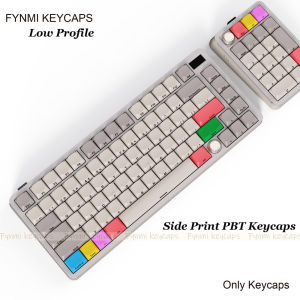
Only Keycaps>>Fynmi Low Profile 127 Keys PBT Dye-Sublimation ANSI Keycaps for Keychron/Nuphy/MX Switch Mechanical Keyboard