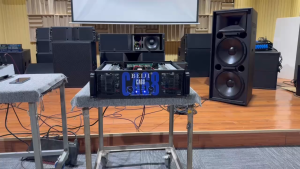
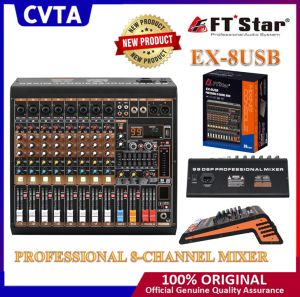
CVTA FTstar mixer EX-8USB: A High-Performance Audio Mixer for Professional Use
CVTA FTstar mixer EX-8USB: A High-Performance Audio Mixer for Professional Use
Introduction to CVTA FTstar EX-8USB
The CVTA FTstar EX-8USB is a professional 8-channel mixer that offers exceptional performance and versatility. This powerful audio mixer features a USB audio interface, making it ideal for musicians, DJs, and sound engineers looking to elevate their live performances and studio recordings.
Overview of CVTA FTstar EX-8USB
The CVTA FTstar EX-8USB is a high-performance audio mixer designed for professionals who demand the best in sound quality and functionality. With its robust build, intuitive controls, and advanced features, this mixer stands out among its competitors.
Key Features of CVTA FTstar EX-8USB
- 8 Channels: The CVTA FTstar EX-8USB offers eight channels, providing ample space for connecting various audio sources such as microphones, instruments, and line-level devices.
- USB Audio Interface: This mixer includes a built-in USB audio interface, allowing users to easily connect to their computers for recording and streaming purposes.
- Professional Power Amplifier: The EX-8USB comes equipped with a powerful amplifier, delivering clear and distortion-free sound even at high volumes.
- EQ Controls: Each channel features dedicated EQ controls, enabling users to fine-tune their sound and achieve optimal audio quality.
How to Set Up Your CVTA FTstar EX-8USB
Setting up your CVTA FTstar EX-8USB is a straightforward process. Follow these steps to get started:
Connecting Audio Sources to CVTA FTstar EX-8USB
- Connect your microphones, instruments, and other audio sources to the appropriate channels on the mixer.
- Adjust the gain levels to ensure optimal signal strength.
- Connect any necessary cables, such as XLR or TRS cables, to the mixer's input jacks.
Configuring USB Audio Mixer Settings
To configure the USB audio mixer settings:
- Connect the CVTA FTstar EX-8USB to your computer via USB.
- Open your preferred audio software and select the EX-8USB as your input/output device.
- Adjust any necessary settings within your software to optimize the mixer's performance.
Maximizing Your CVTA FTstar EX-8USB Experience
Now that you've set up your CVTA FTstar EX-8USB, it's time to take advantage of its advanced features and enhance your audio experience.
Utilizing CVTA FTstar EX-8USB as a Professional 8-Channel Mixer
The CVTA FTstar EX-8USB excels as a professional 8-channel mixer, offering a wide range of applications for musicians, DJs, and sound engineers. Some key features include:
- Built-in Compressor: The EX-8USB features a built-in compressor, helping to control dynamics and achieve a balanced mix.
- Effects Loop: This mixer includes an effects loop, allowing users to add external effects processors to their setup.
- Monitor Outputs: The CVTA FTstar EX-8USB provides dedicated monitor outputs, enabling musicians to hear themselves clearly during performances.
Enhancing Sound Quality with CVTA FTstar EX-8USB
To maximize the sound quality of your CVTA FTstar EX-8USB, consider the following tips:
- Optimize EQ Settings: Take advantage of the dedicated EQ controls on each channel to fine-tune your sound and achieve optimal audio quality.
- Use High-Quality Cables: Invest in high-quality cables to minimize signal loss and maintain pristine sound quality.
- Monitor Your Mix: Regularly check your mix to ensure proper balance and clarity.
Troubleshooting Common Issues with CVTA FTstar EX-8USB
If you encounter any issues with your CVTA FTstar EX-8USB, refer to the following troubleshooting tips:
Resolving Connection Problems
- Check Connections: Ensure all cables are securely connected to their respective ports.
- Verify Input/Output Settings: Double-check that your input/output settings are configured correctly within your audio software.
- Restart Equipment: Restart your mixer, computer, and any connected devices to resolve potential connection issues.
Fixing Audio Quality Issues
- Adjust Gain Levels: Check the gain levels on each channel to ensure optimal signal strength.
- Use Proper EQ Settings: Fine-tune your EQ settings to achieve the desired sound quality.
- Minimize Background Noise: Use noise-reducing techniques, such as placing microphones strategically, to minimize unwanted background noise.
Conclusion
The CVTA FTstar EX-8USB is a high-performance audio mixer that delivers exceptional sound quality and versatility. With its robust build, intuitive controls, and advanced features, this mixer is perfect for professionals seeking to elevate their live performances and studio recordings. Whether you're a musician, DJ, or sound engineer, the CVTA FTstar EX-8USB offers the tools you need to achieve your audio goals.
Disclaimer: This article is intended for informational purposes only and does not constitute professional advice. Always refer to the manufacturer's documentation for specific instructions and recommendations.

cvta
Review

You May Also Like
XTUGA MAX400 Ultra Low Noise 4 Channel Line Stereo Mixer 4 Input 1 Output DC 5V Portable Mini Audio Mixer Microphone Guitar Bass Keyboard Mixers for Club Bar Stage Studio Keyboard Console Instrument Audio Interface Audio Mixer 4 channel Instrument Mixer
Earbud Cover Shockproof Wrap Case Antiscratch Guard Washable Silicone Housing Shell Enhances Grip Suitable for HQ3 T018

Marshall Heston Sub 200 Subwoofer Speaker
Compact High Power Bluetooth Audio Amplifier ZK-TB21 TDA7498E Stereo Subwoofer Module
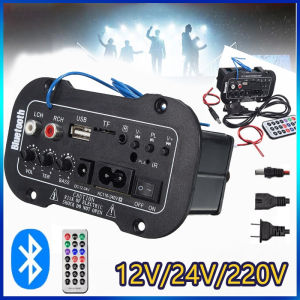
5-inch 12V 220V Car Bluetooth Audio Power Amplifier Remote Control for Car Auto Home Audio USB TF Speaker USB HIFI Heavy Bass Booster Power Mini Radio USB Remote Controller Amp Speaker Stereo DC Support SD USB DVD MP3 Input
ABBREE Wireless Bluetooth Handheld Speaker Mic: Enhancing Your Two-Way Radio Experience
Kimp Single Ear Earbuds: A Comprehensive Guide
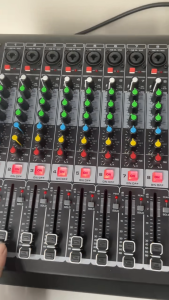
Soundcraft RX4/6/8 professional mixer professional performance on stage256 signal processing effects built-in Bluetooth connectionprofessional mixer
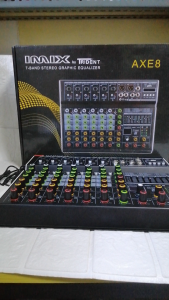
IMIX MIXER AXE 8: A Comprehensive Guide to the 8-Channel Stereo Graphic Equalizer
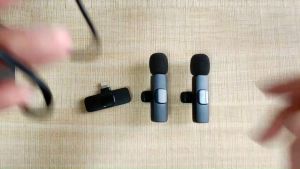
SWZYOR New Professional Wireless Lavalier Microphone Portable Audio Video Recording Mini Microphone for iPhone iPad Android USB-C Live Gaming Phone Microphone

Free Case Pro 6 Bluetooth Earphones with Microphone Touch HiFi Stereo Earphone Wireless Earbuds Bluetooth Headset with Mic