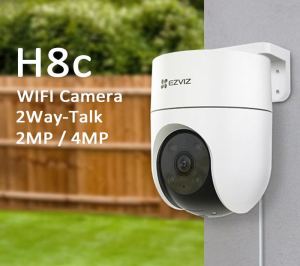
Hikvision Wirelessly Camera EZVIZ 2/4MP 2Way-Talk Outdoor IP67 Color-Night 360° Pan Outdoor CCTV
Hikvision Wirelessly Camera EZVIZ 2/4MP 2Way-Talk Outdoor IP67 Color-Night 360° Pan Outdoor CCTV
Overview & Key Features
Introduction to Hikvision Wirelessly Camera
The Hikvision Wirelessly Camera is a top-of-the-line outdoor security camera designed to provide reliable protection for your home or business. With its 2/4MP resolution, IP67 waterproof rating, and 360° pan functionality, this camera offers unparalleled coverage and visibility in any outdoor environment.
Key Features & Benefits
-
360° Pan Color-Night Camera: With its 360° pan feature, the Hikvision Wirelessly Camera can capture a panoramic view of your surroundings, allowing you to monitor large areas effectively. The color-night technology ensures clear images even in low-light conditions.
-
Outdoor Security Camera: Designed specifically for outdoor use, this camera is built to withstand harsh weather conditions, providing reliable security around the clock.
-
2/4MP Outdoor IP67 Camera: The Hikvision Wirelessly Camera offers high-resolution images, ensuring clear and detailed footage. The IP67 rating means it is waterproof and dustproof, making it perfect for any outdoor setting.
-
2Way-Talk Outdoor CCTV: With two-way audio communication, you can communicate with visitors or deter intruders remotely. This feature adds an extra layer of security and convenience to your home or business.
-
Hikvision Wirelessly Camera: The Hikvision Wirelessly Camera is easy to install and use, offering a seamless experience for users of all skill levels.
Comparison with Other Outdoor Security Cameras
When compared to other outdoor security cameras, the Hikvision Wirelessly Camera stands out due to its 360° pan functionality, color-night technology, and two-way audio communication. Its high-resolution images and IP67 waterproof rating make it a top choice for outdoor security needs.
Installation & Setup Guide
Choosing the Right Location
Before installing the Hikvision Wirelessly Camera, it is essential to choose the right location. Consider factors such as coverage area, weather conditions, and potential obstructions. Choose a location that offers the best view of your property while minimizing any potential interference.
Setting Up the Camera
Once you have chosen the right location, it is time to set up the camera. Follow the manufacturer's instructions to ensure a smooth installation process. Mount the camera securely and connect it to power. Make sure the camera is level and facing the desired direction.
Connecting to Wi-Fi Network
After setting up the camera, connect it to your Wi-Fi network. This will allow you to access live streams and recordings remotely. Follow the manufacturer's instructions to ensure a successful connection.
Using the Camera
How to Use 360° Pan Functionality
To use the 360° pan functionality, access the camera's settings through the Hikvision mobile app or web interface. Adjust the pan settings to capture a panoramic view of your surroundings. This feature allows you to monitor large areas effectively.
Two-Way Audio Communication
To use two-way audio communication, connect to the camera through the Hikvision mobile app or web interface. Speak into your device's microphone to communicate with visitors or deter intruders remotely. This feature adds an extra layer of security and convenience to your home or business.
Viewing Live Stream & Recording Playback
Access live streams and recordings through the Hikvision mobile app or web interface. Watch live footage to monitor your property in real-time or review recorded footage to investigate any suspicious activity.
Maintenance & Troubleshooting
Regular Maintenance Tips
To keep your Hikvision Wirelessly Camera running smoothly, perform regular maintenance tasks such as cleaning the lens, checking the power supply, and updating firmware and software. These simple steps will help ensure your camera continues to provide reliable security.
Common Issues & Solutions
If you experience any issues with your Hikvision Wirelessly Camera, refer to the manufacturer's troubleshooting guide for solutions. Common issues include connectivity problems, low battery life, and poor image quality. Address these issues promptly to maintain optimal performance.
Updating Firmware & Software
Regularly update the firmware and software of your Hikvision Wirelessly Camera to ensure it is running the latest version. This will help improve performance, fix bugs, and enhance security features.

Hikvision.EYE.Online Store
Review

You May Also Like
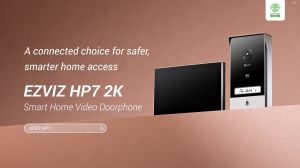
EZVIZ HP7 2K Smart Video Door Viewer: A Comprehensive Guide
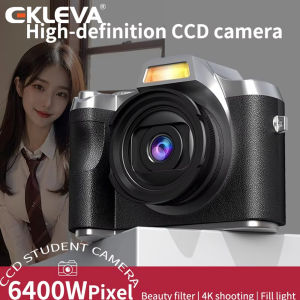
EKLEVA 64MP Camera Portable Video Recorder with Flash Light Battery Dock Retro Ultra Compact Digital Camera with Screen HD 1080p
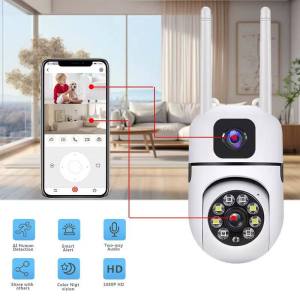
BUY 1 TAKE 1 V380 PRO 8MP 5G Outdoor CCTV Camera
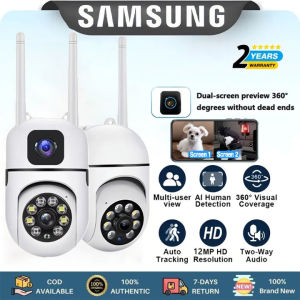
Samsung Intelligence Dual Lens CCTV Camera Connect Cellphone With Audio and Speaker Buy 1 Take 1 Mini IP Security Camera Auto Tracking Night Vision Waterproof Alarm Surveillance
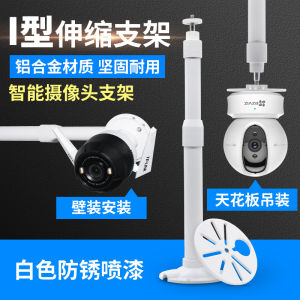
Smart Wireless Camera Extended Telescoping Monitoring Stand Haikang Fluorite C6C/Th Xiaomi Dahuayuecheng Neutral
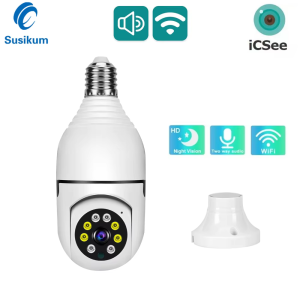
3MP Surveillance E27 Bulb WIFI Camera Color Night Vision Auto Tracking Indoor Security Protection CCTV Camera ICSee APP
SJCAM C110 Plus Mini Action Camera 4K Motorcycle Riding Recorder Vlog Night Vision 360 Camera Waterproof Sports Wifi Webcam
4K 8MP WIFI 4G IP Camera Dual Lens Outdoor Waterproof 360° Human Detect Video Surveillance CCTV Security Protection PTZ Cameras
V380 Pro CCTV Camera Buy 1 Get 1 Free IP Security Cameras Wifi Connect to Cellphone E27 Bulb Surveillance Camera Wireless Night Vision HD 360 Automatic Tracking Outdoor Waterproof 8MP Mini Smart CCTV Camera Connect to Phone With Voice and Alarm
D-Link DCS-8330LH mydlink Smart AI Full HD WiFi Camera

TP-Link Official Store | Tapo TC65 3MP | Outdoor Smart Bullet WiFi IP Security Home Cctv Sale Waterproof Hidden Camera Connect to Cellphone with Audio Mic and Speaker