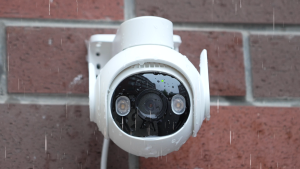
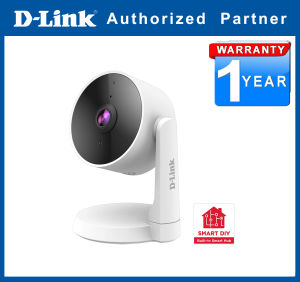
D-Link DCS-8330LH mydlink Smart AI Full HD WiFi Camera
D-Link DCS-8330LH mydlink Smart AI Full HD WiFi Camera
Introduction to D-Link DCS-8330LH
The D-Link DCS-8330LH is a top-of-the-line indoor/outdoor surveillance camera that offers a plethora of features to keep your home or business secure. This mydlink Smart AI Full HD WiFi camera provides Full HD quality video, motion detection, and alerts, making it an excellent addition to any smart home security system.
Key Features of D-Link DCS-8330LH
- Full HD Quality Video: With its 1080p resolution, the DCS-8330LH delivers crystal-clear images and videos for reliable monitoring.
- Motion Detection & Alerts: The camera automatically detects movement and sends notifications to your smartphone or tablet via the mydlink app.
- Customizable Viewing Experience: Users can adjust settings like brightness, contrast, and exposure to suit their preferences.
- Wireless Connectivity: The DCS-8330LH connects seamlessly to your Wi-Fi network, eliminating the need for complicated wiring.
How D-Link DCS-8330LH Compares to Other Smart Home Security Cameras
Compared to other smart home security cameras, the D-Link DCS-8330LH stands out due to its advanced AI capabilities, Full HD quality, and user-friendly interface. It offers a comprehensive solution for indoor and outdoor surveillance, making it a top choice for homeowners and businesses alike.
Setting Up Your D-Link DCS-8330LH
Setting up your D-Link DCS-8330LH is simple and straightforward. Follow these steps to get started:
Connecting Your Camera to Wi-Fi
- Connect the camera to power using the included power adapter.
- Press and hold the Wi-Fi button on the back of the camera until the LED light starts blinking.
- Open the mydlink app and follow the on-screen instructions to connect your camera to your Wi-Fi network.
Downloading & Installing the mydlink App
To control and monitor your D-Link DCS-8330LH camera, download and install the mydlink app on your smartphone or tablet. Available for both iOS and Android devices, the app provides a user-friendly interface for managing your camera settings and viewing live footage.
Configuring Your Camera Settings
Once connected, you can customize your camera settings within the mydlink app. Adjust settings such as motion detection sensitivity, privacy zones, and more to tailor your experience to your specific needs.
Maximizing Your D-Link DCS-8330LH Experience
Take full advantage of your D-Link DCS-8330LH camera with these tips:
Monitoring Your Home with Full HD Quality
Enjoy crystal-clear images and videos with the camera's 1080p resolution. Monitor your home or business in real-time, day or night, with ease.
Using Motion Detection & Alerts
Stay informed about any activity in your monitored area with motion detection and alerts. Receive instant notifications on your smartphone or tablet whenever the camera detects movement.
Customizing Your Viewing Experience
Adjust settings like brightness, contrast, and exposure to suit your preferences. Set privacy zones to blur out sensitive areas, and choose from multiple viewing angles to get the perfect shot.
Troubleshooting Common Issues
Encounter issues with your D-Link DCS-8330LH? Try these troubleshooting tips:
Connectivity Problems
If your camera isn't connecting to Wi-Fi, ensure your router is within range and try resetting the camera to factory settings.
Camera Performance Issues
For issues with video quality or motion detection, check your camera's firmware for updates, and adjust settings like brightness and contrast as needed.
App Troubleshooting
Having trouble with the mydlink app? Ensure you're using the latest version, and clear any cached data or cookies to resolve issues.

Netsource
Review

You May Also Like
Star Map Locator 5-20°N Latitude Adjustable for Tropical Astronomy Observation Telescope Tool
Tp-Link Tapo C310 Outdoor Wi-fi Security Camera Advance Night Vision Ultra-High Definition
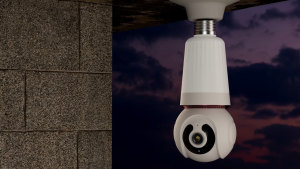
V380 PRO Light bulb 8 MAP HD Dual Cam Outdoor Bulb CCTV With Audio with light And Speaker WIFI Connect To Cellphone Eye Protection Light Bulb CCTV Camera 360° Outdoor Waterproof Night Vision 1080P HD Security Camera
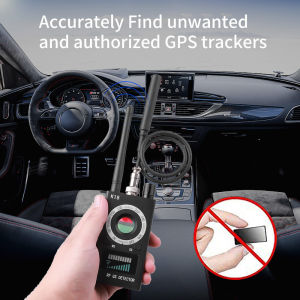
Multi-function Detector 1MHz-6.5GHz GSM Camera Audio Bug Locator Signal Lens RF Tracker Wireless Camera
Hikvision NVR 8 Channel DS-7608NI-Q1/8P 4K Acusense POE Network Video Recorder
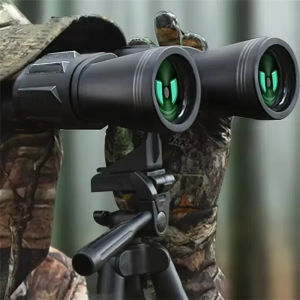
20X50 Binoculars for Adults High Powered Professional Binoculars with FMC Lens Central Focus Ideal for Bird Watching Camping
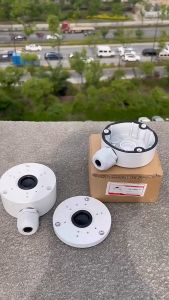
Waterproof Junction Box Camera Wall Mount Bracket: A Comprehensive Guide
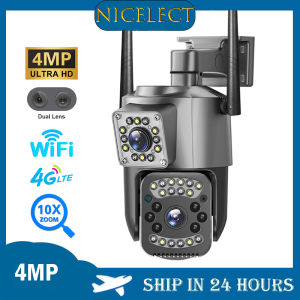
NICELECT 4MP 2K PTZ IP Camera Wifi 4G Sim Card Dual Lens 10X Zoom Outdoor Security Camera Night Vision Surveillance CCTV Cameras V380 Pro
1080P Digital Camera 16MP Digital Camera DSLR Digital Camera for Photography Digital Camera Digital Camera
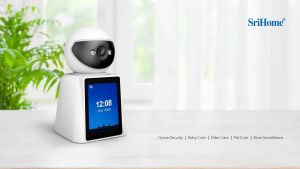
Srihome SH053 2.8-inch screen bidirectional Vídeo camera 1080P high-definition indoor security WiFi camera full-color night vision motion detection alarm
AHD to HDMI/VGA/Composite Video Converter: Your Multi-Format Solution