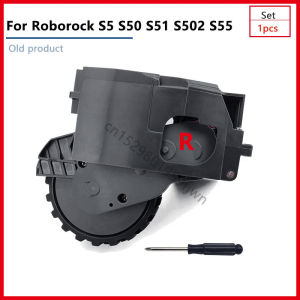
Roborock S5 S50 S51 Accessories: Replacement Wheel & Parts
Roborock S5 S50 S51 Accessories: Replacement Wheel & Parts
Roborock S5, S50, S51, S502, and S55 robot vacuum cleaners are designed to provide efficient cleaning solutions for your home. As with any electronic device, parts may wear out over time and require replacement. In this article, we will guide you through understanding compatible parts, replacing wheels, troubleshooting common issues, and maintaining your Roborock vacuum cleaner.
Understanding Roborock S5 S50 S51 Accessories
What are the Compatible Parts for Roborock Vacuum Cleaners?
The Roborock S5, S50, S51, S502, and S55 robot vacuum cleaners share several compatible parts, including wheels, filters, and brushes. When looking for replacement parts, ensure that they are compatible with your specific model. The most common parts that may require replacement include the left and right wheel modules.
Where Can I Find the Right Wheel Module for My Robot Vacuum?
You can find compatible replacement wheels for Roborock S5, S50, S51, S502, and S55 models at authorized Roborock dealers, online marketplaces, or the official Roborock website. Always verify the compatibility of the parts before purchasing.
How to Replace the Left and Right Wheels on Your Roborock
Step-by-Step Guide to Replacing the Left Wheel
- Turn off and unplug your Roborock vacuum cleaner.
- Flip the vacuum cleaner upside down, exposing the bottom side.
- Locate the left wheel module and gently remove the screws securing it.
- Carefully lift the old left wheel module and replace it with the new one.
- Secure the new left wheel module by reattaching the screws.
- Turn the vacuum cleaner upright and test its functionality.
Step-by-Step Guide to Replacing the Right Wheel
- Turn off and unplug your Roborock vacuum cleaner.
- Flip the vacuum cleaner upside down, exposing the bottom side.
- Locate the right wheel module and gently remove the screws securing it.
- Carefully lift the old right wheel module and replace it with the new one.
- Secure the new right wheel module by reattaching the screws.
- Turn the vacuum cleaner upright and test its functionality.
Troubleshooting Common Issues with Roborock S5 S50 S51 Accessories
How to Fix a Loose or Wobbly Wheel
If your Roborock vacuum cleaner has a loose or wobbly wheel, it may be due to a worn-out or misaligned wheel module. To fix this issue, follow the steps mentioned above to replace the affected wheel module. Make sure to tighten the screws securely.
How to Address Issues with the Vacuum's Navigation System
The navigation system of your Roborock vacuum cleaner relies on sensors and cameras. If you experience issues with the navigation system, ensure that the camera lens and sensors are clean and free from obstructions. You can also try resetting the vacuum cleaner by holding down the Home button for 10 seconds.
Best Practices for Maintaining Your Roborock Vacuum Cleaner
Regular Cleaning and Maintenance Tips
To keep your Roborock vacuum cleaner in top condition, follow these maintenance tips:
- Empty the dustbin after every cleaning session.
- Clean the filters regularly.
- Wipe the wheels and brushes to remove debris.
- Check the camera lens and sensors for obstructions.
- Keep the charging dock clean and free from dust.
Tips for Extending the Lifespan of Your Roborock S5 S50 S51 Accessories
To extend the lifespan of your Roborock vacuum cleaner accessories, follow these tips:
- Store the vacuum cleaner in a dry and cool place when not in use.
- Avoid using harsh chemicals to clean the accessories.
- Replace worn-out parts promptly to prevent further damage.
- Follow the manufacturer's guidelines for maintenance and care.

Sandetech
Review

You May Also Like
IPAD AIR 6 11 2024 / PRO 11 2024 / PRO 13 / AIR 13 2024 XUNDD Beatle Series Shockproof case
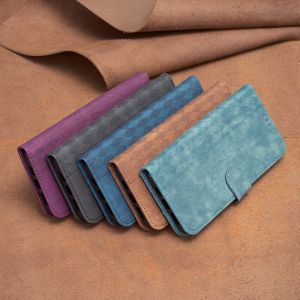
Magnetic Leather Phone Case & Flip Cover with Stand: Protect & Style Your Vivo & Xiaomi Devices
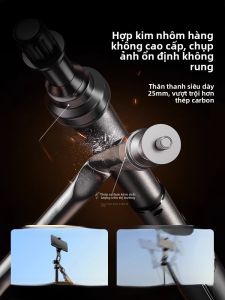
SOONJET | Multi-Function Portable Phone Tripod for Live Streaming Selfie Photography and Video
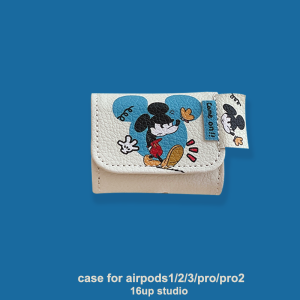
Cartoon Mickey Mouse Compatible Airpods4 Protective Case Cute Personality Creative Niche Pendant Doll Fashion Third Generation Apple Wireless Bluetooth Earphone Shell Pro2 Leather Flip Cover Integrated Soft Bag
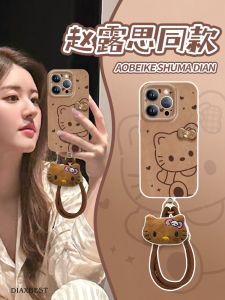
Kitty Cat Silicone Phone Case Ultra-Thin Full-Edge Protection for Apple 15 Pro Max XR XS Female Mobile Phone Protective Shell

Phone Case Samsung Galaxy S23 S22 S21 Ultra + Plus 5G Elegant Luxurious Rhinestone Swan Pearl Lanyard Casing Lens Protection Solid Color Transparent Soft Cover 2023
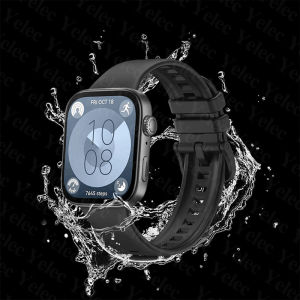
Strap for Huawei Watch Fit 3 Women Men Smart Watch Huawei Fit 3 Silicone Band Replacement Wristband
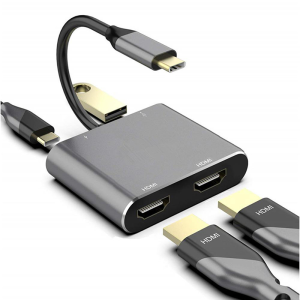
4in1 Type-C Docking Station to HDMI*2 4K USB3.0 PD Fast Charging Dual Screen Extend Display USB C Hub Converter
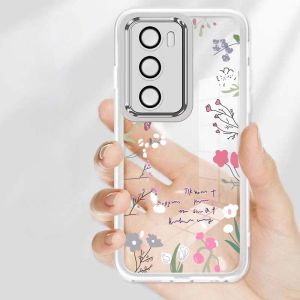
OPPO Reno 12 13 11 10 Pro Phone Case: Luxury Design & Shockproof Protection
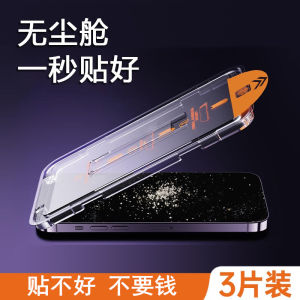
Huawei Nova10SE Tempered Glass Screen Protector Full Screen 5G High Definition Privacy Protection Anti-Fingerprint Dustproof
TTC Microswitch 8M 5M Million Clicks Gaming Mouse Micro Switch 2 Pin Blue White Dot for Computer Mouse Left Right Button