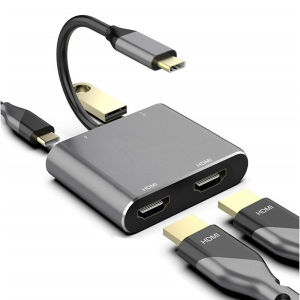
4in1 Type-C Docking Station to HDMI*2 4K USB3.0 PD Fast Charging Dual Screen Extend Display USB C Hub Converter
4in1 Type-C Docking Station to HDMI*2 4K USB3.0 PD Fast Charging Dual Screen Extend Display USB C Hub Converter
Introduction to 4in1 Type-C Docking Station
The 4in1 Type-C Docking Station is a highly versatile peripheral device that enables users to connect their laptop or tablet to multiple devices using a single USB-C port. This comprehensive guide will walk you through its features, setup, optimization, and troubleshooting tips.
What is a 4in1 Type-C Docking Station?
A 4in1 Type-C Docking Station is a compact device that combines four essential ports into one sleek package. These ports include:
- 4K Display Adapter: Connects your laptop or tablet to a high-resolution display via HDMI.
- HDMI Dual Screen Extend Display: Allows you to extend your desktop across two monitors for increased productivity.
- USB C Hub Converter: Provides multiple USB-A ports, allowing you to connect various peripherals like mice, keyboards, and external hard drives.
- USB3.0 PD Fast Charging: Supports fast charging for your laptop or tablet via Power Delivery technology.
Key Features of 4in1 Type-C Docking Station
- Compact design for easy portability
- High-speed data transfer rates
- Compatibility with Windows, macOS, and Chrome OS
- Plug-and-play functionality
Setting Up Your 4in1 Type-C Docking Station
Setting up your 4in1 Type-C Docking Station is simple and straightforward. Follow these steps to get started:
Connecting 4K Display Adapter
- Connect the HDMI cable to the 4K Display Adapter port on the docking station.
- Connect the other end of the HDMI cable to your monitor.
- Power on your monitor and select the appropriate input source.
Configuring HDMI Dual Screen Extend Display
To extend your desktop across two monitors:
- Connect both monitors to the 4K Display Adapter ports on the docking station.
- Open your operating system's display settings.
- Configure the monitors as extended displays.
Utilizing USB C Hub Converter
To use the USB C Hub Converter:
- Connect your peripherals (e.g., mouse, keyboard, external hard drive) to the USB-A ports on the docking station.
- Ensure that your laptop or tablet is connected to the docking station via USB-C.
Maximizing the Potential of 4in1 Type-C Docking Station
To make the most out of your 4in1 Type-C Docking Station, consider these tips:
Optimizing USB3.0 PD Fast Charging
For optimal charging performance:
- Use a high-quality power adapter with sufficient wattage.
- Charge your laptop or tablet directly from the docking station.
Enhancing Work Efficiency with Dual Screen Extend Display
Extend your desktop across two monitors to:
- View multiple applications simultaneously.
- Increase productivity by reducing window switching.
Utilizing 4in1 Type-C Docking Station for Multiple Devices
The 4in1 Type-C Docking Station is compatible with various devices, including laptops, tablets, and smartphones. To switch between devices:
- Disconnect the current device from the docking station.
- Connect the new device via USB-C.
Troubleshooting Common Issues
If you encounter any issues with your 4in1 Type-C Docking Station, refer to these troubleshooting tips:
Resolving Connection Problems
- Ensure that all cables are securely connected.
- Restart your laptop or tablet and the docking station.
- Check for firmware updates for your operating system and peripherals.
Addressing Compatibility Concerns
- Verify that your device is compatible with the docking station.
- Check the operating system requirements for your peripherals.
Dealing with Charging Issues
- Use a high-quality power adapter with sufficient wattage.
- Charge your device directly from the docking station.
Conclusion
In summary, the 4in1 Type-C Docking Station is a powerful peripheral device that enhances productivity and simplifies connectivity. With its compact design, high-speed data transfer rates, and compatibility with multiple devices, it's an essential tool for professionals and enthusiasts alike. Remember to optimize your setup, troubleshoot common issues, and take advantage of its versatile features to maximize its potential.

Northern light
You May Also Like
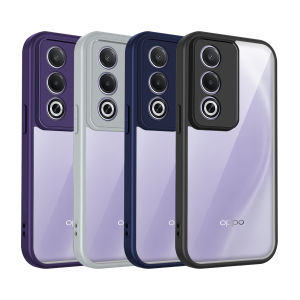
Oppo A3 5G Jap CPH2639 Case Air Cushion Shockproof Silicon Bumper Clear Matte Back Cover Hard Phone Case for Oppo A3 5G Jap 2025
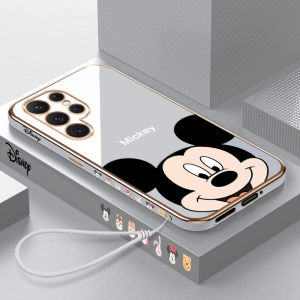
Ultra-Thin Plated Silicone Phone Case for Samsung S22 Ultra And S22 plus SM-S9080 Protective Cover for Men And Women Simple Creative Personalized
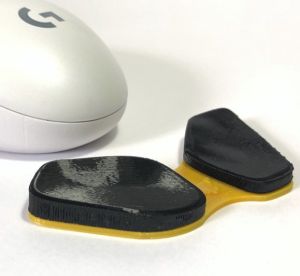
Ergonomic Wrist Rest Mouse Firm Palm Pad (Right or Left Handed Available) Support For Computer

Dental Chair Accessory Spare Part Air Valve Control for Water and Air

Air Filter Compatible with Dyson TP00 TP01 TP02 TP03 AM11 BP01 Models Air Purifier Replacement Filter Accessories part PM2.5 for Dyson Hepa Filter for Dyson Air Purifier TP00 TP01 TP02 TP03 BP01 AM11 Activated Carbon Filter for Dyson
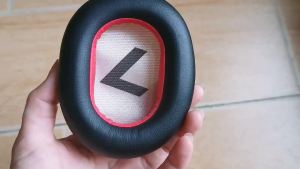
Replacement Cushion Ear Pads Earmuff Earpads Pillow Cover for Plantronics Voyager 8200 UC Wireless Noise Canceling Headphone
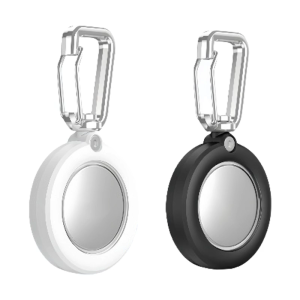
Full Coverage Shell Clear Protector Case Waterproof Holder Shockproof Protective Case Holder with Clasp for Trackers
Effective Power Electricity Energy Saving Box: A Smart Solution
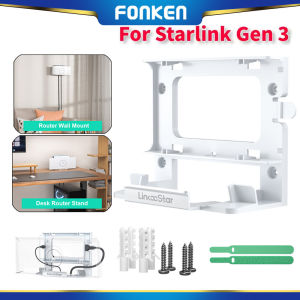
FONKEN Starlink Router Mount Brackets ABS Starlink Mounting Kit Accessories Wall Mount Desk Mount for Starlink Gen 3
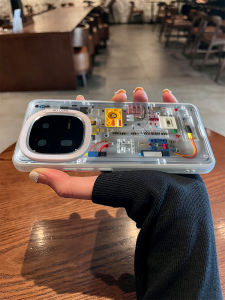
Iqoo15 Phone Case Trendy Brand 3D Mechanical Inner Structure High-End Feeling Neo Color Silver Laser Cutout Silicone Protective Cover for Men And Women

Ice Cream Silicone Case for Oppo Phones: Full Protection & Style