



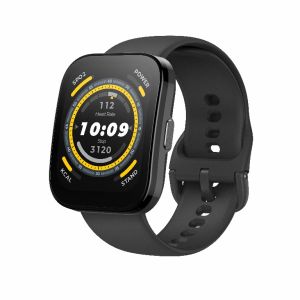
Amazfit Bip 5: A Smartwatch with 1.91\\\" Display & Bluetooth Phone Calls
Amazfit Bip 5: A Smartwatch with 1.91\" Display & Bluetooth Phone Calls
Introduction to Amazfit Bip 5
The Amazfit Bip 5 is a sleek and versatile smartwatch designed for users who want both style and functionality. With its 1.91-inch display, Bluetooth phone calls, and integration of four satellite positioning systems, this smartwatch offers a range of features that cater to different needs.
Key Features
The Amazfit Bip 5 boasts several standout features that set it apart from other smartwatches in its category:
- 1.91-inch display
- Bluetooth phone calls
- Integration of GPS, GLONASS, Galileo, and BeiDou satellite positioning systems
- Customizable display settings
- Long battery life
Comparison with Competitors
Compared to other smartwatches in its price range, the Amazfit Bip 5 offers a unique combination of features and design. While some competitors may have larger displays or more advanced health tracking capabilities, the Amazfit Bip 5 stands out for its seamless integration of Bluetooth phone calls and four satellite positioning systems.
Exploring the 4 Satellite Positioning Systems
The Amazfit Bip 5 takes advantage of four satellite positioning systems, including GPS, GLONASS, Galileo, and BeiDou, to provide accurate location data and navigation capabilities.
GPS Accuracy
GPS, or Global Positioning System, is a satellite-based navigation system developed by the United States government. It provides users with accurate location data and time information, which can be used for various applications, such as mapping and navigation.
GLONASS, Galileo, and BeiDou Integration
In addition to GPS, the Amazfit Bip 5 integrates GLONASS, Galileo, and BeiDou satellite positioning systems. GLONASS is a Russian satellite navigation system, while Galileo is a European Union initiative. BeiDou is a Chinese satellite navigation system.
By integrating these four satellite positioning systems, the Amazfit Bip 5 ensures that users receive accurate location data and navigation capabilities, regardless of their location or the time of day.
How to Use Bluetooth Phone Calls
The Amazfit Bip 5 allows users to make and receive phone calls through its Bluetooth connection. Here's how to set up and use this feature:
Setting Up Bluetooth Connection
- Ensure that both your smartphone and Amazfit Bip 5 are powered on and within range of each other.
- Open the Amazfit app on your smartphone and navigate to the Bluetooth settings.
- Select your Amazfit Bip 5 from the list of available devices and follow the prompts to establish a connection.
Making Calls with Amazfit Bip 5
Once the Bluetooth connection is established, you can make and receive phone calls using your Amazfit Bip 5. To initiate a call, simply press the call button on the watch face and select the contact you wish to call from the list of available contacts.
Enhancing Your Smartwatch Experience
To get the most out of your Amazfit Bip 5, consider customizing its display settings and maximizing its battery life.
Customizing Display Settings
The Amazfit Bip 5 offers various display customization options, allowing users to personalize their watch face according to their preferences. Some popular options include changing the watch face design, adjusting the brightness level, and enabling or disabling specific features.
Maximizing Battery Life
To ensure that your Amazfit Bip 5 lasts as long as possible, consider implementing the following battery-saving tips:
- Disable unnecessary features and notifications
- Adjust the display brightness level
- Regularly update the watch's software
- Charge the watch regularly
By following these tips, you can enjoy a long-lasting and reliable smartwatch experience with the Amazfit Bip 5." }

Future Lab
Review

You May Also Like

Garmin Smart Watch for Men Women Heart Rate Monitor Real-time Weather Forecast Sports Tracker Ladies Men for Android IOS
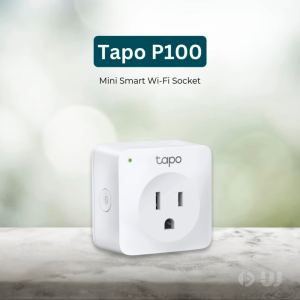
TP-Link Official | Tapo P100 | Mini Smart Home Alexa Voice Command WiFi Outlet Surge Protector Adaptor Plug
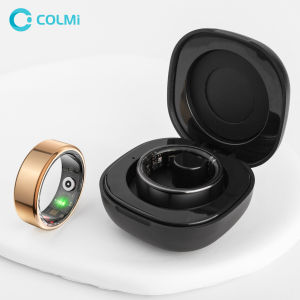
2024 COLMI R02 Smart Ring with Charging Case for Men Women Battery Life 39 Days Health Monitor 5ATM Waterproof
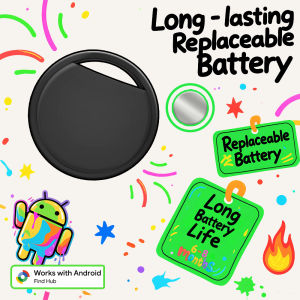
RSH Security GPS Tracker Android Devices Smart Tag Work With Googles Find Hub APP Anti Lost Finder for Xiaomi Samsung Locator

5g Gps Locator Anti-Lost Device for Elderly Alzheimer Tracking Recording Car Personal Tracker with Long Standby Battery
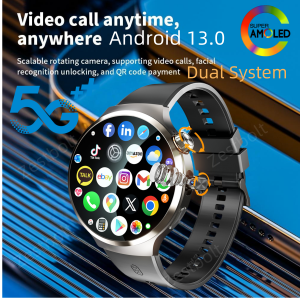
Dual System Android 13.0 Smartwatch 4G 5G LTE Smart Watches With 210° Rotary Camera GPS WIFI Compass 1900Mah Battery 1.98inch
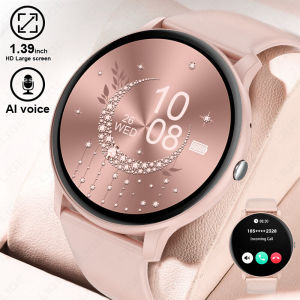
LIGE Smart Watch Women: A Comprehensive Guide
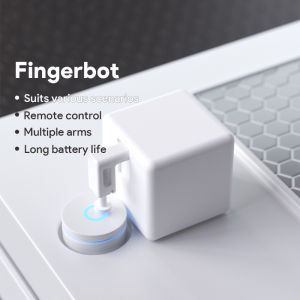
Tuya Smart Switch & Fingerbot Robot Arm: A Complete Guide
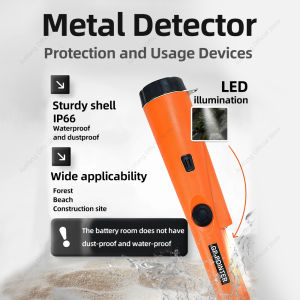
AiQUE Handheld Metal Detector GP-pointer For Treasure Search Waterproof Positioning Rod Detecting With Bracelet Lights LED
2026 New H9 Pro MAX 2.01-inch Voice Assistant HD Display BT Call Message Alert GPS Sports Mode Smartwatch gift Men Women classic
EGC+PPG GPS Sports Fitness Tracker: A Comprehensive Guide
![[New Flagship] Amazfit Balance 2 Smartwatch Dual Speakers 1.5 AMOLED Sapphire Glass 170+ Workout Modes 21 Days Battery](https://img.lazcdn.com/g/ff/kf/Sabc48efef8ee4fae83cbd50d66f6242fh.png_300x300q80.png)

















