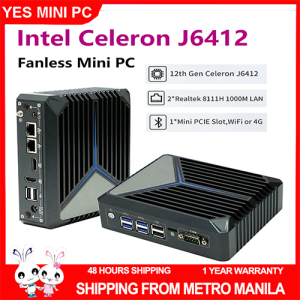
Fanless Mini PC 12th Gen Celeron J6412 2 LAN 8 USB 2 HD DDR4 3200MHz SSD Dual Lan Industrial PC for Medical
Fanless Mini PC 12th Gen Celeron J6412 2 LAN 8 USB 2 HD DDR4 3200MHz SSD Dual Lan Industrial PC for Medical
Introduction to Fanless Mini PCs
What is a Fanless Mini PC?
A fanless mini PC is a compact computer system designed without a cooling fan. This design allows it to operate quietly and reliably in various environments. The absence of moving parts reduces the risk of mechanical failure, making it an ideal choice for applications that require continuous operation.
Benefits of Fanless Mini PCs
Fanless mini PCs offer several advantages over traditional desktop computers:
- Silent Operation: Without a cooling fan, the system operates silently, making it perfect for noise-sensitive environments.
- Reliability: The lack of moving parts reduces the risk of mechanical failure, ensuring consistent performance.
- Compact Design: Fanless mini PCs are small and lightweight, making them easy to install and maintain.
Applications of Fanless Mini PCs
Fanless mini PCs are widely used in various industries, including:
- Medical: Industrial PCs for medical applications provide reliable and efficient computing solutions for healthcare facilities.
- Retail: Fanless mini PCs can be used in point-of-sale systems, digital signage, and other retail applications.
- Industrial Automation: These systems are ideal for controlling and monitoring industrial processes.
Key Features of the 12th Gen Celeron J6412 Fanless Mini PC
Dual LAN Mini PC
The 12th Gen Celeron J6412 fanless mini PC features dual LAN ports, allowing it to connect to multiple networks simultaneously. This feature enhances network redundancy and improves overall system performance.
8 USB Ports Mini PC
With eight USB ports, this mini PC offers ample connectivity options for connecting peripherals, such as printers, scanners, and external storage devices. The USB ports provide reliable data transfer and ensure smooth operation of connected devices.
Industrial PC for Medical
Designed specifically for medical applications, this industrial PC provides a robust computing solution for healthcare facilities. It offers high-performance processing capabilities, ensuring efficient operation of medical software and systems.
How to Use the 12th Gen Celeron J6412 Fanless Mini PC
Setting Up the Dual LAN Mini PC
To set up the dual LAN mini PC, follow these steps:
- Connect the mini PC to the desired network using the available LAN ports.
- Configure the network settings according to the requirements of your application.
- Test the connection to ensure proper operation.
Connecting Devices via 8 USB Ports
To connect devices to the 8 USB ports mini PC, follow these steps:
- Identify the required USB ports for your peripherals.
- Connect the peripherals to the appropriate USB ports.
- Verify that the devices are recognized and functioning correctly.
Configuring the Industrial PC for Medical Applications
To configure the industrial PC for medical applications, follow these steps:
- Install the necessary medical software and applications.
- Configure the system settings to meet the requirements of your medical facility.
- Test the system to ensure proper operation and compliance with industry standards.
Conclusion
The 12th Gen Celeron J6412 fanless mini PC offers a powerful and reliable computing solution for various industries, including medical applications. With its dual LAN ports, 8 USB ports, and industrial-grade design, this mini PC provides the perfect balance of performance, connectivity, and reliability. Whether you're looking to improve your medical facility's computing capabilities or enhance your retail operations, the 12th Gen Celeron J6412 fanless mini PC is the ideal choice.

Best Mini PC
Review

You May Also Like
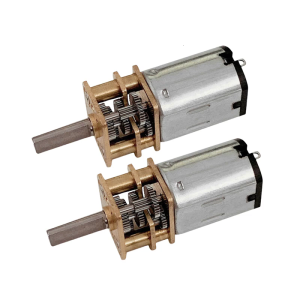
High Torque 12V 100RPM High Torque Gear Motor for Educational Models and DIY Robotics Slow Speed
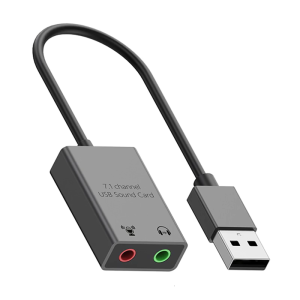
USB Auditory Adapter for PC Virtual 7.1 Channel Output Hifi Sound Lightweight Aluminum Shell Multiple Port Support
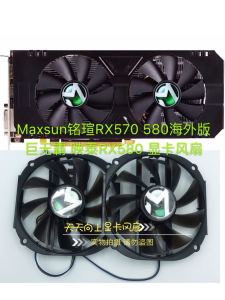
Maxsun Rx570 580 Overseas Edition Big Mac Biostar Rx580 Graphics Card Ball Fan

Laptop Case Laptop Sleeve with Handle Multifunctional Computer Carrying BagLaptop Sleeve Bag Computer Bag Cover Gifts
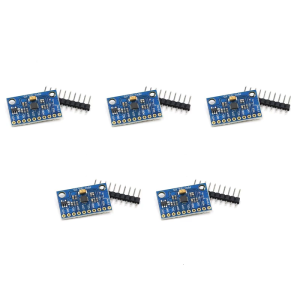
MPU6500 6 Axes Gyroscope Accelerometer Sensory Module Replace MPU6050 GY-6500 6 Axes Gyro Accelerator Sensory Module
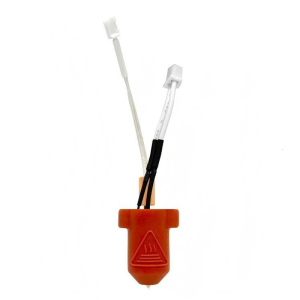
3D Printer Extruder Hotend Set 0.4mm Nozzle Brass/Hardened Steel Enhances Printing Speed and for Ender 3 KE
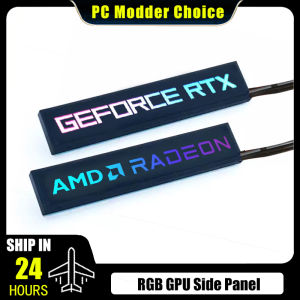
GPU Side Panel Case: A Comprehensive Guide
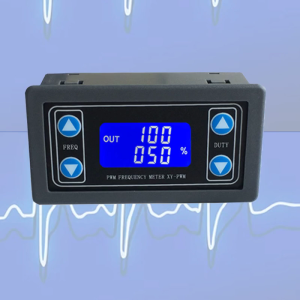
1HZ-150KHZ PWM Pulse Frequency Duty Cycle Adjustable Module Signal Generator
![[COD] SUILEI 2.5" SAS Hard Drive Caddy Tray for Thinksystem ST550 SR550 SR650 SR850 SR590](https://img.lazcdn.com/g/p/a2837aa41619916e44306b3f90d8b0b1.jpg_300x300q80.jpg)
[COD] SUILEI 2.5" SAS Hard Drive Caddy Tray for Thinksystem ST550 SR550 SR650 SR850 SR590
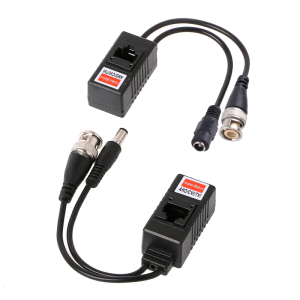
1 Pair BNC To RJ45 Passive Video Power+Balun Transceiver For CCTV Camera

GOOJODOQ Mini Fan Fast Cooling Digital Turbo Display High Speed 100-level Speed Regulation 10x Enhanced Wind Strength for office school travel outdoor (GFS006)