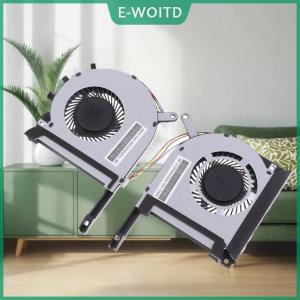
Mini PC GenMachine Intel i5 1235U: A Comprehensive Guide
Mini PC GenMachine Intel i5 1235U: A Comprehensive Guide
Introduction to Mini PC GenMachine
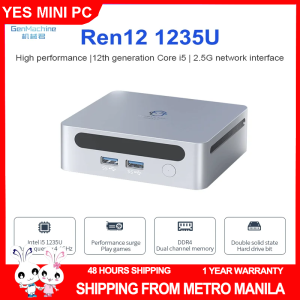
The Mini PC GenMachine is a compact yet powerful computing solution that caters to a wide range of users, from casual users to professionals. With its sleek design and robust performance, this mini PC offers an excellent alternative to traditional desktop computers. This comprehensive guide will provide you with essential information about the Mini PC GenMachine, including its key features, local Manila shipment, performance and specifications, setup and installation, usage, and maintenance.
Key Features
- Intel i5 1235U processor
- 10 cores Iris Xe Graphics
- DDR4 3200MHz RAM
- Local Manila shipment
Local Manila Shipment
The Mini PC GenMachine is now available for local shipment in Manila, making it easier than ever for users in the Philippines to access this powerful mini PC. With its fast delivery times and competitive pricing, the Mini PC GenMachine is an excellent choice for those looking to upgrade their computing experience.
Performance & Specifications
Intel i5 1235U Processor
The Mini PC GenMachine is powered by the Intel i5 1235U processor, which delivers exceptional performance and efficiency. With its 10 cores and Iris Xe Graphics, this processor is capable of handling demanding tasks such as video editing, gaming, and graphic design. The DDR4 3200MHz RAM ensures smooth multitasking and fast load times, making the Mini PC GenMachine an ideal choice for users who demand high performance.
10 Cores Iris Xe Graphics
The Mini PC GenMachine features 10 cores Iris Xe Graphics, which delivers stunning visuals and smooth performance. Whether you're watching videos, playing games, or working on graphic design projects, the Mini PC GenMachine will provide you with a seamless experience.
DDR4 3200MHz RAM
The Mini PC GenMachine is equipped with DDR4 3200MHz RAM, which ensures fast load times and smooth multitasking. This high-speed RAM is perfect for users who demand quick access to their applications and data.
Setup & Installation
Unboxing & Assembly
Unboxing the Mini PC GenMachine is a breeze, thanks to its compact design and easy-to-follow instructions. Simply unpack the mini PC from its box, connect the power cable, and you're ready to go.
Connecting Peripherals
Connecting peripherals to the Mini PC GenMachine is straightforward. The mini PC features multiple USB ports, HDMI ports, and Ethernet ports, making it easy to connect your keyboard, mouse, monitor, and other devices.
Software Installation
Installing software on the Mini PC GenMachine is simple. Simply insert the installation media into the mini PC, follow the on-screen instructions, and you'll have your desired software installed in no time.
Usage & Maintenance
Daily Use Tips
To get the most out of your Mini PC GenMachine, we recommend keeping it clean and dust-free. Regularly cleaning the air vents and fans will help maintain optimal performance. Additionally, avoid overloading the mini PC with too many applications at once, as this can cause system slowdowns.
Troubleshooting Common Issues
If you encounter any issues with your Mini PC GenMachine, refer to the troubleshooting guide included in the user manual. Common issues include slow performance, connectivity problems, and software errors. If you're unable to resolve the issue yourself, contact the Mini PC GenMachine support team for assistance.
Maintenance & Upgrades
Maintaining your Mini PC GenMachine is essential for ensuring optimal performance. Regularly updating the firmware and drivers will help keep your mini PC running smoothly. Additionally, upgrading the RAM or storage capacity can further enhance the performance of your Mini PC GenMachine.

Best Mini PC
Review

You May Also Like
100Mbps 1000Mbps Ethernet Adapter for Fire TV Stick Micro USB to RJ45 Ethernet Network Card for Compatible Fire TV Stick

DC 12V 12W 1A Class 2 Power Supply IP44 Waterproof Low Voltage LED Transformer Replacement Yard Inflatable Adapter Driver with US PlugUL Listedfor Christmas LightInflatables 1Pack
Female to Female Connector RJ45 Ethernet Cable Cat6 Cat5e Adapter Internet Coupler Extender Extension Converter
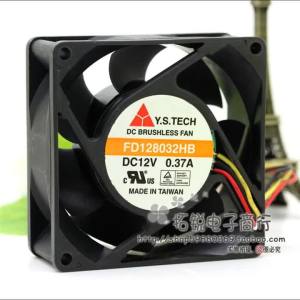
Y.s.tech Fd128032hb 12v 0.37a 8032 8cm Three-Wire Double Ball Cooling Fan
DELL INSPIRON 7630 | 16-inch FHD | 13th Gen Intel Core i7-1355U | 32GB RAM | 1TB M.2 PCIe NVMe SSD | Win 11 Pro
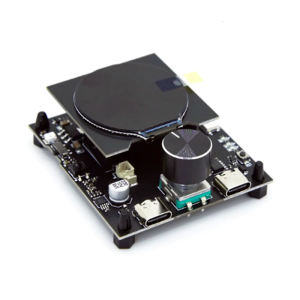
Low-Power ESP32C3-LCDkit Board Perfect for Intelligent Displaying Applications Multiple Interfaces
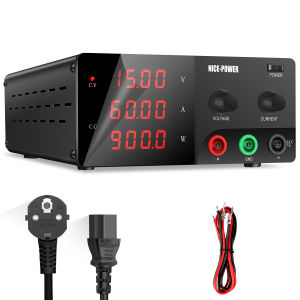
KUAIQU High-Power DC Regulated Power Supply Adjustable 30V 60V 50A 100V 20A Automotive Programming DC Power Supply
YUWO DIY User 0.96 Inch OLED SSD1306 White Blue Yellow 128X64 IIC I2C Serial Display Module 12864 LCD Screen Board
5V USB 92MM Cabinet Cooling Fan Waterproof Housing For Networking & Electronics Component Cooling

B7X EVA Radiator Magnetic Semiconductor Cooling Fan 27W Intelligent Variable Frequency Phone Radiator RGB Low Noise
TMC5160T V1.0 HighPower Stepper Motor Driver forBTT OctopusSKR V1.4Turbo TMC2209 SKR MiniE3 for 3D Printer