


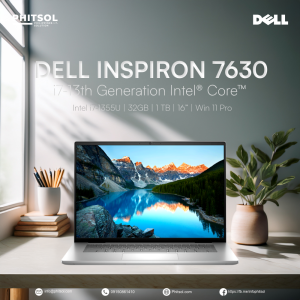
DELL INSPIRON 7630 | 16-inch FHD | 13th Gen Intel Core i7-1355U | 32GB RAM | 1TB M.2 PCIe NVMe SSD | Win 11 Pro

DELL INSPIRON 7630 | 16-inch FHD | 13th Gen Intel Core i7-1355U | 32GB RAM | 1TB M.2 PCIe NVMe SSD | Win 11 Pro
Dell SSD 16 inches

PHITSOL
Seller ratings 50%
Review

Oops
This video has no reviews.
You May Also Like
00:13
【Dell Laptop】Dell Latitude E7490/14 inch/Intel Core processor/Intel HD Graphics
00:14
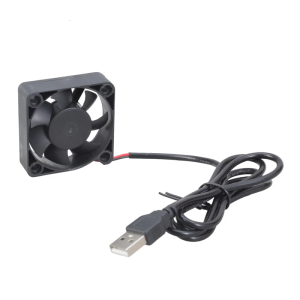
Mini 50mm DC5V Brushless Cooling Fan USB Powered Sleeve Bearing For Electronics
00:58
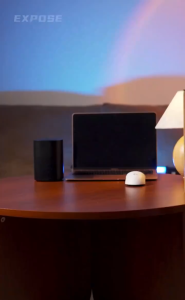
EXPOSE Portable Monitor Display Touch Screen 15.6 Inch HDR Full HD Image Quality Connection Mobile Phone Laptop Switch
00:39
UNA Portable Monitor 16.1 Inch for Laptop FHD 144Hz 100%SRGB for Laptop PC Phone Xbox PS4/5 Switch Portable Screen Monitor
00:14
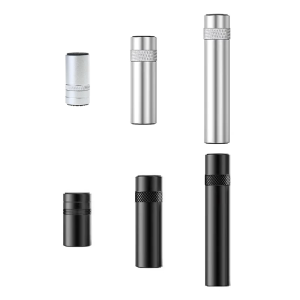
ARGB Graphics GPU Holder Adjustable Telescopic Rotatable Screw Aluminum Support Vertical GPU Video Brackets
00:16
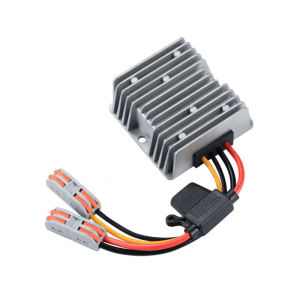
120W DC12V-24V 5A Boost Converter Voltages Regulator With IP67 Waterproof And AntiVibration Design Industrial Application
00:39
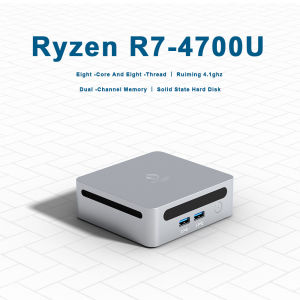
GenMachine Mini PC Ren4000 4700U AMD Ryzen7 4700U CPU 2.0GHz Up to 4.1GHz Windows 11 DDR4 3200Mhz WiFi6 NUC gaming pc
00:10
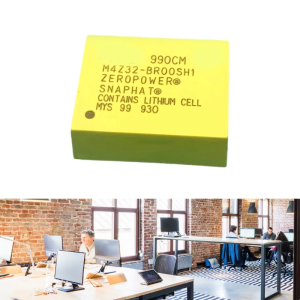
1PC High-Quality M4Z32-BR00SH1 Backup Original iC (Pure for Computer Development Boards

01:00
Western Digital Black SN850X 2TB PCI Express 4.0 X4 NVMe 3D NAND TLC M.2 2280 Solid State Drive (SSD) With Heatsink WDS200T2XHE-00BCA0
01:46
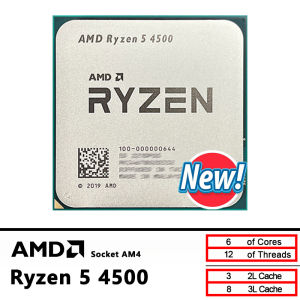
AMD New Ryzen 5 4500 R5 4500 3.6 GHz 6-Core 12-Thread CPU 7NM L3=8M 100-000000644 Socket AM4 but without cooler
00:16
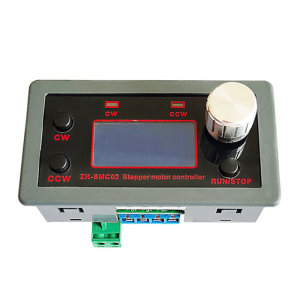
Industrial Stepper Motor Control Module Customizable Motion Parameters & Memory Function For Single Applications
00:56
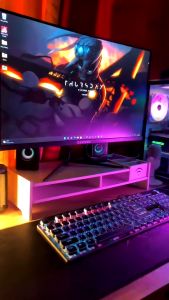
KAMPEON Gaming Monitor for PC: 24 Inch Curved & 27 Inch Laptop Monitor Review\\n\\n What is the KAMPEON Gaming Monitor?\\n\\nThe KAMPEON Gaming Monitor is a high-performance computer monitor designed specifically for gaming enthusiasts. It comes in two sizes: a 24-inch curved gaming monitor and a 27-inch laptop monitor, both offering impressive features and specifications.\\n\\n Key Features & Specifications\\n\\nBoth models feature stunning 4K resolution and fast refresh rates, with the 24-inch model offering 144Hz and the 27-inch model providing 165Hz. This ensures smooth gameplay and seamless visuals for any gamer. Additionally, the curved design of the 24-inch model enhances immersion and reduces eye strain during extended gaming sessions.\\n\\n How Does It Compare to Other Monitors?\\n\\nCompared to other monitors on the market, the KAMPEON Gaming Monitor stands out due to its combination of high resolution, fast refresh rates, and curved design. It offers superior performance and visual quality, making it an excellent choice for serious gamers.\\n\\n How to Choose the Right KAMPEON Gaming Monitor\\n\\nWhen selecting the right KAMPEON Gaming Monitor, consider the following factors:\\n\\n Curved vs. Flat Display\\n\\nThe 24-inch model features a curved display, which provides a more immersive gaming experience and reduces eye strain. On the other hand, the 27-inch model has a flat display, offering a larger screen area for multitasking and productivity tasks alongside gaming.\\n\\n 24 Inch & 27 Inch Options\\n\\nBoth models come in two sizes, catering to different preferences and needs. The 24-inch monitor is ideal for those who prioritize immersion and eye comfort, while the 27-inch model offers a larger screen area for multitasking and productivity tasks alongside gaming.\\n\\n 144Hz & 165Hz Refresh Rates\\n\\nThe refresh rate determines how many frames per second the monitor can display. The 24-inch model features a 144Hz refresh rate, while the 27-inch model boasts a 165Hz refresh rate. Higher refresh rates result in smoother gameplay and more responsive visuals, enhancing the overall gaming experience.\\n\\n Setting Up Your KAMPEON Gaming Monitor\\n\\nSetting up your KAMPEON Gaming Monitor is straightforward and easy. Follow these steps:\\n\\n Connecting Your Monitor\\n\\nConnect your monitor to your PC using the included HDMI or DisplayPort cables. Make sure to select the correct input source on your monitor and adjust the resolution and refresh rate settings in your PC's display settings.\\n\\n Adjusting Display Settings\\n\\nOnce connected, adjust the display settings on your monitor to optimize its performance. You can customize brightness, contrast, color temperature, and other settings to suit your preferences and gaming needs.\\n\\n Optimizing Performance for Gaming\\n\\nTo get the most out of your KAMPEON Gaming Monitor, ensure that your PC meets the minimum system requirements for the selected refresh rate. This includes having a powerful graphics card and sufficient RAM. Additionally, consider enabling adaptive sync technologies like FreeSync or G-Sync to eliminate screen tearing and stuttering.\\n\\n Enhancing Your Gaming Experience with KAMPEON\\n\\nMaximize your gaming experience by taking advantage of the KAMPEON Gaming Monitor's advanced features:\\n\\n Customizing Visual Settings\\n\\nCustomize your monitor's visual settings to enhance your gaming experience. Experiment with different color profiles, contrast ratios, and sharpness levels to achieve the perfect balance of detail and clarity.\\n\\n Using Advanced Features\\n\\nTake advantage of the KAMPEON Gaming Monitor's advanced features, such as game modes, crosshair overlays, and black stabilizer. These features can help you stay focused, improve accuracy, and enjoy a more immersive gaming experience.\\n\\n Maintaining Optimal Performance\\n\\nTo maintain optimal performance, keep your monitor clean and free from dust. Regularly update your graphics drivers and firmware to ensure compatibility and access to the latest features. Additionally, avoid placing heavy objects on top of your monitor to prevent damage and maintain its longevity.\\n\\nIn conclusion, the KAMPEON Gaming Monitor is an excellent choice for PC gamers looking for high-resolution visuals, fast refresh rates, and advanced features. Whether you prefer a curved or flat display, the 24-inch or 27-inch size, or the 144Hz or 165Hz refresh rate, there's a KAMPEON Gaming Monitor that's perfect for you. So why wait? Upgrade your gaming setup today and experience the ultimate gaming experience with KAMPEON!\"
Hot Search
thermal pastelababo stainless double sinkseiko ladies watchbooks for grade 6owala water bottlenew born clothes complete set unisexspecial welding rod 6013umbrella filipinianasendoh jerseynoime tiauzonhikokl inverter 2 in 1l welding machinepadded sleevelesstattoo niddlecyclist shoes for menslip on onitsuka for women

















