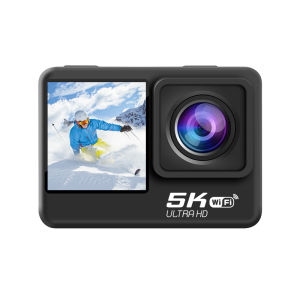
5K30FPS 24MP WiFi Action Camera with Touch Screen EIS 2.0 4X Zoom Remote Control IPX8 30m Underwater Camera with Support External Microphone Vlog Sports Camera
5K30FPS 24MP WiFi Action Camera with Touch Screen EIS 2.0 4X Zoom Remote Control IPX8 30m Underwater Camera with Support External Microphone Vlog Sports Camera
Introduction to the 5K30FPS 24MP WiFi Action Camera
The 5K30FPS 24MP WiFi Action Camera is a versatile and high-performance device designed for capturing stunning videos and images in various scenarios. This camera offers a range of features such as EIS 2.0 4X zoom, IPX8 underwater capability, remote control, and support for external microphones. With its user-friendly touch screen interface, this camera is perfect for vloggers, sports enthusiasts, and anyone looking to capture life's moments in high definition.
Overview of the Camera
The 5K30FPS 24MP WiFi Action Camera boasts a sleek and compact design, making it easy to carry and use in different environments. Its 24-megapixel sensor ensures excellent image quality, while the 5K resolution provides smooth and sharp videos. The camera is equipped with a touch screen display, allowing users to navigate through settings and preview their footage effortlessly.
Key Features & Specifications
- 24MP Touch Screen Camera
- 5K WiFi Action Camera
- EIS 2.0 4X Zoom
- IPX8 Underwater Camera
- Remote Control Vlog Camera
- Supports External Microphones
How to Use the Camera
Using the 5K30FPS 24MP WiFi Action Camera is straightforward and intuitive. Follow these steps to get started:
Setting Up the Camera
- Charge the camera using the included USB cable.
- Turn on the camera by pressing the power button.
- Connect the camera to your smartphone via Wi-Fi.
Using the Touch Screen & Remote Control
The camera features a responsive touch screen display, allowing users to navigate through menus, adjust settings, and preview footage. Additionally, the remote control enables users to control the camera from a distance, making it ideal for hands-free operation.
Recording High-Quality Videos
To capture high-quality videos, follow these tips:
- Adjust the camera settings according to the lighting conditions.
- Use the EIS 2.0 4X zoom feature to get closer to the subject.
- Utilize the IPX8 underwater capability to capture stunning footage beneath the water surface.
Exploring Camera Features
The 5K30FPS 24MP WiFi Action Camera offers a range of features that enhance its performance and usability.
EIS 2.0 4X Zoom & IPX8 Underwater Capability
The camera's EIS 2.0 4X zoom feature allows users to get closer to their subjects without compromising image quality. Additionally, the IPX8 underwater capability enables users to capture stunning footage beneath the water surface, making it perfect for snorkeling, diving, and other water-based activities.
Connecting External Microphones
The camera supports external microphones, allowing users to capture clear and crisp audio in various environments. This feature is particularly useful for vloggers and sports enthusiasts who require high-quality audio in their videos.
Sharing Videos via WiFi
The camera's built-in Wi-Fi connectivity enables users to share their footage with friends and family effortlessly. Simply connect the camera to your smartphone, and transfer the files to your device for easy sharing.
Tips & Tricks for Maximizing Camera Performance
To get the most out of your 5K30FPS 24MP WiFi Action Camera, consider the following tips and tricks:
Optimal Settings for Different Scenarios
Adjust the camera settings according to the environment and lighting conditions to achieve the best results. For example, use the EIS 2.0 4X zoom feature in low-light conditions to capture clear and sharp footage.
Maintaining Camera Health & Longevity
To ensure the longevity of your camera, keep it clean and dry, and avoid exposing it to extreme temperatures. Additionally, store the camera in a protective case when not in use.
Troubleshooting Common Issues
If you encounter any issues with your camera, refer to the user manual or contact customer support for assistance. Some common issues include connectivity problems, battery drain, and image quality issues.

Tide Play Store
Review

You May Also Like
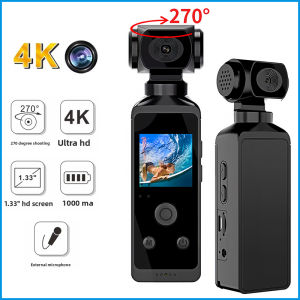
K8 4K Pocket Action Camera 270° Rotatable Thumb Camera Vlog Wifi Mini Sports Cam Waterproof Helmet Travel Bicycle Driver Recorde
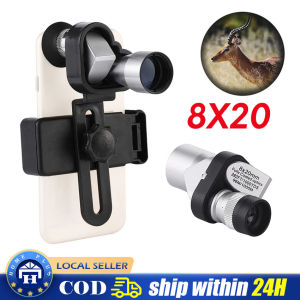
8x20 HD Mini Pocket Zoom Monocular: A Compact Outdoor Telescope for Hunting & Camping

Dahua HD 2MP IR Eyeball CCTV Camera: A Comprehensive Guide
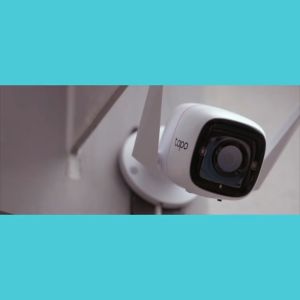
TP-Link Tapo TC65 3MP CCTV Connect to Cellphone HD Advanced Night Vision Motion Detection Two-way Audio Camera Wireless Home CCTV Surveillance Wifi IP Security Camera Support Up to 512GB Storage
YOOSEE G4S CCTV Camera outdoor HD 2MP indoor and outdoor PTZ control auto tracking Waterproof night vision two way audio 2.4G wireless WiFi Connect to phone bulb CCTV
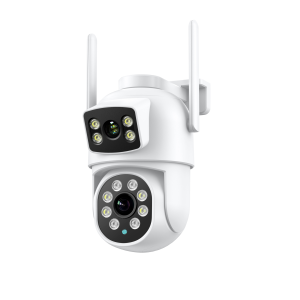
ICSEE XM Dual Lens CCTV Camera: Connect Cellphone HD 4K 6MP Outdoor Waterproof Wireless 360 Degree Full Color Night Vision Smart IP Security Camera

Kawaii Sanrio Hello Kitty & Friends Mini Camera: Perfect Birthday Gifts for Kids
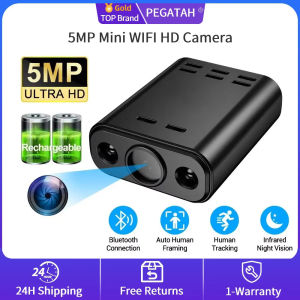
5MP HD Mini WiFi Camera Built-in Battery Human Tracking IR Night Vision IP Remote Monitoring Portable Body Cam

DJI A888 Mini 3Pro - Camera Drone I Under 249 g I 38/51 Min Flight Time I 4K HDR Video I True Vertical Shooting
HIKVISION DS-7216HGHI-M1: A Comprehensive Guide to 16-ch 1080p Lite 1U H.265 DVR
V380 PRO Cctv Camera 6MP 3 Lens 3 Screens Outdoor Waterproof IP66 Connect Cellphone CCTV With Audio And Speaker Wireless Wifi Connect 360 Home IP Security Cameras HD 1080P Night Vision With Alarm Sensor Smart Camera CCTV With Voice