Motorola GP3320: A Comprehensive Guide to Long Range Walkie-Talkie Attachment
Motorola GP3320: A Comprehensive Guide to Long Range Walkie-Talkie Attachment
Introduction to Motorola GP3320 Two-Way Radio Transceiver
The Motorola GP3320 is a reliable, portable two-way radio transceiver designed for long-range communication. This powerful device offers excellent audio quality, making it perfect for various applications, including emergency services, construction sites, and outdoor activities. In this comprehensive guide, we will explore the standard configuration list, key features, and how to use your Motorola GP3320 walkie-talkie radio set.
Standard Configuration List
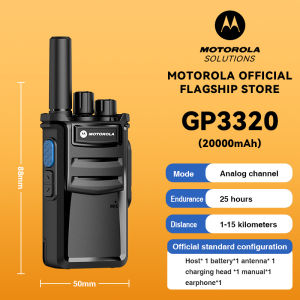
The standard configuration list for the Motorola GP3320 includes:
- Antenna* 1
- Host* 1
- Battery* 1
- Back clip* 1
- Charger* 1
- Earphone* 1
- Strap* 1
- Manual* 1
Key Features of Motorola GP3320
The Motorola GP3320 boasts several impressive features, including:
- Long-range communication capabilities
- Clear audio quality
- Durable design
- Weather-resistant
- Easy-to-use interface
How to Use Your Motorola GP3320 Walkie-Talkie Radio Set
Now that you have a basic understanding of the Motorola GP3320, let's dive into how to use this device effectively.
Step-by-Step Guide to Setting Up Your Motorola GP3320
To get started with your Motorola GP3320, follow these simple steps:
- Insert the battery into the designated slot on the device.
- Attach the antenna securely to the top of the unit.
- Connect the earphone (optional) to the audio jack located on the side of the device.
- Power on the Motorola GP3320 by pressing the power button.
- Configure the settings according to your preferences, such as volume, channel, and scan mode.
How to Maximize Your Long Range Walkie-Talkie Experience
To get the most out of your Motorola GP3320 walkie-talkie radio set, consider the following tips:
- Position the antenna vertically for optimal signal strength.
- Use clear and concise language when communicating.
- Maintain a line-of-sight connection whenever possible.
- Store the device in a cool, dry place when not in use.
Troubleshooting Common Issues with Motorola GP3320
Even with a reliable device like the Motorola GP3320, users may encounter some issues. Here are some common problems and their solutions:
Battery Life and Charging Tips
If you're experiencing short battery life, try the following:
- Charge the battery fully before use.
- Avoid leaving the device powered on when not in use.
- Use the charger included in the standard configuration list.
Dealing with Interference and Signal Issues
To minimize interference and maintain a strong signal, consider these suggestions:
- Keep the antenna vertical and unobstructed.
- Avoid using the device near other electronic devices that may cause interference.
- Use a repeater system if needed to extend the range of communication.
Conclusion: Why Choose Motorola GP3320 for Your Communication Needs
The Motorola GP3320 is an ideal long-range walkie-talkie attachment for those seeking a reliable, portable two-way radio transceiver. With its long-range communication capabilities, clear audio quality, and durable design, it's perfect for various applications. Follow the step-by-step guide to setting up your Motorola GP3320, maximize your long range walkie-talkie experience, and troubleshoot common issues to ensure seamless communication.
Don't miss out on the benefits of the Motorola GP3320 Two-Way Radio Transceiver. Order yours today and enjoy clear, reliable communication wherever you go!

MOTOROLA TALKPRO STORE
Review
You May Also Like
Icom V86 Walkie Talkie: IP54 Protection & Long-Range VHF Radio
66 cm mini speaker professional speaker stand
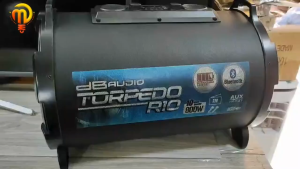
DBAudio Torpedo R10 Rechargeable Power Bluetooth Functional AUX Input 10 Inch Woofer 800w
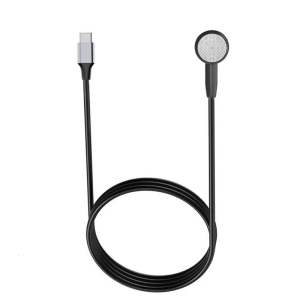
Type C Single Sided Earphone 45/100cm Length Corded Earpiece with Digital Chip No Microphone Needed for Everyday Use
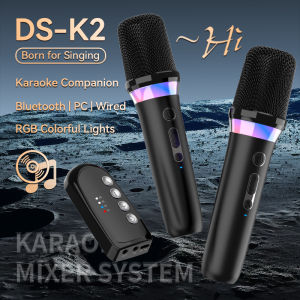
Karaoke Companion Wireless Microphone Dynamic Bluetooth 5.3 DSP Mixer System Machine RGB Colorful Light 3.5mm AUX Amplifier Host

Wireless Earbuds for iPhone 16 15 Pro 14 Plus 13 XR iPad 10th Bluetooth 5.3 Headphones for Pixel 10 Pro 9 8A Samsung S21 S25 Note 20 HiFi Stereo Sound Earphones with Mic Touch Control Headset

Supremo Handheld Megaphone with Microphone: A Comprehensive Guide
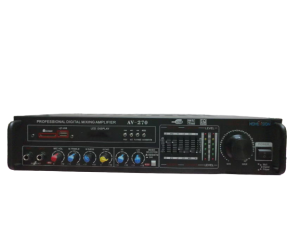
AV-270 HOMEVISION: A Professional Digital Mixing Amplifier
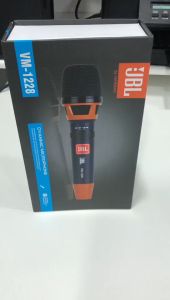
SUSO VM-1228 Dynamic Wired Microphone: Legendary Vocal Microphone & Professional Condenser Microphone
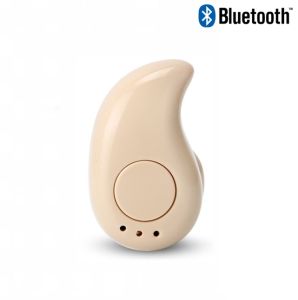
S530 Compact Lightweight Ultra Mini Wireless Bluetooth V4.1 Super Bass Earphone For Android/IOS Devices
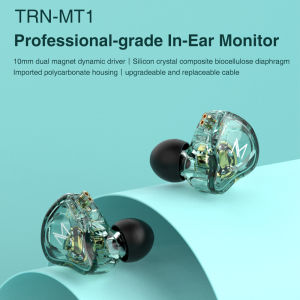
TRN MT1 Eeadphones Dual Dynamic Driver Earburds HiFi Bass Music IEM Headphone Metal Gaming Sports Running Headsets Noise Cancellation Wired Earphones 2PIN Detachable Wired DJ Monitors For Smartphones Tablet Laptops Computers