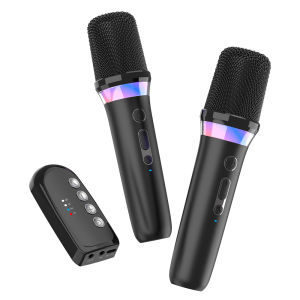
Karaoke Companion Wireless Microphone Dynamic Bluetooth 5.3 DSP Mixer System Machine RGB Colorful Light 3.5mm AUX Amplifier Host
Karaoke Companion Wireless Microphone Dynamic Bluetooth 5.3 DSP Mixer System Machine RGB Colorful Light 3.5mm AUX Amplifier Host
Introduction to Portable Karaoke Machines
Karaoke is a popular entertainment activity enjoyed by people around the world. A portable karaoke companion, like the one we will discuss today, provides an easy-to-use and versatile way to sing along to your favorite songs wherever you go. This device offers various features such as wireless microphone Bluetooth 5.3, dynamic DSP mixer system, RGB colorful light amplifier, and 3.5mm AUX input.
What is a Portable Karaoke Companion?
A portable karaoke companion is a compact and lightweight device that enables users to enjoy karaoke anytime and anywhere. It is designed to be user-friendly and comes with essential features such as wireless microphones, Bluetooth connectivity, and a built-in speaker system. With this device, users can connect their smartphones, tablets, or other audio devices and sing along to their favorite songs.
Key Features of the Karaoke Companion
- Wireless Microphone Bluetooth 5.3: Enjoy seamless connectivity and freedom of movement while singing with this advanced Bluetooth technology.
- Dynamic DSP Mixer System: Adjust audio settings to achieve the perfect sound quality for your karaoke experience.
- RGB Colorful Light Amplifier: Add a vibrant atmosphere to your karaoke party with customizable lighting effects.
- 3.5mm AUX Input: Connect external audio devices and enjoy a wide range of music sources.
Setting Up Your Karaoke Companion
Getting started with your portable karaoke companion is easy. Follow these steps to set up your device:
Connecting the Wireless Microphone Bluetooth 5.3
- Turn on your karaoke companion and ensure it is in pairing mode.
- Power on your wireless microphone and press the pairing button.
- Wait for the device to connect automatically. If not, manually select the device from the list of available Bluetooth devices.
Configuring the Dynamic DSP Mixer System
The dynamic DSP mixer system allows you to customize your audio settings to suit your preferences. Here's how to configure it:
- Press the 'DSP' button on your karaoke companion.
- Adjust the EQ settings using the '+' and '-' buttons to achieve the desired sound quality.
- Save your changes and exit the configuration menu.
Enhancing Your Karaoke Experience
With the right tools and techniques, you can elevate your karaoke experience to new heights. Here are some tips to help you make the most out of your portable karaoke companion:
Utilizing RGB Colorful Light Amplifier
The RGB colorful light amplifier adds a fun and engaging element to your karaoke party. To use it:
- Press the 'Light' button on your karaoke companion.
- Choose from a variety of lighting effects such as static colors, flashing lights, or synchronized patterns.
- Adjust the brightness level using the '+' and '-' buttons.
Maximizing Sound Quality with 3.5mm AUX Input
To ensure optimal sound quality, connect your audio device to the karaoke companion using the 3.5mm AUX input:
- Plug one end of the 3.5mm AUX cable into your audio device.
- Insert the other end into the karaoke companion's 3.5mm AUX input port.
- Adjust the volume level on both devices to achieve the desired sound output.
Troubleshooting Common Issues
Even with the best equipment, issues may arise during your karaoke experience. Here are some solutions to common problems:
Addressing Connection Problems
If you're experiencing difficulties connecting your wireless microphone to the karaoke companion, try the following steps:
- Ensure both devices are powered on and within range of each other.
- Reset the wireless microphone by pressing and holding the power button for 10 seconds.
- Re-pair the devices by following the connection steps mentioned earlier.
Resolving Audio Distortion
Audio distortion can occur due to various reasons such as incorrect EQ settings or poor audio source quality. To fix this issue:
- Adjust the EQ settings using the dynamic DSP mixer system.
- Check the audio source quality and ensure it is compatible with the karaoke companion.
- Reduce the volume level if necessary to prevent clipping or distortion.

GlobalLifestyle
You May Also Like
Professional 4Inch Full Ranges Bass Speaker 30W 25Core Voice Coil 4Ohm Neodymium Magnets Woofer ABS Metal Construction
AMPLIFIER Bluetooth USB/SD/FM/ Radio ISO Connector with Remote Control AV-111
X SHOW 1Pcs Monitoring Recording Wired Headset Black White 2m/3m Cable Length Computer Game Live Headphone Anchor Bass Earplugs
15 INCHES HIGH POWER ACOUSTIC SUBWOOFER SPEAKER
Portable home and outdoor speakers. 60W high-power subwoofer Bluetooth speaker high-end RGB colorful lighting effect.
3U High Power Amplifier 2000W x 2 Channels: Professional Stage Performance DJ Live Outdoor
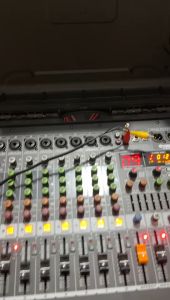
JOSON/YAMAHA Spider 8-CH Professional Mixer: 8 Channel Mixing Console and Aux Paths Effects Processor
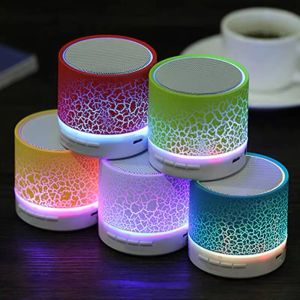
Marbles Bluetooth Speaker Portable Speaker Rechargeable Mini Speakers with LED lights
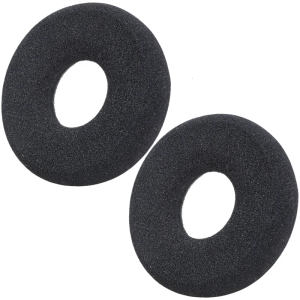
Premium Soft Sponges Ear Pad Secures Fit Noise Reductions Ear Cushions Earcups for H36 WH62 WH66 Headphones Earmuff
Yoobao M17 TWS V5.3: A Portable Hi-Fi Bass Speaker with USB/TF Card/FM Radio & Colorful Breathing Light
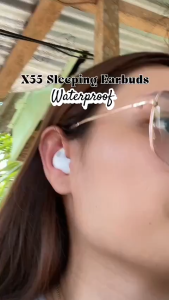
BIG HOME X55WaterproofBluetooth Wireless Headphones /Earbuds Ear Hooks Bluetooth Earphones Bass Noise Reduction Earbuds HiFi Stereo Headsets /High Quality Sound for Work/Travel/Music/Comfortable for Sleeping