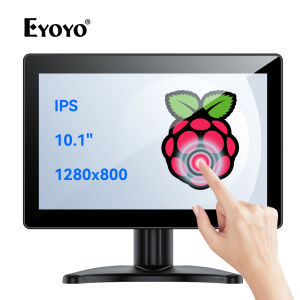
Eyoyo 10 Inch Touchscreen Monitor: A Comprehensive Guide
Eyoyo 10 Inch Touchscreen Monitor: A Comprehensive Guide
Introduction
The Eyoyo 10 Inch Touchscreen Monitor is a versatile, portable display designed for use with various systems including CCTV, DVD players, and POS systems. This comprehensive guide will provide you with a detailed understanding of its features, applications, and usage.
What is the Eyoyo 10 Inch Touchscreen Monitor?
The Eyoyo 10 Inch Touchscreen Monitor is a compact, lightweight device featuring a 10.1-inch screen with a True Flat Seamless Design. It offers high-quality image resolution and supports multiple input formats, making it ideal for various applications.
Key Features of Eyoyo Touchscreen Monitor
- Portable IPS Display: The monitor features a high-resolution IPS display that provides excellent image quality and wide viewing angles.
- True Flat Seamless Design: The design ensures a smooth, uninterrupted viewing experience, making it perfect for use in demanding environments.
- VGA AV HDMI Monitor: The monitor supports multiple input formats, including VGA, AV, and HDMI, allowing it to be used with a variety of devices.
- CCTV DVD POS Systems: The monitor can be easily integrated with CCTV systems, DVD players, and POS systems, providing a versatile solution for various applications.
Package Contents
The Eyoyo 10 Inch Touchscreen Monitor comes with the following package contents:
- 1x 10.1 inch monitor
- 1x power adapter
- 1x monitor stand
- 1x bracket
- 1x VGA cable
- 1x HDMI cable
- 1x USB touch cable
- 1x user manual
Unboxing and Setup Guide
To get started with your new Eyoyo Touchscreen Monitor, simply unbox the device and follow these steps:
- Connect the power adapter to the monitor and plug it into a power outlet.
- Attach the monitor stand to the back of the monitor using the provided bracket.
- Connect the desired input cable (VGA, AV, or HDMI) to the monitor and your source device.
- Connect the USB touch cable to the monitor and your source device.
- Power on the monitor and enjoy the seamless viewing experience.
Eyoyo Monitor Specifications
- Screen size: 10.1 inches
- Resolution: 1024 x 600 pixels
- Aspect ratio: 16:9
- Viewing angle: 170° horizontal and vertical
- Brightness: 300 cd/m²
- Contrast ratio: 800:1
- Input formats: VGA, AV, HDMI
- Touch type: Capacitive touch screen
- Dimensions: 257 x 165 x 14 mm
- Weight: 500 g
Applications and Usage
The Eyoyo Touchscreen Monitor can be used in various applications, including CCTV systems, DVD players, and POS systems.
How to Use Eyoyo Touchscreen Monitor with CCTV Systems
To use the Eyoyo Touchscreen Monitor with a CCTV system, connect the monitor to the CCTV system using the appropriate input cable (VGA, AV, or HDMI). Once connected, power on the monitor and adjust the settings to optimize the viewing experience.
How to Use Eyoyo Touchscreen Monitor with DVD Players
To use the Eyoyo Touchscreen Monitor with a DVD player, connect the monitor to the DVD player using the appropriate input cable (VGA, AV, or HDMI). Once connected, power on the monitor and enjoy watching your favorite movies and TV shows.
How to Use Eyoyo Touchscreen Monitor with POS Systems
To use the Eyoyo Touchscreen Monitor with a POS system, connect the monitor to the POS system using the appropriate input cable (VGA, AV, or HDMI). Once connected, power on the monitor and adjust the settings to optimize the viewing experience.
Conclusion
The Eyoyo 10 Inch Touchscreen Monitor is a versatile, portable display that offers excellent image quality and supports multiple input formats. Its True Flat Seamless Design ensures a smooth, uninterrupted viewing experience, making it perfect for use in various applications, including CCTV systems, DVD players, and POS systems. With its compact size and lightweight design, the Eyoyo Touchscreen Monitor is an ideal choice for businesses and individuals looking for a reliable, high-quality display solution." }

Eyoyo
Review

You May Also Like
Samsung UA40EH5300 Power Supply - BN44-00498A
Advanced 4 Cell BMSs With Voltages Equalization 200A Continuous Current Support Optimized For High Power Applications
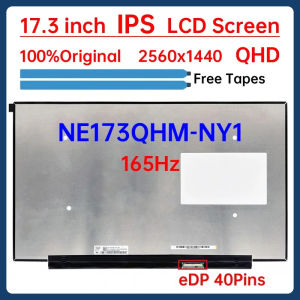
17.3 Inch 165Hz Laptop LCD Screen NE173QHM NY1 NE173QHM-NY1 NE173QHM-NY3 Display Matrix Panel Replacement 2560x1440 eDP 40 Pins
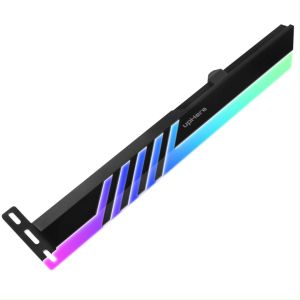
GL28ARGB CF High Quality RGB SATA GPU Bracket 5V 3-pin Graphics Card Bracket Led Support Holder
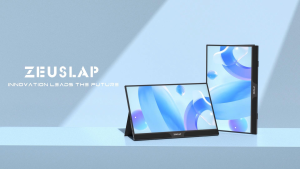
ZEUSLAP 15.6inch Touch Screen Portable LCD Monitor: Multi-Device Connectivity & macOS PS4 PS5 Switch Support
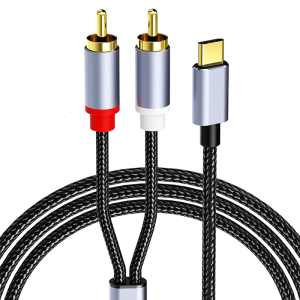
High Fidelitys Type C to 2RCA Sound Splitter Adapter Cable for Phone 15/16 Clear Sound Transmission
Raspberry Pi Kit 3b3 Generation B+Raspberry Pi 3b+3b pi3 Kit HI3559ARFCV100
GSE Graphics Card AMD RX 580 8GB Gaming GDDR5 256Bit PCI Express 3.0 ×16 Radeon GPU Computer Video Card for Gaming COD Gaming Work Office COD Gaming GPU With backboard no noise【Brand New】
ATMEGA32U4 Leonardo R3 Development Board 16 MHz Mini Development Board Module Leonardo R3 Microcontroller For Arduino
9.16 Inch IPS Type-C Secondary Screen USB-C Interface Computer Monitoring CPU GPU RAM Dislpay Smart Screen No Need AIDA64
Beelink SEi13 Pro Mini PC Core I9 13900HK 32GB DDR5 M.2 Pcie 4.0 X4 1TB SSD Triple Display Wifi6 BT5.2 4K DP Type C