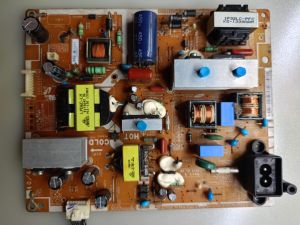
Samsung UA40EH5300 Power Supply - BN44-00498A
Samsung UA40EH5300 Power Supply - BN44-00498A
What is a Replacement TV Power Supply?
A replacement TV power supply, like the BN44-00498A for Samsung UA40EH5300, is a crucial component that provides power to your television. This power supply unit (PSU) converts the AC voltage from your wall outlet into DC voltage that the TV can use. When a TV power supply fails, it can cause various issues such as no picture, no sound, or even a completely non-functional TV. Replacing the power supply is often a cost-effective solution compared to buying a new TV.
Why Choose a Samsung TV Power Supply?
When looking for a replacement power supply for your Samsung UA40EH5300, it's important to choose a Samsung TV power supply. This ensures compatibility with your specific model, as different TVs may have varying power requirements. Samsung power supplies are designed to meet the exact specifications of their televisions, providing optimal performance and reliability.
Key Features of the 40-inch LED TV Power Supply
The BN44-00498A power supply for Samsung UA40EH5300 has several key features that make it an excellent choice for replacing a faulty power supply:
- High Efficiency: This power supply is designed to efficiently convert AC voltage to DC voltage, minimizing energy loss and reducing heat generation.
- Compact Design: The BN44-00498A is compact, making it easy to install and fit within the tight spaces of modern TVs.
- Reliable Performance: Samsung power supplies are known for their reliability, providing consistent power delivery to your TV.
- Compatibility: The BN44-00498A is specifically designed for Samsung UA40EH5300 TVs, ensuring compatibility and optimal performance.
How to Install the Samsung UA40EH5300 Power Supply
Installing a new power supply for your Samsung UA40EH5300 TV requires some basic tools and a step-by-step guide. Here's what you'll need and how to proceed:
Tools Needed for Installation
- Screwdriver (Philips head)
- Wire cutters/strippers
- Soldering iron (optional)
Step-by-Step Guide to Installing the Power Supply
- Unplug the TV: Before starting the installation process, make sure to unplug your TV from the wall outlet to avoid any electrical hazards.
- Remove the Back Cover: Using a screwdriver, remove the screws securing the back cover of your TV. Carefully lift the back cover off the TV.
- Locate the Power Supply: Once the back cover is removed, locate the power supply unit. It will typically be near the bottom of the TV, secured by screws.
- Disconnect the Old Power Supply: Remove the screws securing the old power supply and disconnect any cables or wires connected to it.
- Install the New Power Supply: Carefully install the BN44-00498A power supply in the same location as the old one. Secure it with screws and reconnect any cables or wires.
- Reattach the Back Cover: Once the new power supply is installed, reattach the back cover of your TV and secure it with screws.
- Plug in the TV: Finally, plug your TV back into the wall outlet and turn it on to ensure the new power supply is working properly.
Troubleshooting Common Issues with the Power Supply
Even after installing a new power supply, you may encounter some issues. Here's how to identify and resolve common problems:
Identifying Problems with Your TV Power Supply
If your TV is experiencing issues like no picture, no sound, or flickering, it could be due to a faulty power supply. Other signs include overheating or a TV that turns off unexpectedly.
Resolving Common Issues with the Samsung UA40EH5300 Power Supply
If you're experiencing issues after installing the new power supply, try the following steps:
- Check Connections: Ensure all cables and wires are securely connected to the power supply.
- Inspect for Damage: Look for any visible damage to the power supply unit or its connections.
- Reset the TV: Try resetting your TV by unplugging it from the wall outlet for at least 30 seconds before plugging it back in.
- Contact Support: If the issue persists, contact Samsung support for further assistance.
Conclusion
Replacing the power supply for your Samsung UA40EH5300 TV can help resolve various issues and extend the life of your television. By choosing the BN44-00498A power supply, you'll ensure compatibility and optimal performance. Follow the step-by-step installation guide and troubleshoot common issues to get your TV working properly again.

2nd hand LED TV parts
Review

You May Also Like
16inch 1080P e-sports 60Hz portable monitor 1920*1200 touch Gaming Monitor for computer mobile phone PS4 game expansion
4 In 1 PTFE Adapter Pipe Expansion Port Five Way 4 Feeding Module For X1C P1S P1P 3D Printer Connector Replacement
Lenovo Laptop/Lenovo ThinkPad X395/13.3 inch/AMD Ryzen processor/AMD Radeon RX Vega Graphics
Western Digital Element Blue 3D NAND SSD: A Comprehensive Guide

4.72inch Blower Cooling Fan 220V Heavy Duty Circulation Exhaust Fan for Incubator
Ehomewei Portable Display 4kQLED R-Type 17-Inch Stroke Computer Cellphone Office Connection Expansion Screen: A Comprehensive Guide
Advanced MPPT Wind Turbines Controllers 12V 24V 16A 300W 1000W Cooling Channel IP67 Waterproof Auto Voltages Matching
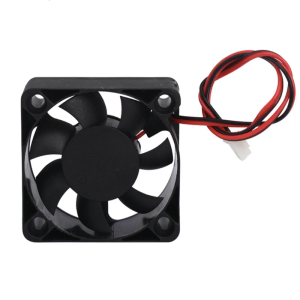
for 3D Printer Hot End Extruder 5015 Brushless Radial Blower High Speed 12V for DC Centrifugal Fan for DC 5V 12 24V Cool
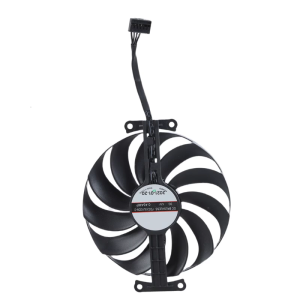
Graphics 95mm 4Pin Coolers Fan Replacement Graphics Cooling Fan for GTX1650 1630 GDDR6 4GB FDC10U12D9-C
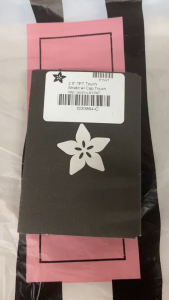
Circuitrocks TFT 2.8" Touch Shield for Arduino w/ Capacitive Touch
ZEUSLAP 18.5\" Smart Portable Monitor Z18TV PRO: A Comprehensive Guide