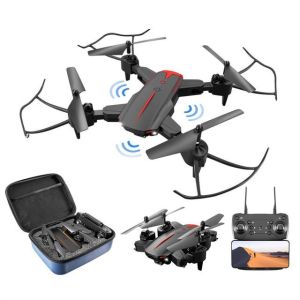
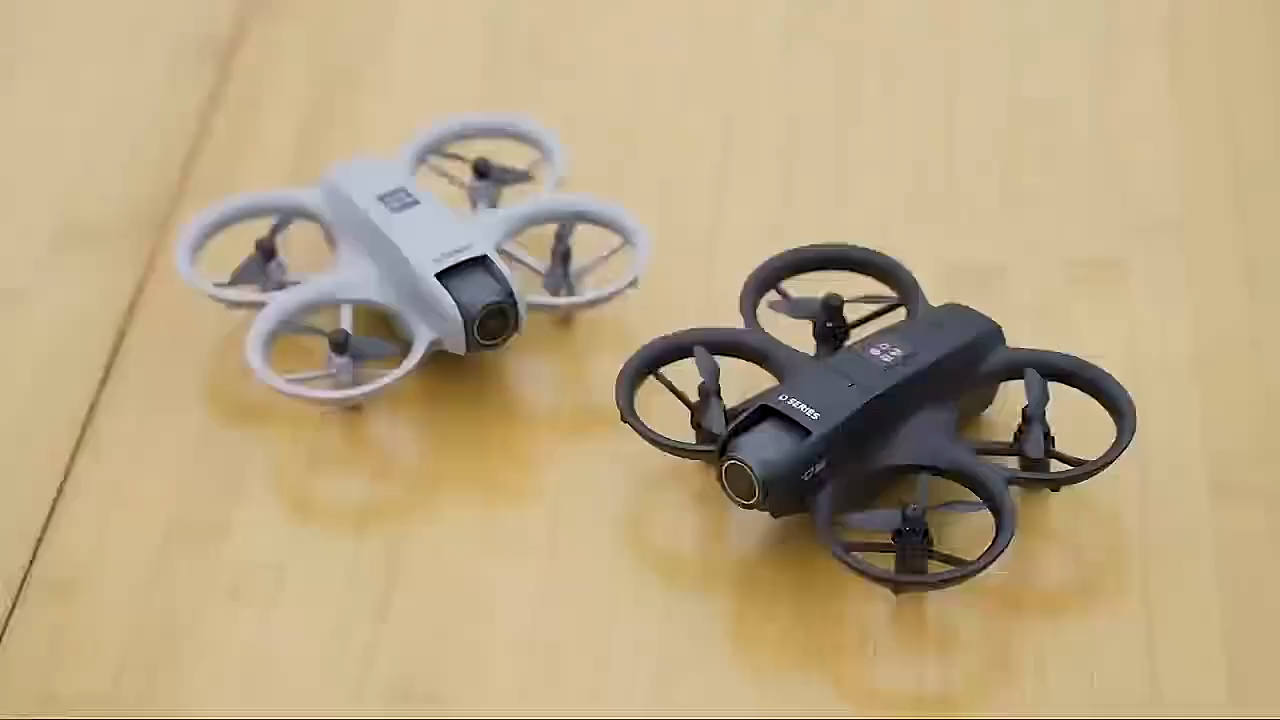
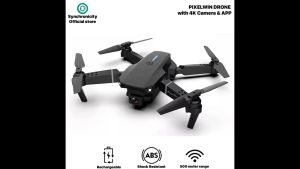
Xiaomi Mini Drone With Camera 4K Dual Camera Original 4K HD Drone Camera
Introduction to Xiaomi Mini Drone With Camera
Welcome to our comprehensive guide on the Xiaomi Mini Drone With Camera, a versatile and affordable drone designed for both beginners and experienced photographers. This drone boasts a dual camera setup with 4K HD resolution, making it an excellent choice for capturing stunning aerial footage and photos. In this guide, we will cover everything you need to know about this drone, from its key features and specifications to setting up and using it, optimizing camera settings, and troubleshooting common issues.
Key Features & Specifications
The Xiaomi Mini Drone With Camera is packed with features that make it stand out in the market. Here are some of its key features and specifications:
- Dual Camera System: This drone comes equipped with two cameras, one facing forward and another downward, allowing you to capture breathtaking aerial footage and photos from multiple angles.
- 4K HD Resolution: Both cameras support 4K HD resolution, ensuring that your footage looks crisp and clear.
- Stabilization Technology: The drone features advanced stabilization technology, which helps maintain smooth footage even during turbulent flights.
- Flight Time: With a battery life of up to 20 minutes, you can enjoy extended flight times and capture more footage.
- User-Friendly Controls: The drone's intuitive controls make it easy to operate, even for beginners.
How to Choose the Right Drone for Your Needs
Before purchasing a drone, it's essential to consider your specific needs and preferences. Here are some factors to keep in mind when choosing the right drone for you:
- Purpose: Determine whether you want to use the drone primarily for photography, videography, or both.
- Budget: Decide how much you're willing to spend on a drone. The Xiaomi Mini Drone With Camera offers great value for its price point.
- Experience Level: Consider your experience level with drones. If you're a beginner, look for drones with user-friendly controls and easy setup processes.
- Features: Think about the specific features you want in a drone, such as camera quality, flight time, and stabilization technology.
Setting Up & Using Your Xiaomi Mini Drone
Once you've purchased the Xiaomi Mini Drone With Camera, it's time to set it up and start flying! Here's a quick start guide to get you started:
Quick Start Guide & Initial Setup
- Charge the battery fully before your first flight.
- Download the Mi Home app on your smartphone and connect the drone to your device via Bluetooth.
- Familiarize yourself with the drone's controls and settings.
- Choose a safe location for your first flight.
Mastering Flight Controls & Basic Maneuvers
To get the most out of your Xiaomi Mini Drone With Camera, it's crucial to master its flight controls and basic maneuvers. Here are some tips to help you get started:
- Takeoff & Landing: Practice taking off and landing smoothly to avoid damaging the drone.
- Directional Control: Learn how to control the drone's direction using the left joystick.
- Altitude Control: Practice adjusting the drone's altitude using the right joystick.
- Basic Maneuvers: Once you're comfortable with the basics, try out more advanced maneuvers like flips and rolls.
Advanced Features & Customization Options
The Xiaomi Mini Drone With Camera offers several advanced features and customization options to enhance your flying experience. Some of these features include:
- Intelligent Flight Modes: Utilize the drone's intelligent flight modes to capture unique aerial footage.
- Customizable Settings: Adjust various settings, such as camera resolution and stabilization, to suit your preferences.
- Remote Control: Use the remote control to fly the drone manually or in automatic mode.
Capturing Stunning Footage with HD Drone Camera
One of the main reasons people purchase drones is to capture stunning aerial footage and photos. Here are some tips to help you optimize your camera settings and shooting techniques:
Optimizing Camera Settings for Perfect Shots
To capture the best possible footage with your Xiaomi Mini Drone With Camera, it's important to optimize your camera settings. Some essential settings to consider include:
- Resolution: Set the camera resolution to 4K HD for the best image quality.
- Frame Rate: Adjust the frame rate to suit your shooting style and preferences.
- ISO: Experiment with different ISO settings to achieve the desired exposure.
Shooting Techniques & Composition Tips
In addition to optimizing your camera settings, it's essential to master shooting techniques and composition tips to create visually appealing footage. Some tips to keep in mind include:
- Rule of Thirds: Apply the rule of thirds to create balanced compositions.
- Leading Lines: Use leading lines to guide the viewer's eye through the frame.
- Symmetry: Utilize symmetry to create visually pleasing compositions.
Post-Processing & Editing Your Drone Footage
Once you've captured your footage, it's time to post-process and edit it to enhance its visual appeal. Here are some tips to help you get started:
- Color Grading: Adjust the color grading to achieve the desired mood and atmosphere.
- Stabilization: Apply stabilization techniques to smooth out any shaky footage.
- Transitions: Add transitions between shots to create a seamless video.
Troubleshooting Common Issues & Maintenance
Like any electronic device, drones can experience issues from time to time. Here are some common problems you may encounter and how to troubleshoot them:
Dealing with Connectivity Problems & Battery Life
If you're experiencing connectivity problems or battery life issues, try the following solutions:
- Restart the Drone: Restart the drone and reconnect it to your smartphone.
- Update the App: Ensure that the Mi Home app is up-to-date.
- Replace the Battery: If the battery life is consistently low, consider replacing it with a new one.
Cleaning & Maintaining Your Drone for Optimal Performance
To keep your Xiaomi Mini Drone With Camera in top condition, it's essential to clean and maintain it regularly. Some tips include:
- Clean the Propellers: Remove any debris or dirt from the propellers to ensure smooth flight.
- Check the Battery: Regularly check the battery for any signs of wear or damage.
- Store Properly: Store the drone in a cool, dry place when not in use.
Expanding Your Drone Photography Skills & Community Engagement
Once you've mastered the basics of flying and capturing footage with your Xiaomi Mini Drone With Camera, it's time to expand your skills and engage with the drone photography community. Some ways to do this include:
- Join Online Forums: Join online forums and communities dedicated to drone photography to learn from others and share your experiences.
- Attend Workshops: Attend workshops and events to improve your skills and meet other enthusiasts.
- Participate in Challenges: Participate in challenges and competitions to push yourself creatively and showcase your work.

Lenovo Small shops
Review
You May Also Like

1080P Wireless Wifi Camera Mini Night Vision Video Recorder Baby Pet MonitorSecurity Detection Camera HD Surveillance IP Cam Small Indoor Outdoor Camera with Remote View

HD Wireless Night Vision Bulb Security Camera Waterproof Auto Tracking Human Detection Camera
![[CAMERA ONLY] KODAK S-88 S88 Motorized Automatic Winding Film 35mm 135 Reusable MVP CAMERA](https://img.lazcdn.com/g/ot/common/92a068e81bea45daa94d9f2e398c1ba7.png_300x300q80.png)
[CAMERA ONLY] KODAK S-88 S88 Motorized Automatic Winding Film 35mm 135 Reusable MVP CAMERA

V380 Solar Cctv Camera connect cellphone Dual Lens Outdoor Waterproof Two Way Audio 4G/Wifi connect

Imou Bullet 2E 3MP Outdoor Camera CCTV Security Camera ip Camera Wi-Fi Human Detectio | Night Vision

Hikvision CCTV Camera Power Adaptor DC 12V2A Wall Mounted Outdoor Waterproof Power Supply

Xiaomi Dual Lens CCTV Camera Wifi Connect 360 With Audio and Speaker Mini IP Security Camera Auto Tracking Night Vision Waterproof Alarm Surveillance CCTV Light Bulb Connect to CP Outdoor HD Wireless Two-Way Audio CCTV Camera

Solar CCTV IP Security 3MP Camera: A Comprehensive Guide

4G Camera Plug-in Data Card No WiFi No Broadband Network Mobile Phone Remote Outdoor Wireless HD Monitor

Kids Camera Instant Print Gifts Toys 1080P HD Dual-Lens Selfie Digital Camera with 5 Rolls Print Paper Stickers Pens & 32G Card

BekinTek Night Vision Binoculars: 600m Observing Distance & 1080P Video Recording