TOMLOV DM202M HDMI Digital Microscope with Multimeter: A Comprehensive Guide
TOMLOV DM202M HDMI Digital Microscope with Multimeter: A Comprehensive Guide
Introduction to the TOMLOV DM202M HDMI Digital Microscope
The TOMLOV DM202M HDMI Digital Microscope is a versatile and high-quality tool designed for electronic repair enthusiasts and professionals alike. With its advanced features and easy-to-use interface, this microscope stands out among its competitors. In this article, we will explore the key features, benefits, and advanced functionalities of this exceptional device.
Key Features & Benefits
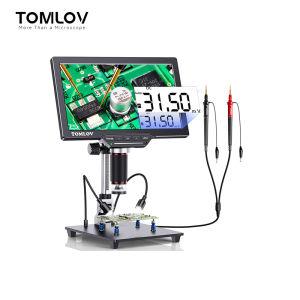
The TOMLOV DM202M HDMI Digital Microscope boasts a 16MP camera, providing crystal-clear images for precise electronic repair work. The 10.1 inch LCD display ensures comfortable viewing angles, while the multimeter functionality enables users to measure voltage, current, and resistance directly on the screen. Additionally, the upgraded magnetic base offers enhanced stability and flexibility during use.
Comparison with Other Models
Compared to other digital microscopes on the market, the TOMLOV DM202M HDMI Digital Microscope offers superior image quality, ease of use, and advanced features. Its multimeter functionality sets it apart from competitors, making it an invaluable tool for electronic repair professionals.
How to Use the TOMLOV DM202M HDMI Digital Microscope
In this section, we will provide step-by-step instructions on how to set up and use the TOMLOV DM202M HDMI Digital Microscope effectively.
Setting Up Your Microscope
- Unpack the microscope and its accessories.
- Attach the magnetic base to a stable surface.
- Connect the HDMI cable to your computer or monitor.
- Power on the microscope.
Connecting to Your Computer
To connect the TOMLOV DM202M HDMI Digital Microscope to your computer, simply plug the HDMI cable into the appropriate port on your device. This will allow you to view the microscope's live feed on your computer screen.
Basic Operation Tips
Here are some basic operation tips to help you get started with the TOMLOV DM202M HDMI Digital Microscope:
- Adjust the focus using the built-in knobs.
- Use the zoom function to magnify specific areas.
- Utilize the multimeter functionality to measure voltage, current, and resistance.
Advanced Features of the TOMLOV DM202M HDMI Digital Microscope
In addition to its basic functions, the TOMLOV DM202M HDMI Digital Microscope offers several advanced features that enhance its capabilities for electronic repair work.
Multimeter Functionality
The built-in multimeter allows users to measure voltage, current, and resistance directly on the microscope's LCD display. This feature simplifies the process of troubleshooting electronic components and streamlines the repair process.
Magnetic Base & LCD Display
The upgraded magnetic base provides enhanced stability and flexibility during use, allowing users to easily position the microscope over their work area. The 10.1 inch LCD display ensures comfortable viewing angles and clear visibility of the live feed.
Upgraded Features for Electronic Repair
The TOMLOV DM202M HDMI Digital Microscope includes several features specifically designed for electronic repair work, such as the multimeter functionality, magnetic base, and high-resolution camera. These features make it an ideal tool for professionals and enthusiasts alike.
Troubleshooting Common Issues
If you encounter any issues while using the TOMLOV DM202M HDMI Digital Microscope, refer to this section for troubleshooting tips.
Connectivity Problems
If you experience connectivity issues, ensure that the HDMI cable is securely connected to both the microscope and your computer or monitor. If the problem persists, try using a different HDMI cable or port.
Display Issues
If you encounter display issues, check that the microscope is properly powered on and that the HDMI cable is securely connected. If the problem continues, try adjusting the settings on your computer or monitor to ensure compatibility with the microscope's resolution.
Calibration & Maintenance Tips
To maintain optimal performance, regularly clean the lens and camera sensor using a soft, lint-free cloth. Additionally, calibrate the microscope periodically to ensure accurate measurements.
In conclusion, the TOMLOV DM202M HDMI Digital Microscope is a powerful and versatile tool that simplifies electronic repair work. With its advanced features, ease of use, and high-quality image resolution, this microscope is an essential addition to any electronic repair professional's toolkit.

TOMLOV
You May Also Like
5Pcs Stainless Cleaner Film Cookware Cleaner Powerful Rust Remover Film Kitchen Accessories

Disposable Shoe Cover (100pcs 50pairs)
【Ready Stock】Sliding Hammer Puller Portable Easy to Operate Vehicle Repair Accessory Extractor Disassembly Repair Tool for Workshop

4PCS Zinc Alloy Mirror Clip Wall-Mount Bathroom Glass Clips Mirrors Supporting Sheet Frameless Bracket With Nails For 3-5mm Thick Mirror
PO6222525 Home Cabinet Prop Lift Kitchen Hardware Spring Support Door Hinge Hydraulic Gas Strut Pneumatic

NXUGW New Year Shelf Garland Multifunctional Stockings Clip Mantel Hooks Hanger Christmas Stocking Holders
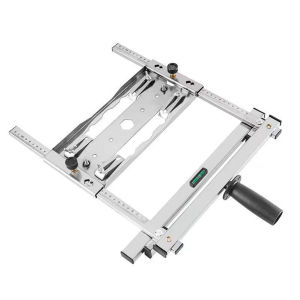
【New Arrival】 Woodworking Cutting Guide Rail with Clear Measurement Markings and Easy Setup for Precise Cuts in Furniture Making
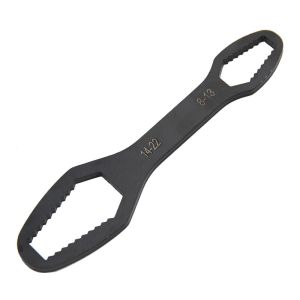
8 to 22 Black Multifunctional Double End Box Wrench Hexagon Double End Solid Wrench Screw and Nut Tool with Various Diameters
Gooti Super Waterproof Coating & Polyurethane Sealant: A Comprehensive Guide

CHUANGCHAO Airless Paint Sprayer Machine: A Comprehensive Guide
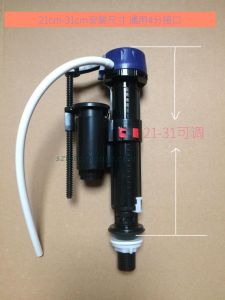
Wd Toilet Tank Parts Water Inlet Valve Floating Ball Check Valve CW886B SW341B CW864 Bathroom Accessories Ceramic Toilet Parts