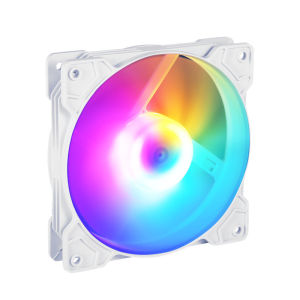
KEBETEME RGB Case Fan 12cm LED Desktop Casing Fan Radiator CPU Fan Silent Fan
KEBETEME RGB Case Fan 12cm LED Desktop Casing Fan Radiator CPU Fan Silent Fan
Introduction to Kebeteme RGB Case Fan 12cm
The KEBETEME RGB Case Fan 12cm is a cutting-edge cooling solution that combines silent operation with high-performance capabilities. This product is designed to enhance the aesthetics of your desktop setup while providing efficient cooling for your CPU radiator. The fan's sleek design and customizable LED lighting make it a perfect addition to any gaming or professional workstation.
Silent CPU Radiator Fan: Key Features & Benefits
The Kebeteme RGB Case Fan 12cm offers several key features that set it apart from its competitors:
- Silent Operation: The fan operates at low noise levels, ensuring a quiet environment for work or gaming sessions.
- High Performance Cooling: With a powerful airflow capacity, the fan effectively cools your CPU radiator, maintaining optimal temperatures even during intense usage.
- Customizable LED Lighting: The fan features adjustable RGB lighting, allowing you to personalize your desktop's appearance.
- Durable Build Quality: Constructed from high-quality materials, the fan is built to last and withstand the rigors of daily use.
LED Casing Fan: Enhancing Your Desktop Aesthetics
The Kebeteme RGB Case Fan 12cm enhances the visual appeal of your desktop setup with its customizable LED lighting. The fan's sleek design complements modern PC cases, making it a stylish addition to any workstation. With adjustable RGB lighting, you can create a personalized look that reflects your unique style.
How to Install & Optimize Your Kebeteme RGB Case Fan 12cm
Installing and optimizing the Kebeteme RGB Case Fan 12cm is a straightforward process that requires minimal effort. Follow these steps to get started:
Preparing Your Workspace & Tools
Before installing the fan, ensure you have a clean, well-lit workspace and the necessary tools, including a screwdriver and thermal paste.
Step-by-Step Installation Guide
- Power off your computer and unplug all cables from the back of the case.
- Open the case and locate the CPU radiator.
- Remove the existing fan, if applicable, and clean the surface where the new fan will be installed.
- Apply a thin layer of thermal paste to the CPU radiator.
- Attach the Kebeteme RGB Case Fan 12cm to the radiator using screws.
- Connect the fan's power cable to the appropriate header on your motherboard.
- Close the case and reconnect all cables.
- Power on your computer and test the fan's performance.
Fine-Tuning Fan Performance & Customization
To fine-tune the fan's performance and customize its LED lighting, use the included software or your motherboard's built-in utilities. Adjust the fan speed settings and lighting effects to achieve the desired balance between cooling efficiency and visual appeal.
Comparing Kebeteme RGB Case Fan 12cm with Competitors
When comparing the Kebeteme RGB Case Fan 12cm with other high-performance cooling fans, several key differentiators stand out:
High Performance Cooling Fan: Key Differentiators
- Silent Operation: The Kebeteme fan operates at lower noise levels than many competitors, making it ideal for quiet work or gaming environments.
- Customizable LED Lighting: Unlike some competitors, the Kebeteme fan offers adjustable RGB lighting, allowing for greater personalization of your desktop setup.
- Durable Build Quality: The fan's robust construction ensures longevity and reliability, even under heavy usage.
Silent Fan: Noise Reduction & Energy Efficiency
The Kebeteme RGB Case Fan 12cm excels in noise reduction and energy efficiency. Its advanced design minimizes noise levels, creating a quieter environment for work or gaming sessions. Additionally, the fan's energy-efficient operation helps reduce power consumption, saving you money on electricity bills.
Conclusion: Why Choose Kebeteme RGB Case Fan 12cm
The KEBETEME RGB Case Fan 12cm is a top-tier cooling solution that combines silent operation, high-performance capabilities, and customizable LED lighting. Its durable build quality and advanced design make it a reliable choice for any desktop setup. By choosing the Kebeteme fan, you'll enjoy optimal CPU radiator cooling, reduced noise levels, and enhanced desktop aesthetics.

KEBETEME Store
Review

You May Also Like
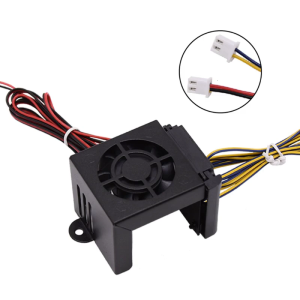
3D Printer Accessories Silicone Case Extruder Cooling Fan Cover Kit for Ender3/CR10/Ender5 24V / 12V
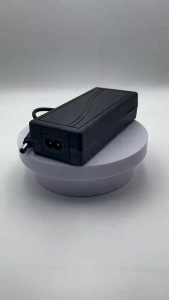
AC To DC Power Supply Adaptor 12V 3A/ 5A/ 6A/ 8A AC 100-240V Adapter for CCTV/ TV Plus/ WIFI Routers /DVD/ Monitor

AMD RYZEN 5 5600X OEM TRAY TYPE /3.7GHZ/6CORE/12THD/32MB/AM4 Ryzen5 5600X Ryzen 5 5600 X - Lazada
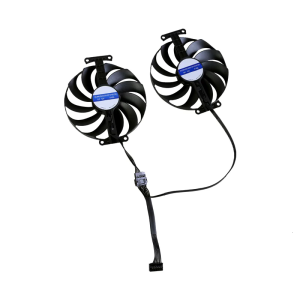
95mm 12V 7Pin Graphics Cooling Fan for ROG Coolers VGA Fan as Fan Replacement CF1010U12D

NerdWares Solutions: AMD Ryzen 7 7700X 8 Cores & 16 Threads Processor with Radeon Vega Graphics

18W 50W 100W LED Power Supply Driver TransformerElectric Transformers220V TO 12V Led Driver 220V To 12V Power Supply Adapter
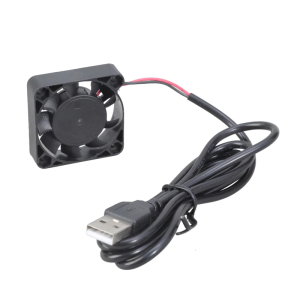
Quiet 40mm USB 5V 5800RPM Brushless Cooling Fans For 3D Printers Routers Silents Oil Bearing 40x40x10mm
![[Duola] Power Supply Adapter AA Battery Eliminators Eliminate The Need For Frequent Battery Replacement For Christmas Trees](https://img.lazcdn.com/g/p/4e96fc4a11eb0fddeffbe10c307f59e7.jpg_300x300q80.jpg)
[Duola] Power Supply Adapter AA Battery Eliminators Eliminate The Need For Frequent Battery Replacement For Christmas Trees
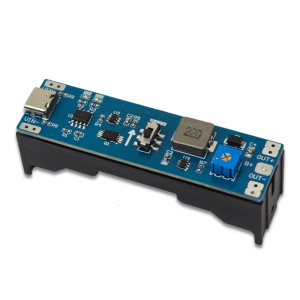
Professional 3.7V to 9V 12V Charging Booster Regulator Discharger Step Up Module Regulator Module for PC
![[COD] KOQZM KITCHEN Lace Keyboard Ribbon Mechanical Keyboard Strap Universal Personalized Keyboard Ribbon Keyboard Decor Accessories](https://img.lazcdn.com/g/p/4e3802baadf5e4be2a74be60964280fe.jpg_300x300q80.jpg)
[COD] KOQZM KITCHEN Lace Keyboard Ribbon Mechanical Keyboard Strap Universal Personalized Keyboard Ribbon Keyboard Decor Accessories

ZEUSLAP 18.5" 100Hz touch screen portable monitor 1920*1080P 100%sRGB 300Cd/m travel display for laptop computer for laptop Switch ps4 ps5 Xbox