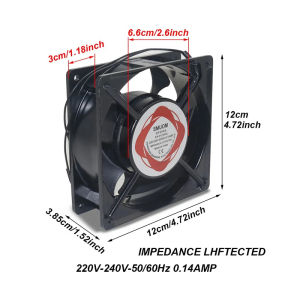
4.72inch Blower Cooling Fan 220V Heavy Duty Circulation Exhaust Fan for Incubator
4.72inch Blower Cooling Fan 220V Heavy Duty Circulation Exhaust Fan for Incubator
Understanding the 4.72inch Blower Cooling Fan
What is a Heavy Duty Circulation Fan?
A heavy duty circulation fan, like the 4.72inch blower cooling fan, is a robust and powerful device designed to circulate air within confined spaces. This type of fan is ideal for applications that require efficient cooling, such as incubators used in laboratories, hatching operations, and other environments where temperature control is critical. Heavy duty circulation fans are built to withstand harsh operating conditions, ensuring optimal performance and reliability.
How Does a High Performance Circulation Fan Work?
The high performance circulation fan operates using a motor that drives a set of blades, which rotate at high speeds to move air through the system. This process helps maintain consistent airflow, which is crucial for proper temperature regulation within the incubator. The 4.72inch blower cooling fan, specifically designed for 220V power supply, offers superior cooling capabilities, making it an excellent choice for various industrial and commercial applications.
Key Features of the 220V Blower Cooling Fan
The 220V blower cooling fan boasts several features that make it a top choice for heavy duty circulation needs. Some of its key features include:
- High Performance: With its powerful motor and efficient blade design, this fan delivers exceptional cooling performance.
- Durable Construction: Built to withstand harsh operating conditions, the fan is made from high-quality materials that ensure longevity and reliability.
- Easy Installation: Designed for simple installation, the fan can be easily integrated into existing systems, making it a convenient choice for various applications.
Choosing the Right Incubator Exhaust Fan
Factors to Consider When Selecting an Incubator Exhaust Fan
When choosing an incubator exhaust fan, several factors must be taken into account to ensure optimal performance. Some of the most important considerations include:
- Airflow Requirements: Determine the airflow needs of your incubator to select a fan that can meet those requirements.
- Power Supply: Verify that the fan is compatible with your power supply voltage (e.g., 220V).
- Noise Levels: Consider the noise level of the fan, especially if it will be used in a sensitive environment.
Comparing Heavy Duty Circulation Fans with Other Options
Heavy duty circulation fans offer several advantages over other types of fans, making them an excellent choice for incubator exhaust applications. Some of the key benefits include:
- Superior Cooling Performance: Heavy duty circulation fans deliver exceptional cooling capabilities, ensuring consistent temperature regulation within the incubator.
- Durability: Built to withstand harsh operating conditions, heavy duty circulation fans offer long-lasting performance and reliability.
- Energy Efficiency: Heavy duty circulation fans are designed to operate efficiently, reducing energy consumption and lowering operating costs.
How to Install the 4.72inch Cooling Fan in an Incubator
Installing the 4.72inch cooling fan in an incubator is a straightforward process that can be completed with minimal effort. To install the fan, follow these steps:
- Prepare the Incubator: Ensure that the incubator is clean and free of debris before installing the fan.
- Mount the Fan: Securely mount the fan in the designated location within the incubator, following the manufacturer's guidelines.
- Connect the Power Supply: Connect the fan to the appropriate power supply, ensuring that the voltage matches the fan's specifications.
Maintaining and Optimizing the Performance of the Blower Cooling Fan
Regular Maintenance Tips for Heavy Duty Circulation Fans
To ensure optimal performance and longevity of the heavy duty circulation fan, regular maintenance is essential. Some tips for maintaining the fan include:
- Clean the Fan: Regularly clean the fan blades and housing to remove dust and debris.
- Check the Motor: Inspect the motor for any signs of wear or damage, and replace it if necessary.
- Lubricate Moving Parts: Apply lubricant to moving parts to reduce friction and extend the fan's lifespan.
Troubleshooting Common Issues with Incubator Exhaust Fans
If you encounter issues with your incubator exhaust fan, troubleshooting can help identify and resolve the problem. Some common issues and their solutions include:
- Fan Not Running: Check the power supply and ensure that the fan is properly connected.
- Excessive Noise: Inspect the fan blades and housing for any damage or misalignment, and address any issues accordingly.
- Poor Airflow: Clean the fan blades and housing to improve airflow, and verify that the fan is correctly installed.
Maximizing the Efficiency of the 4.72inch Blower Cooling Fan
To maximize the efficiency of the 4.72inch blower cooling fan, consider implementing the following strategies:
- Proper Installation: Ensure that the fan is installed correctly and securely within the incubator.
- Regular Maintenance: Follow the maintenance tips outlined above to keep the fan running smoothly.
- Optimize Airflow: Position the fan strategically to optimize airflow within the incubator, ensuring consistent temperature regulation.

Birders Mall
You May Also Like

Lenovo Rescue R70002021 Pressure Strip R7000P2021 Y70002021 Small Cover Shell Compatible Laptop Computer Parts And Accessories
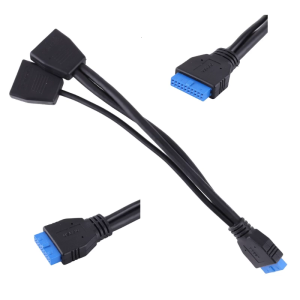
USB 3.0 19-Pin Header Extension Cable 1 to 2 Double Ports Ultra Durable for Computer Motherboard USB Splitter PCIE Pin

ZOWIE XL2586X+ New Fast TN 600Hz DyAc 2 Gaming Monitor for Esports
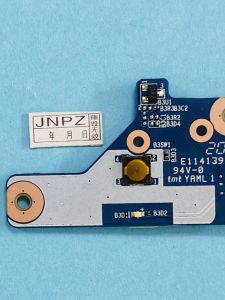
Hasee Switch Board for Notebook Computer Parts And Accessories Z7 Z7M Z7T G8 Z8 G9 TX8 TX9 Laptop Cable Switch Assembly

14.0 SLIM PIN 30 for Acer aspire 5 A514-53-39QP A514-53 52 N20C4 A514-54 N19H2 A514-52G A514-52KG Laptop LCD Screen Slim
![[COD] PkYeG Tool 1Set Computer CPU Radiator Mounting Bracket Backplane Accessories For LGA2011 X99 X79 E5 1700 1366 115X 1200 AMD AM2 AM3 AM4 AM5](https://img.lazcdn.com/g/p/134d776b706b375cfb659084ec463a5e.jpg_300x300q80.jpg)
[COD] PkYeG Tool 1Set Computer CPU Radiator Mounting Bracket Backplane Accessories For LGA2011 X99 X79 E5 1700 1366 115X 1200 AMD AM2 AM3 AM4 AM5
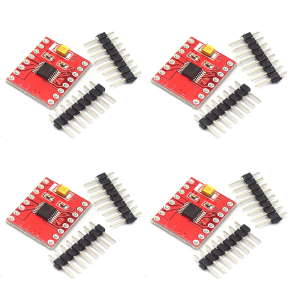
DRV8833 H Bridge Motor Driver Module Short Circuits Protections Easy Integration 1.5A Output for Applications

GMKtec NucBox M3 Mini PC - Intel i5-12450H / 32GB DDR4 / 1TB M.2 / WiFi 6 / 2.5G / Win 11 Pro / Black

Juno S400 Portable Tri-Screen Monitor l 14" Full View Display l Plug and Play Monitor l 1920x1080p
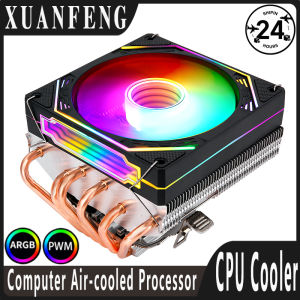
XUANFENG PC Horizontal Radiator 6 Heat Pipe Air-cooled CPU 120mm Fan ARGB Compatible LGA1200 115x 1700 2011 2066 x79 x99 AMD AM3
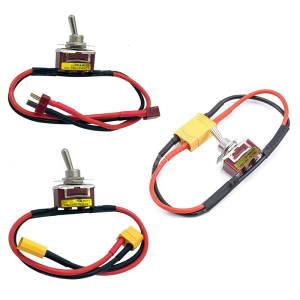
High Current Power Switches For Electric Models With T XT60 XT90 Connector Option And Overloads Protections