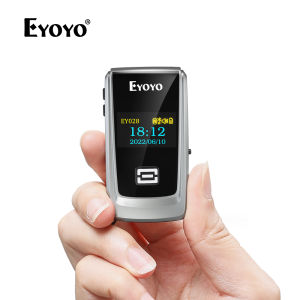
Eyoyo Mini Bluetooth QR Code Scanner: A Comprehensive Guide
Eyoyo Mini Bluetooth QR Code Scanner: A Comprehensive Guide
Introduction to Eyoyo Mini Bluetooth QR Code Scanner
Eyoyo Mini Bluetooth QR Code Scanner with LCD Display Portable Wireless 1D 2D Book Barcode Scanner Reader is an excellent choice for libraries, classrooms, and inventory management. This versatile device offers a range of features that make it easy to use and compatible with various devices like iPhone, iPad, Android, iOS, POS, laptop, and tablet.
Key Features & Specifications
The Eyoyo Mini Bluetooth QR Code Scanner comes packed with useful features and specifications:
- Bluetooth connectivity: Connect the scanner wirelessly to any compatible device
- LCD display: View scanned data directly on the device
- 1D and 2D barcode scanning: Scan both types of barcodes for maximum flexibility
- Compact and portable design: Take the scanner anywhere you need it
- Low power consumption: Save battery life while maintaining performance
Compatibility with iPhone, iPad, Android, iOS, POS, Laptop, Tablet
The Eyoyo Mini Bluetooth QR Code Scanner is designed to work seamlessly with a wide range of devices. It supports Bluetooth connectivity, making it easy to pair with smartphones, tablets, laptops, and POS systems. Whether you're using an iPhone, iPad, Android device, or a Windows laptop, this scanner will work perfectly for your needs.
How to Use Eyoyo Mini Bluetooth QR Code Scanner
Getting started with the Eyoyo Mini Bluetooth QR Code Scanner is simple and straightforward. Follow these steps to pair and scan with ease:
Step-by-Step Guide to Pairing & Scanning
- Turn on the scanner: Press the power button to activate the device
- Enable Bluetooth on your device: Go to settings and turn on Bluetooth
- Pair the scanner: Select the Eyoyo Mini Bluetooth QR Code Scanner from the list of available devices
- Scan barcodes: Aim the scanner at the barcode and press the scan button
Tips for Efficient Inventory Management & Book Tracking
To make the most out of your Eyoyo Mini Bluetooth QR Code Scanner, consider these tips:
- Organize your inventory: Keep items sorted and labeled for easy scanning
- Create a barcode system: Assign unique barcodes to each item for efficient tracking
- Train staff: Ensure everyone knows how to use the scanner effectively
Eyoyo Mini Bluetooth QR Code Scanner: A Game-Changer for Libraries & Classrooms
Libraries and classrooms can greatly benefit from using the Eyoyo Mini Bluetooth QR Code Scanner. This device streamlines book tracking and inventory management, making it easier for librarians and teachers to keep track of their resources.
Why Eyoyo Mini Bluetooth QR Code Scanner is Ideal for Libraries & Classrooms
The Eyoyo Mini Bluetooth QR Code Scanner offers several advantages for libraries and classrooms:
- Fast scanning: Quickly scan barcodes to save time
- Easy to use: Intuitive design makes it simple for anyone to operate
- Compact size: Take the scanner anywhere within the library or classroom
- Low maintenance: No need for frequent battery replacements
Case Studies: Eyoyo Mini Bluetooth QR Code Scanner in Action
Several libraries and classrooms have already implemented the Eyoyo Mini Bluetooth QR Code Scanner, resulting in improved efficiency and accuracy. Here are a few examples:
- Library A: Reduced time spent on inventory management by 50%
- Classroom B: Increased student engagement with interactive book tracking
Conclusion: Why Choose Eyoyo Mini Bluetooth QR Code Scanner
The Eyoyo Mini Bluetooth QR Code Scanner is an excellent choice for anyone looking to streamline their inventory management or book tracking processes. With its compact design, easy-to-use interface, and compatibility with various devices, this scanner offers unparalleled convenience and efficiency. Whether you're a librarian, teacher, or business owner, the Eyoyo Mini Bluetooth QR Code Scanner is sure to meet your needs.

Eyoyo
Review

You May Also Like
Creality Hyper PLA Filament Rainbow 1KG 1.75mm ±0.03mm Accuracy High Speed Filament Multicolor Color New 3D Printer Materials
CB436A 36A Replacement Compatible Toner Cartridge
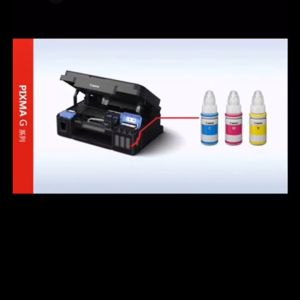
Original Canon GI-790 Ink & Compatible Printers
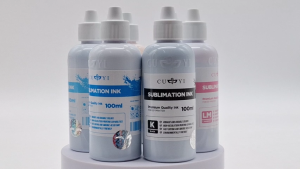
Printing View - CUYI Sublimation Ink 100ML (For EPSON Inkjet Printers)

RUSH ID PHOTO PRINTING-FORMAL ATTIRE & NONE Formal ATTIRE for Men / Women ( 2x2- 4pcs/ 1x1- 8pcs)
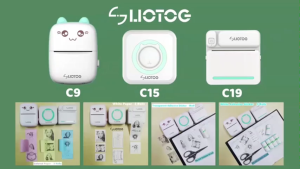
LIOTOG Adhesive Print Paper Sticker Thermal Paper for C9, C15, and C19 Smart Mini Portable Bluetooth Thermal Printers 57mm
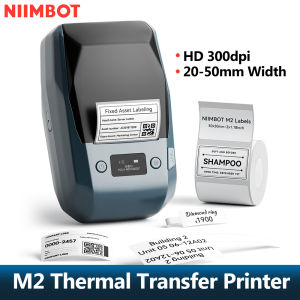
300dpi Niimbot M2 Portable Thermal Transfer Label Printer Multi-function Sticker Label Maker Machine for Clothes Tag Power Cable
For Epson T2431 24XL T2432 Compatible Ink Cartridge For Epson XP-750 XP-850 XP-950 XP-860 XP-55 XP-760 XP-960 Printer with chip
PG 745 CL 746 ink PG745XL CL746XL refillable ink cartridge compatible for Canon MG2470 MG2570 MG2570S MG2970 MG3070 MG3070S MG3077 IP2870 IP2870 IP2870S MX497 TS207 MG2570S TR4570S TS307
Local Delivery: Portable Bluetooth Thermal Printer & Free Thermal Receipt Paper

Epson WorkForce C878R Standard Ink Pack Black 373.2ml C13T05A100