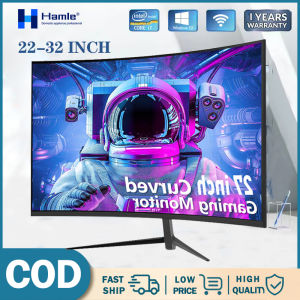
Hamle Computer Monitor: A Comprehensive Guide to 27-Inch Curved Gaming Desktop PC IPS Monitor
Hamle Computer Monitor: A Comprehensive Guide to 27-Inch Curved Gaming Desktop PC IPS Monitor
What Is a 27-Inch Curved Gaming Monitor?
A 27-inch curved gaming monitor is a display device designed specifically for gaming enthusiasts. It features a curved screen that mimics the natural curvature of human vision, providing a more immersive experience compared to flat monitors. The curved design reduces eye strain and enhances the perception of depth, making it ideal for gaming and other visually demanding tasks.
Understanding the Benefits of Curved Monitors
Curved monitors offer several advantages over flat monitors, including:
-
Improved immersion: The curved screen creates a wider field of view, allowing users to feel more engaged in their gaming experience.
-
Reduced eye strain: The curvature of the screen minimizes the distance between the viewer and the display, reducing eye strain and fatigue.
-
Enhanced depth perception: The curved design provides a more natural viewing experience, making it easier to perceive depth and distance.
Key Features of Hamle Computer Monitor
Hamle Computer Monitor offers a range of features designed to enhance the gaming experience, including:
-
27-inch curved display: Provides a wide field of view and immersive gaming experience.
-
IPS technology: Offers excellent color accuracy, wide viewing angles, and fast response times.
-
75Hz & 165Hz refresh rates: Allows users to choose the refresh rate that best suits their gaming needs.
-
Multiple size options: Available in 22", 24", 27", and 32" sizes to accommodate different preferences and spaces.
Choosing the Right Refresh Rate: 75Hz & 165Hz
The refresh rate of a monitor refers to the number of times per second the screen can update its image. A higher refresh rate results in smoother motion and less screen tearing, making it ideal for fast-paced games.
How Refresh Rate Affects Gaming Performance
A higher refresh rate can significantly improve the gaming experience by reducing input lag and providing smoother visuals. This is particularly important for fast-paced games like first-person shooters and racing games, where quick reflexes and precise movements are crucial.
Comparing 75Hz & 165Hz Refresh Rates
While both 75Hz and 165Hz refresh rates offer a smooth gaming experience, the choice ultimately depends on personal preference and budget. A 75Hz refresh rate is sufficient for most gamers, while a 165Hz refresh rate provides a more immersive experience for those who demand the highest performance.
Selecting the Right Size: 22", 24", 27", & 32" Monitors
Choosing the right monitor size depends on several factors, including viewing distance, budget, and personal preference.
Factors to Consider When Choosing Monitor Size
When selecting a monitor size, consider the following factors:
-
Viewing distance: The closer you sit to the monitor, the smaller the size you'll need. Conversely, if you sit farther away, a larger monitor may be more appropriate.
-
Budget: Larger monitors tend to be more expensive, so consider your budget when choosing a size.
-
Personal preference: Some people prefer a larger screen for a more immersive experience, while others may prefer a smaller screen for a more compact setup.
Benefits of Different Monitor Sizes
Different monitor sizes offer various benefits, including:
-
22" monitors: Ideal for compact setups and those on a tight budget.
-
24" monitors: Provide a good balance between size and price, making them popular among gamers.
-
27" monitors: Offer a wide field of view and immersive gaming experience, making them ideal for serious gamers.
-
32" monitors: Provide the largest screen size available, offering the most immersive gaming experience.
IPS Technology & Its Impact on Gaming Experience
IPS technology is a type of LCD display technology that offers excellent color accuracy, wide viewing angles, and fast response times. It is widely used in gaming monitors due to its ability to deliver smooth motion and accurate colors.
Understanding IPS Technology
IPS technology works by using liquid crystals that are aligned perpendicular to the screen. This allows for wider viewing angles and better color reproduction compared to other LCD technologies.
Advantages of IPS Monitors for Desktop PCs
IPS monitors offer several advantages for desktop PCs, including:
-
Excellent color accuracy: IPS monitors provide accurate color reproduction, making them ideal for graphic designers and other professionals who require precise color representation.
-
Wide viewing angles: IPS monitors offer wide viewing angles, allowing multiple people to view the screen simultaneously without distortion.
-
Fast response times: IPS monitors have fast response times, reducing motion blur and improving the gaming experience.
Tips for Optimizing Your Hamle Computer Monitor
To get the most out of your Hamle Computer Monitor, follow these tips:
Adjusting Settings for Optimal Performance
Adjusting the settings on your monitor can significantly improve its performance. Consider the following tips:
-
Brightness: Adjust the brightness to your liking, keeping in mind that too much brightness can cause eye strain.
-
Contrast: Adjust the contrast to improve image clarity and detail.
-
Color settings: Adjust the color settings to suit your preferences and ensure accurate color representation.
Maintaining Your Monitor for Long-Term Use
To ensure your monitor lasts as long as possible, follow these maintenance tips:
-
Keep it clean: Regularly clean the screen with a soft cloth to remove dust and debris.
-
Avoid excessive heat: Keep the monitor away from direct sunlight and other sources of heat.
-
Store it properly: When not in use, store the monitor in a cool, dry place to prevent damage.

Dowell Store
You May Also Like
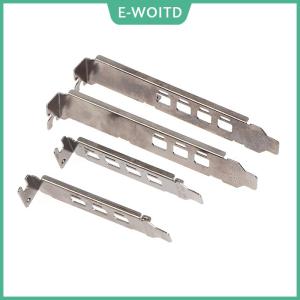
【E-WOITD】 Graphics Card Baffle Bracket for NVIDIA Quadro K1200 NVS510 P400 P600 P620 P1000
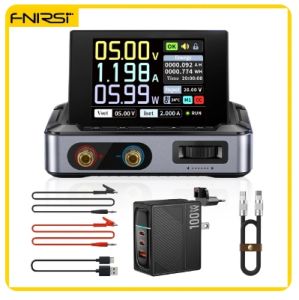
FNIRSI DPS-150 Laboratory DC Power Supply CNC Adjustable 30V 5A Digit Display Mini Portable Regulator Switching Power Supply

9V Eliminators Power Supply Adapter USB Cable Replace 6F22 for Multimeter Microphone Toy Remote Control
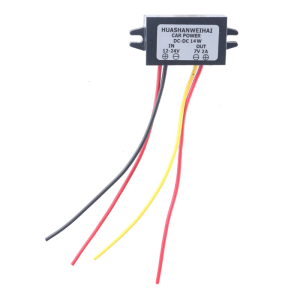
Waterproof Voltages Regulator Converts 12V-24V To 7V 2A/3A For Trucks Boats Outdoor Power Supply
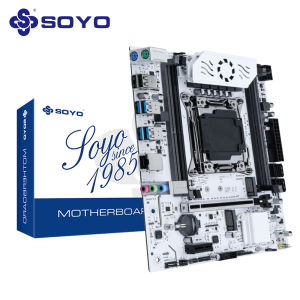
SOYO World Premiere X99 Gaming Motherboard C612 Chip Supports LGA2011-3 Dual Channel DDR4 NVME PCIE3.0 SATA3.0 for Desktop Host
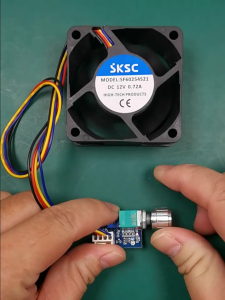
Fan Governor PWM Fan Speed Controller 12V 4 Pin Low Power PWM Speed Control Switch with Knob Adjustable Fan Regulator
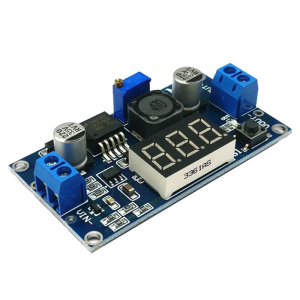
Compactly DCBuck Converters DCStep Down Converters Module 1.25-35V Output for Enhances Power Management
![[COD] shiou 1Set Computer CPU Radiator Mounting Bracket Backplane Accessories For LGA2011 X99 X79 E5 1700 1366 115X 1200 AMD AM2 AM3 AM4 AM5](https://img.lazcdn.com/g/p/e4628180fc49c383de681d54b770f5cb.jpg_300x300q80.jpg)
[COD] shiou 1Set Computer CPU Radiator Mounting Bracket Backplane Accessories For LGA2011 X99 X79 E5 1700 1366 115X 1200 AMD AM2 AM3 AM4 AM5

12V 3A Power Supply 36W LED Driver Universal Regulated Transformer Adapter AC 110V-220V to DC 12V Low Voltage Output for LED Light Radio Computer Project

Gallium Nitride LED Silicon Controlled Rectifier Dimming Power Supply High PF No Stroboscope Pass ERP/T24 Authentication High Efficiency 93%
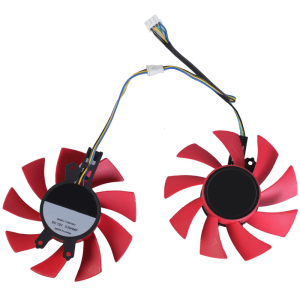
GPU Fan: Efficient Cooling Fan with 4Pin Connection for RTX2060 & GTX1660Ti