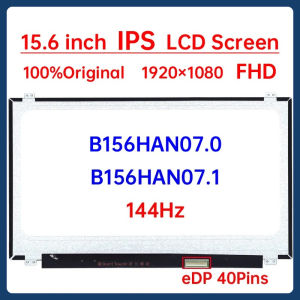
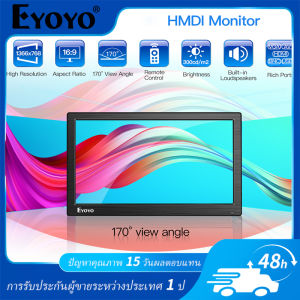
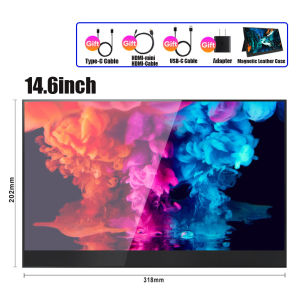
Portable Monitor 15.6 inch 1920x1080p Touch Screen Monitor 60Hz IPS Display USB Type C HDMI Portable Monitor For laptop monitor computer For Laptop PS5 PS4 Switch PS3 Xbox gaming computer monitor

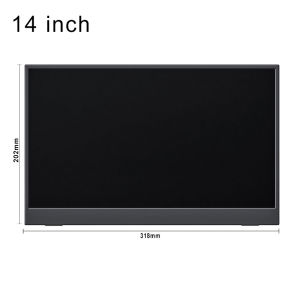
15 6. Size: 15.6 inches. LIGHTWEIGH PORTABLE LIAGMK travel monitor will be your best travel companion as its super slim 0.2in profile and just 1.82 pounds weigh. This 15.6-inch portable screen monitor satisfy your daily screen needs on the job and life in every situation to make a simple setup on-the-go dual-monitor and mobile presentations. CONNECT TO PHONE If you have a phone with Type-C port, you could connect your phone to the monitor via the second Type-C port on it to get signal and power transmission. In this way, you could work with 2 modes-PHONE DESKTOP to choose, or use your phone as a console to play games. For sufficient power supply, we always recommend plugging in an external power adapter into the monitor. CONNECT TO LAPTOP With this 15.6-inch portable 1080P monitor for laptop, you can show your idea to others sharing screen which is more convenient. Besides of that, connecting the monitor via mini HDMI or Type-C to laptop means working with 2 screens, you don t have to

LIAGMK Factory Store
LIAGMK Factory Store

Seller ratings 97%

You May Also Like

A Comprehensive Guide to DC Regulated Power Supply & Linear Power Supply
00:24

A Comprehensive Guide to DC Regulated Power Supply & Linear Power Supply

CHERRY Triple Monitor Extender 15.6" Portable Laptop Screen FHD 1080P IPS Double Monitor Extender Detachable Screen Travel portable Monitor Laptop screen with Speakers Plug&Play Compatible with PS5/Nintendo/Mac/Android/Win/IOS S6 P5 P4 PC Cellphone
01:32

CHERRY Triple Monitor Extender 15.6" Portable Laptop Screen FHD 1080P IPS Double Monitor Extender Detachable Screen Travel portable Monitor Laptop screen with Speakers Plug&Play Compatible with PS5/Nintendo/Mac/Android/Win/IOS S6 P5 P4 PC Cellphone

DC-DC Step Down Power Supply Module 4.5-20V to 1.8V/2.5V/3.3V/5V/9V/12V 2A Voltage Adjustable Buck Converter Voltage Regulators
00:10

DC-DC Step Down Power Supply Module 4.5-20V to 1.8V/2.5V/3.3V/5V/9V/12V 2A Voltage Adjustable Buck Converter Voltage Regulators

Sharp 40\" Power Supply PCB RDENCA439WJPZ
01:00

Sharp 40\" Power Supply PCB RDENCA439WJPZ

9.5/12.7mm All-aluminum Hard Drive Bracket: A Comprehensive Guide\\n\\n What is a Second HDD Caddy SATA 9.5mm/12.7mm All-aluminum Hard Drive Bracket?\\n\\nA Second HDD Caddy SATA 9.5mm/12.7mm All-aluminum Hard Drive Bracket is a small, lightweight, and durable aluminum bracket designed to hold an additional hard drive or SSD in laptops equipped with a CD-ROM bay. This bracket enables users to expand their storage capacity while maintaining portability and performance.\\n\\n Key Features of the Bracket\\n\\n- **Compatibility:** The bracket supports both 9.5mm and 12.7mm SATA hard drives and SSDs.\\n- **Durability:** Made of high-quality aluminum, the bracket ensures long-lasting use and protection for your storage devices.\\n- **Ease of Installation:** The bracket features a simple design that makes installation quick and easy.\\n\\n How to Install the Bracket\\n\\n1. Remove the CD-ROM drive from your laptop.\\n2. Insert the hard drive or SSD into the bracket.\\n3. Connect the SATA cable and power cable to the bracket.\\n4. Secure the bracket and drive into the CD-ROM bay.\\n\\n Benefits of Using a Second HDD Caddy SATA 9.5mm/12.7mm All-aluminum Hard Drive Bracket\\n\\n Improved Performance\\n\\nUpgrading to an SSD or using a faster hard drive can significantly improve your laptop's performance by reducing boot times, loading times, and overall system responsiveness.\\n\\n Increased Storage Capacity\\n\\nAdding a second hard drive or SSD allows you to store more files, programs, and data, providing ample space for your growing digital needs.\\n\\n Enhanced Portability\\n\\nThe compact design of the bracket ensures that your laptop remains lightweight and portable, even with the added storage capacity.\\n\\n How to Choose the Right Second HDD Caddy SATA 9.5mm/12.7mm All-aluminum Hard Drive Bracket\\n\\n Compatibility with Different Laptops\\n\\nBefore purchasing a bracket, ensure that it is compatible with your laptop model. Check the CD-ROM bay size and SATA port configuration to guarantee a seamless installation.\\n\\n Size and Weight Considerations\\n\\nConsider the size and weight of the bracket, as well as the hard drive or SSD you plan to use, to maintain optimal portability and balance in your laptop.\\n\\n Price Range and Budget\\n\\nSet a budget for your purchase and compare prices from different sellers to find the best deal. Keep in mind that higher-quality brackets may cost more but offer better durability and performance.\\n\\n Troubleshooting Common Issues with Second HDD Caddy SATA 9.5mm/12.7mm All-aluminum Hard Drive Bracket\\n\\n Connection Problems\\n\\nIf you experience connection issues, double-check that the SATA and power cables are securely connected to both the bracket and the laptop. Ensure that the cables are not damaged or loose.\\n\\n Compatibility Issues\\n\\nIf the bracket does not fit your laptop, check the specifications and compatibility list provided by the manufacturer. Consider contacting customer support for further assistance.\\n\\n Installation Difficulties\\n\\nIf you encounter difficulties during installation, consult the user manual or seek help from online forums or tutorials. Ensure that you have the necessary tools and follow the instructions carefully.\\n\\n Conclusion\\n\\n Recap of Key Points\\n\\nThe Second HDD Caddy SATA 9.5mm/12.7mm All-aluminum Hard Drive Bracket offers a convenient solution for expanding storage capacity in laptops equipped with a CD-ROM bay. With its compatibility, durability, and ease of installation, this bracket is an excellent choice for users looking to enhance their laptop's performance and storage capabilities.\\n\\n Final Thoughts on the Second HDD Caddy SATA 9.5mm/12.7mm All-aluminum Hard Drive Bracket\\n\\nBy carefully considering the factors mentioned above, you can choose the right bracket for your needs and enjoy the benefits of increased storage capacity and improved performance in your laptop.\n}
00:29

9.5/12.7mm All-aluminum Hard Drive Bracket: A Comprehensive Guide\\n\\n What is a Second HDD Caddy SATA 9.5mm/12.7mm All-aluminum Hard Drive Bracket?\\n\\nA Second HDD Caddy SATA 9.5mm/12.7mm All-aluminum Hard Drive Bracket is a small, lightweight, and durable aluminum bracket designed to hold an additional hard drive or SSD in laptops equipped with a CD-ROM bay. This bracket enables users to expand their storage capacity while maintaining portability and performance.\\n\\n Key Features of the Bracket\\n\\n- **Compatibility:** The bracket supports both 9.5mm and 12.7mm SATA hard drives and SSDs.\\n- **Durability:** Made of high-quality aluminum, the bracket ensures long-lasting use and protection for your storage devices.\\n- **Ease of Installation:** The bracket features a simple design that makes installation quick and easy.\\n\\n How to Install the Bracket\\n\\n1. Remove the CD-ROM drive from your laptop.\\n2. Insert the hard drive or SSD into the bracket.\\n3. Connect the SATA cable and power cable to the bracket.\\n4. Secure the bracket and drive into the CD-ROM bay.\\n\\n Benefits of Using a Second HDD Caddy SATA 9.5mm/12.7mm All-aluminum Hard Drive Bracket\\n\\n Improved Performance\\n\\nUpgrading to an SSD or using a faster hard drive can significantly improve your laptop's performance by reducing boot times, loading times, and overall system responsiveness.\\n\\n Increased Storage Capacity\\n\\nAdding a second hard drive or SSD allows you to store more files, programs, and data, providing ample space for your growing digital needs.\\n\\n Enhanced Portability\\n\\nThe compact design of the bracket ensures that your laptop remains lightweight and portable, even with the added storage capacity.\\n\\n How to Choose the Right Second HDD Caddy SATA 9.5mm/12.7mm All-aluminum Hard Drive Bracket\\n\\n Compatibility with Different Laptops\\n\\nBefore purchasing a bracket, ensure that it is compatible with your laptop model. Check the CD-ROM bay size and SATA port configuration to guarantee a seamless installation.\\n\\n Size and Weight Considerations\\n\\nConsider the size and weight of the bracket, as well as the hard drive or SSD you plan to use, to maintain optimal portability and balance in your laptop.\\n\\n Price Range and Budget\\n\\nSet a budget for your purchase and compare prices from different sellers to find the best deal. Keep in mind that higher-quality brackets may cost more but offer better durability and performance.\\n\\n Troubleshooting Common Issues with Second HDD Caddy SATA 9.5mm/12.7mm All-aluminum Hard Drive Bracket\\n\\n Connection Problems\\n\\nIf you experience connection issues, double-check that the SATA and power cables are securely connected to both the bracket and the laptop. Ensure that the cables are not damaged or loose.\\n\\n Compatibility Issues\\n\\nIf the bracket does not fit your laptop, check the specifications and compatibility list provided by the manufacturer. Consider contacting customer support for further assistance.\\n\\n Installation Difficulties\\n\\nIf you encounter difficulties during installation, consult the user manual or seek help from online forums or tutorials. Ensure that you have the necessary tools and follow the instructions carefully.\\n\\n Conclusion\\n\\n Recap of Key Points\\n\\nThe Second HDD Caddy SATA 9.5mm/12.7mm All-aluminum Hard Drive Bracket offers a convenient solution for expanding storage capacity in laptops equipped with a CD-ROM bay. With its compatibility, durability, and ease of installation, this bracket is an excellent choice for users looking to enhance their laptop's performance and storage capabilities.\\n\\n Final Thoughts on the Second HDD Caddy SATA 9.5mm/12.7mm All-aluminum Hard Drive Bracket\\n\\nBy carefully considering the factors mentioned above, you can choose the right bracket for your needs and enjoy the benefits of increased storage capacity and improved performance in your laptop.\n}

Mouse Side Button Flexible Cable for V3Pro Mouse Motherboards Circuit Board Line Wire Repair Parts
00:14

Mouse Side Button Flexible Cable for V3Pro Mouse Motherboards Circuit Board Line Wire Repair Parts

3V AA Eliminators Power Supply Replace 2Pcs 1.5V AA LR6 Batteries for Clock Toy Camera Christmas Strips Light
00:20

3V AA Eliminators Power Supply Replace 2Pcs 1.5V AA LR6 Batteries for Clock Toy Camera Christmas Strips Light

ORICO 7000 Mb/s SSD 4TB NVME M2 PCIe 4.0x4 2280 Heatsink SSD Nmve Internal Hard Drive Internal SSD For PS5 Laptop
00:17

ORICO 7000 Mb/s SSD 4TB NVME M2 PCIe 4.0x4 2280 Heatsink SSD Nmve Internal Hard Drive Internal SSD For PS5 Laptop

DC6-36V Voltages Reducing Module Input Ranging 6V-36V Optional Output (3.3V 5V 9V 12V) up to 3A Voltages Reduction
00:20

DC6-36V Voltages Reducing Module Input Ranging 6V-36V Optional Output (3.3V 5V 9V 12V) up to 3A Voltages Reduction

Inplay Seaview 240 AIO Liquid Cooler ARGB 4Pin Heatsink AIO Liquid Cooling CPU Cooler
00:59

Inplay Seaview 240 AIO Liquid Cooler ARGB 4Pin Heatsink AIO Liquid Cooling CPU Cooler

JAZER DDR3 8GB 1600MHz  1.5V Desktop Memory Compatible AMD And Intel
00:36

JAZER DDR3 8GB 1600MHz 1.5V Desktop Memory Compatible AMD And Intel

15.6" 165Hz Laptop LCD Screen NE156FHM NXA NE156FHM-NXA V18.0 Display Matrix Panel Replacement 1920x1080 eDP 40 Pins Non-Touch
00:24

15.6" 165Hz Laptop LCD Screen NE156FHM NXA NE156FHM-NXA V18.0 Display Matrix Panel Replacement 1920x1080 eDP 40 Pins Non-Touch