CANON SELPHY CP750 PHOTO PRINTER AND KP-108 INK & PAPER BUNDLE
CANON SELPHY CP750 PHOTO PRINTER AND KP-108 INK & PAPER BUNDLE
Introduction to Easy Photo Printing
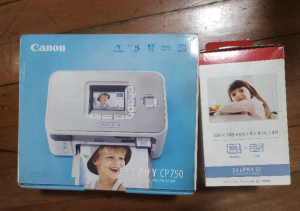
Welcome to the world of easy photo printing! With the Canon Selphy CP750 Photo Printer and KP-108 Ink & Paper Bundle, you can easily print high-quality photos from your smartphone, tablet, or computer.
What is the Canon Selphy CP750?
The Canon Selphy CP750 is a compact photo printer designed to produce professional-quality prints directly from your device. Its sleek, portable design makes it perfect for printing photos on-the-go, whether you're traveling or just want to print your favorite memories at home.
Understanding the KP-108 Ink & Paper Bundle
The KP-108 Ink & Paper Bundle includes everything you need to get started with your Canon Selphy CP750 Photo Printer. This bundle includes a set of ink cartridges and photo paper, allowing you to print stunning photos right out of the box.
Setting Up Your Compact Photo Printer
Getting started with your Canon Selphy CP750 Photo Printer is simple and straightforward.
Connecting the Printer to Your Device
To connect your printer to your device, you'll need to download the free Canon PRINT app from the App Store or Google Play. Once installed, open the app and follow the on-screen instructions to connect your printer to your device via Wi-Fi or Bluetooth.
Loading Ink & Paper
Loading ink and paper into your Canon Selphy CP750 Photo Printer is easy. Simply open the top cover and insert the ink cartridges into their designated slots. Then, load the photo paper into the rear tray, making sure it's aligned properly before closing the cover.
Enhancing Your Printing Experience
To get the most out of your Canon Selphy CP750 Photo Printer, there are several ways to enhance your printing experience.
Customizing Print Settings
The Canon PRINT app allows you to customize print settings such as print size, borderless printing, and even add filters and frames to your photos before printing. Experiment with different settings to find the perfect look for your prints.
Troubleshooting Common Issues
If you encounter any issues while using your Canon Selphy CP750 Photo Printer, consult the troubleshooting guide included in the app or visit the Canon support website for additional help.
Conclusion & Next Steps
With the Canon Selphy CP750 Photo Printer and KP-108 Ink & Paper Bundle, you can easily print high-quality photos directly from your device. By following the steps outlined above, you can quickly set up your printer and start printing stunning photos.
Maximizing Your Printer's Potential
To get the most out of your Canon Selphy CP750 Photo Printer, don't forget to explore the various print settings and experiment with different filters and frames. With a little creativity, you can create truly unique prints that showcase your memories in style.
Exploring Additional Canon Products
Canon offers a wide range of products to help you capture and share your memories, including cameras, lenses, and accessories. Visit the Canon website to explore the full range of products available.

crsn
Review

You May Also Like
Heat Resistant PEI Build Plate P1S Textured Smooth for P1S P1C X1C 3D Printers Stable 3D Printing Bed
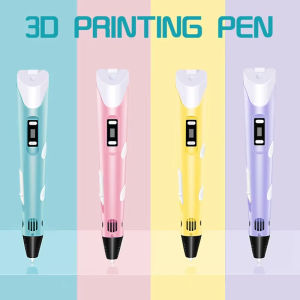
3D Drawing Printing Pen with 9m PLA Refills - Creative Toy Gift for Kids & Teens (Safe Easy Use) Graffiti Tool Birthday
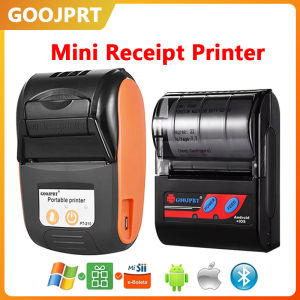
58MM Mini Thermal Portable Printer 2inch Receipt Ticket Printer For Android IOS Windows Mobile USB Wireless Printer With Paper
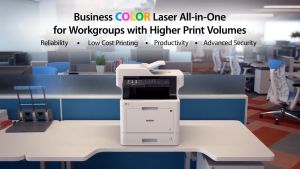
Brother MFC-L8900CDW Laser Printer

Toner Powder for Bizhub Ineo Minolta: 1kg & 500grams
INKSCRIBED TK5234 TK-5234 Compatible Toner Cartridge CMYK for Ecosys M5521cdn M5521cdw P5021cdn P5021cdw
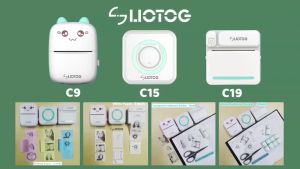
LIOTOG Wireless Bluetooth Mini Portable Pocket Thermal Printer Paper Photo Pocket Thermal Printer 57mm Printing Machine for Business Office Work【Manila Stock】

Drum Unit Fuji S2011 S2010 S2110 S2320 S2420 Compatible

IMC2510 2510 IMC2010 C2010 Toner Cartridge Brand New Compatible High Yield Capacity
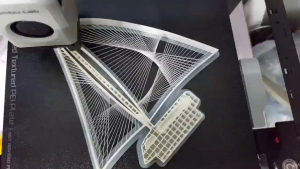
WELLSHOW PLA 3D Filament 1.75mm PLA+PRO Filament Food Safe 3D Printer Filament PETG ABS 1.75mm1KG
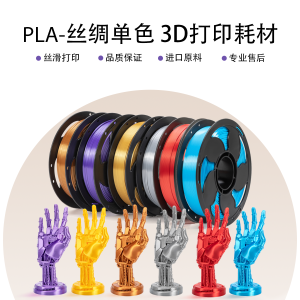
Sunsekj 3D Printing Materials PLA Silk Single Color Rainbow 1KG Diameter 1.75mm Silver Gold for Office Equipment And Consumables