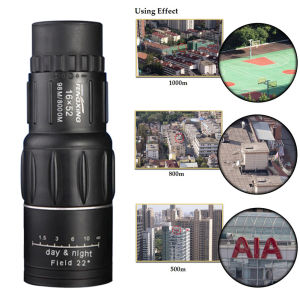
Zeal Tire 1080P Smart Surveillance: The Ultimate Wireless Security Solution
Zeal Tire 1080P Smart Surveillance: The Ultimate Wireless Security Solution
Introduction to Zeal Tire CCTV Bulb Camera
Welcome to the world of advanced home security solutions! The Zeal Tire 1080P Smart Surveillance is designed to provide you with peace of mind and unmatched protection. This innovative CCTV bulb camera combines sleek design, superior image quality, and cutting-edge technology to deliver a wireless security solution that meets the needs of modern households.
Key Features & Benefits
The Zeal Tire CCTV Bulb Camera offers a wide range of features that make it stand out from other home security systems. Here are some of its most notable benefits:
- High pixel quality: With a 200W high-pixel camera, you can enjoy crystal-clear images and videos, even in low-light conditions.
- Wireless connectivity: Thanks to its support for both 2.4G and 5G WiFi connections, this camera can easily integrate into your existing home network, eliminating the need for complicated wiring.
- Night vision capabilities: The built-in infrared LEDs ensure that you can monitor your home even in complete darkness, providing reliable protection around the clock.
- Auto human tracking: This intelligent feature automatically detects and tracks moving objects, ensuring that no suspicious activity goes unnoticed.
Compatibility & Connectivity
The Zeal Tire CCTV Bulb Camera is compatible with both Android and iOS devices, allowing you to easily connect it to your smartphone or tablet. Once connected, you can access live video feeds, receive real-time alerts, and control the camera's settings from anywhere in the world.
How to Install & Set Up Your Zeal Tire Security Camera
Step-by-Step Installation Guide
To install your Zeal Tire CCTV Bulb Camera, follow these simple steps:
- Unpack the contents: Carefully open the box and remove the installation tools, instructions, and the camera itself.
- Choose a location: Select a spot in your home where you want to install the camera, making sure it has a clear view of the area you want to monitor.
- Mount the camera: Use the included mounting bracket to securely attach the camera to the ceiling or wall.
- Connect to power: Plug the camera into a standard E27 socket, ensuring it receives a stable power supply.
- Configure the settings: Follow the instructions provided in the manual to connect the camera to your WiFi network and set up the desired settings.
Connecting to Your Smartphone
Once your camera is installed and powered on, you can connect it to your smartphone by downloading the Zeal Tire app from the Google Play Store or Apple App Store. After creating an account and logging in, simply follow the prompts to connect your camera to the app and start enjoying live video feeds and real-time alerts.
Maximizing Your Zeal Tire Security Camera's Potential
Utilizing Night Vision IP Camera Capabilities
The Zeal Tire CCTV Bulb Camera's night vision feature allows you to monitor your home even in complete darkness. To take advantage of this feature, make sure the camera is installed in a location where it can receive enough infrared light to illuminate the area effectively. You can also adjust the camera's sensitivity settings to ensure that it captures the best possible images in low-light conditions.
Understanding Auto Human Tracking Functionality
The auto human tracking feature enables the camera to automatically detect and track moving objects, providing real-time alerts when suspicious activity is detected. This intelligent feature helps you stay informed about any potential threats to your home's security, allowing you to take swift action if necessary.
Frequently Asked Questions
Troubleshooting Tips & Tricks
If you're experiencing issues with your Zeal Tire CCTV Bulb Camera, here are some troubleshooting tips to help you resolve common problems:
- Camera not connecting to WiFi: Make sure the camera is within range of your WiFi network and that your router is functioning properly. You may also need to reset the camera's settings and try connecting it again.
- Poor image quality: Check the camera's position and adjust its angle or distance from the area you want to monitor. You can also try adjusting the camera's sensitivity settings to improve image quality.
Maintenance & Upkeep
To ensure your Zeal Tire CCTV Bulb Camera continues to function optimally, it's important to perform regular maintenance tasks such as:
- Cleaning the camera: Use a soft cloth to gently wipe the camera's lens and housing to remove dust and debris.
- Updating the firmware: Check the Zeal Tire app for firmware updates and install them as needed to keep your camera running smoothly.
- Monitoring battery life: If your camera has a rechargeable battery, make sure to charge it regularly to avoid any unexpected power failures. }

Zeal Tire
![[Zeal Tire ] Original CCTV Bulb Camera Wireless WiFi Connect to Cellphone 1080P Smart Security Camera Home Surveillance Spotlight E27 360 Degree Panoramic Wireless Security IP Camera Night Vision Auto Human Tracking](https://img.lazcdn.com/g/p/1f5d777f64bd21e7a3640c65d769d69a.jpg_300x300q80.jpg)
Review
You May Also Like
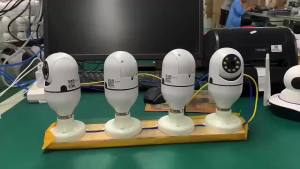
200W Dual Light Wireless Camera Surveillance WiFi Home Camera E27 Light Bidirectional Voice Remote Monitoring
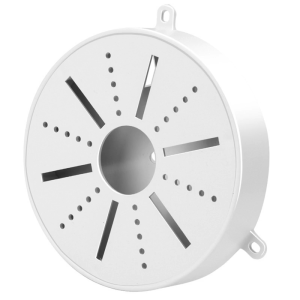
Solid CCTV Camera Fixture Universal Plastic Waterproof Junction Box Mount for Dome Surveillances Security Camera
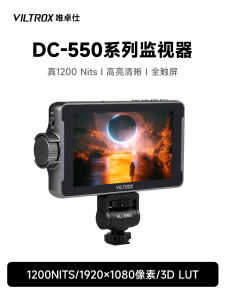
DC 550 Pro Portable Monitor: A Comprehensive Guide

Drone 4K Aerial Photography: Foldable Optical Flow Electric Adjustment Long Endurance Remote Control
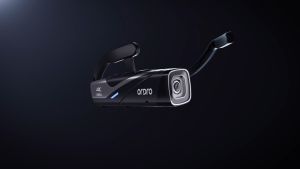
ORDRO EP8 20MP 4K 60fps Video Camera With Head Mounted Design And 2 Axis Gimbal Stabilizer For Vlogging
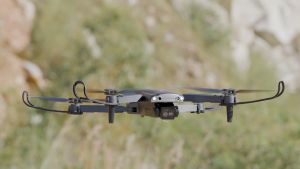
Mini S9000 RC Drone Aerial Photography 4K HD Obstacle Avoidance Machine Optical Flow Positioning Folding Quadcopter Helicopters
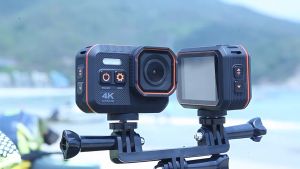
4K Motorcycle Helmet Sports Camera CMOS IP68 Waterproof Support Wifi Action Camera for Outdoor Sport
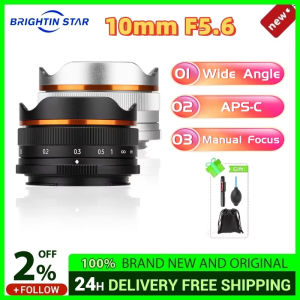
Brightin Star 10mm F5.6 Fisheye Wide Angle APS-C Mirrorless Camera Lens for Sony ZV-E10 A6400 for Canon EF-M Nikon Z Fujifilm
【COD】2024 New E88Pro 4K HD dual camera WiFi remote control portable mini aircraft record video

80x80 Night Vision Binoculars | High-Power Long-Range Telescope | Waterproof & for Outdoor Use

4G Solar Monitor No Electricity No Net Camera 360 Duye Outdoor Mobile Phone Remote Home HD Night Vision