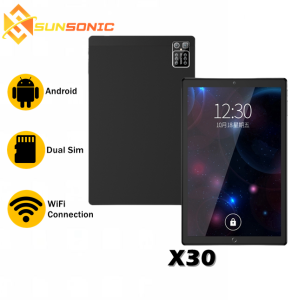
SUNSONIC Tablet 11 Inch 8GB 128GB Android Dual Sim High Resolution Student Learning Online Tablet with Type-C Input
SUNSONIC Tablet 11 Inch 8GB 128GB Android Dual Sim High Resolution Student Learning Online Tablet with Type-C Input
The SUNSONIC X30 tablet is a versatile device designed specifically for online learning, offering dual SIM capability, high-resolution display, and robust connectivity options. This comprehensive guide will delve into the key features, educational benefits, and tips for maximizing your experience with this remarkable device.
Key Features of the SUNSONIC X30 Tablet
Dual SIM & Quad Core Processor
The SUNSONIC X30 tablet is equipped with dual SIM capability, allowing users to stay connected to two different networks simultaneously. This feature is particularly useful for students who may need to switch between personal and educational communication channels. Additionally, the device boasts a powerful quad-core processor, ensuring smooth multitasking and fast performance during demanding tasks such as video conferencing and online testing.
High-Resolution Screen & Camera Quality
The SUNSONIC X30 tablet features a stunning 11-inch high-resolution screen, providing an immersive viewing experience for online learning. The device also includes a 13-megapixel rear camera and an 8-megapixel front-facing camera, both of which support video resolution for seamless communication and collaboration during virtual classes. The microphone and speaker combination ensures clear audio quality, further enhancing the overall learning experience.
Connectivity & Storage Options
With 4G network support, WiFi, Bluetooth, and GPS capabilities, the SUNSONIC X30 tablet offers a wide range of connectivity options to suit various learning environments. The device is powered by Android 11, providing access to a vast array of educational apps and resources. In terms of storage, the SUNSONIC X30 tablet comes with 8GB RAM and 128GB ROM, expandable with an SD card, ensuring ample space for storing course materials, multimedia content, and personal files.
SUNSONIC X30 Tablet: Ideal for Online Learning
How the SUNSONIC X30 Tablet Supports Student Learning
The SUNSONIC X30 tablet is specifically designed to cater to the needs of students engaged in online learning. Its high-resolution display and robust camera quality provide an engaging and interactive learning experience, while its dual SIM capability allows students to easily switch between personal and educational communication channels. The device's powerful quad-core processor ensures smooth performance during demanding tasks, while its extensive connectivity options enable seamless integration with various learning platforms and resources.
Why Choose the SUNSONIC X30 Tablet for Education
The SUNSONIC X30 tablet stands out as an excellent choice for education due to its unique combination of features tailored to the needs of online learners. Its dual SIM capability, high-resolution display, and robust camera quality make it an ideal device for virtual classes and remote learning. The device's powerful quad-core processor and extensive connectivity options ensure a seamless learning experience, while its ample storage capacity provides ample space for storing course materials and personal files.
How to Maximize Your SUNSONIC X30 Tablet Experience
Tips for Using Dual SIM & Type-C Input
To maximize the benefits of the SUNSONIC X30 tablet's dual SIM capability, consider using one SIM for personal communication and the other for educational purposes. This approach enables you to stay organized and focused during virtual classes. Additionally, take advantage of the device's Type-C input for fast charging and data transfer, ensuring a smooth and efficient learning experience.
Enhancing Learning with Video Resolution & Camera Quality
Leverage the SUNSONIC X30 tablet's high-resolution display and robust camera quality to enhance your online learning experience. Engage in virtual classes and remote collaboration using the device's video resolution capabilities, and take advantage of the microphone and speaker combination for clear audio communication. By maximizing these features, you can create a more immersive and interactive learning environment.
Optimizing Storage & Connectivity Features
To get the most out of the SUNSONIC X30 tablet's storage and connectivity options, consider expanding its capacity with an SD card and taking advantage of its extensive connectivity features. Use the device's 4G network support, WiFi, Bluetooth, and GPS capabilities to stay connected and engaged during virtual classes and remote learning. By optimizing these features, you can create a seamless and efficient learning experience.

Sunsonic Official Store
You May Also Like
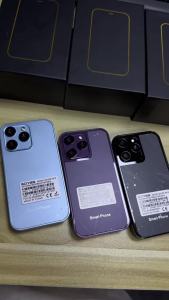
soyes XS15 Hot SellingUltra-Small Android Smartphone for Boys and Girls Students Quad-Core Store
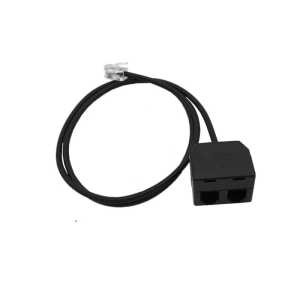
Telephone Training Adapter Y Splitter RJ9 Adapter for Enhances Communication in Training and Conference Clear Call

For Nokia 6700C 6700 Mobile Phone Original Unlocked Classic Keyboard GPS 2.2 Inches 5MP
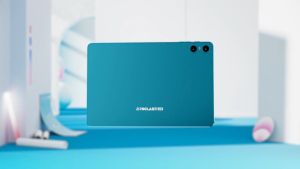
Teclast P30 10.1 inch Android Tablet 10GB RAM + 64GB Storage 1TB Expandable 1.8GHz Octa-Core CPU WiFi 6 BT5.4 Widevine L1 GMS Certified 6000mAh Battery Type-C 1280x800 IPS Display

Cute Love Heart Beadeds Colorful Sweet Phone Bracelets for Phone Women Accessories Anti-Lost Chain Lanyard Hanging Cord
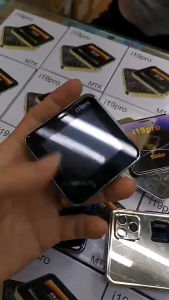
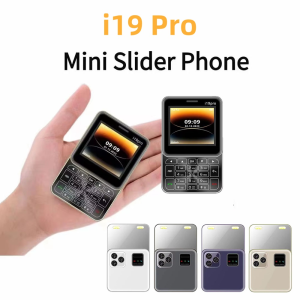
i19 Pro Rotate Touch Screen Phone 4G 2 SIM 2.4"Display Magic Voice Flashlight FM Radio 90 ° Rotating Screen Mini Phone Mirror

10pcs Fashionable Auspicious Cloud Decorated Phone Chain Lanyard For Daily Essential Secure Carrying Comfortable Grip
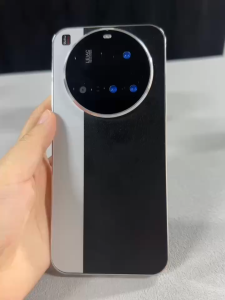
M15 Ultra 4G/5G Smartphone 6.7inch Full Screen Phone Memory 12GB RAM+512GB ROM Battery 8000Mah Android 13
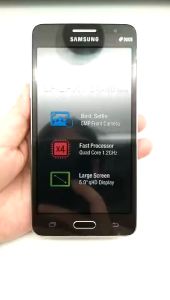
Samsung Galaxy Grand Prime G530H 3G Dual Sim 8GB Rom Wifi 5.0 8MP Android Unlocked Mobile Phone
Samsung Galaxy On5 G5500 4G LTE 8GB Quad core Dual Sim 5.0 \" Unlocked Original Android Mobile Phone

✨Ready Stock✨ Poco C65 | Ultimate Performance | 8GB+256GB Massive Storage | Helio G85 Gaming Beast | 50MP AI Triple Camera | 5000mAh Battery + 18W Fast Charge | 6.74" 90Hz Buttery Display | 100% Authentic