Lenovo Thinkplus Wireless Mouse Wl80: A Comprehensive Guide
Lenovo Thinkplus Wireless Mouse Wl80: A Comprehensive Guide
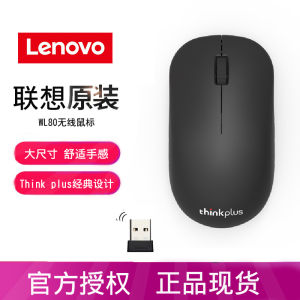
What is the Lenovo Thinkplus Wireless Mouse Wl80?
The Lenovo Thinkplus Wireless Mouse Wl80 is a versatile optical laptop mouse designed to cater to the needs of professionals, gamers, and casual users alike. This wireless mouse boasts an ergonomic design, reliable connectivity, and compatibility with various devices.
Key Features
-
Ergonomic Design: The Lenovo Thinkplus Wireless Mouse Wl80 features a sleek, compact design that fits comfortably in the palm of your hand, reducing strain during extended use.
-
Long Battery Life: With a long-lasting battery life, this mouse ensures that you won't have to worry about frequent recharges or replacements.
-
Customizable Buttons: The mouse comes with customizable buttons that allow you to tailor its functionality to your specific needs.
-
Compatibility: Compatible with Windows, Mac, and Linux operating systems, the Lenovo Thinkplus Wireless Mouse Wl80 is a versatile choice for any user.
Design & Build Quality
The Lenovo Thinkplus Wireless Mouse Wl80 boasts a sleek, modern design that is both stylish and functional. Its compact size makes it easy to carry around, while its ergonomic shape ensures comfortable use during extended periods.
The mouse is built using high-quality materials, providing durability and reliability. It features a smooth, matte finish that prevents fingerprints and smudges from accumulating on its surface.
Compatibility
The Lenovo Thinkplus Wireless Mouse Wl80 is compatible with a wide range of devices, including Windows, Mac, and Linux operating systems. This makes it a versatile choice for professionals, gamers, and casual users alike.
How to Use the Lenovo Thinkplus Wireless Mouse Wl80
Using the Lenovo Thinkplus Wireless Mouse Wl80 is simple and straightforward. Follow these steps to get started:
Setting Up the Mouse
-
Insert the USB receiver into your computer's USB port.
-
Press the power button on the mouse to turn it on.
-
Connect the mouse to your computer using the USB receiver.
-
Customize the settings to suit your preferences.
Customizing Settings
The Lenovo Thinkplus Wireless Mouse Wl80 allows you to customize its settings to suit your specific needs. You can adjust the DPI, scroll speed, and button functions to create a personalized experience.
Troubleshooting
If you encounter any issues with the Lenovo Thinkplus Wireless Mouse Wl80, refer to the troubleshooting guide included in the user manual. Common problems and solutions are listed in the guide, making it easy to resolve any issues you may encounter.
Comparison with Other Optical Laptop Mice
The Lenovo Thinkplus Wireless Mouse Wl80 stands out among other optical laptop mice due to its versatile design, reliable connectivity, and customizable settings.
Wireless Optical Mouse vs Lenovo Thinkplus Wireless Mouse Wl80
Compared to other wireless optical mice, the Lenovo Thinkplus Wireless Mouse Wl80 offers superior build quality, ergonomic design, and customizable settings.
Business Office Mouse vs Lenovo Thinkplus Wireless Mouse Wl80
The Lenovo Thinkplus Wireless Mouse Wl80 is a great choice for business professionals due to its reliable connectivity, long battery life, and compatibility with various devices.
Gaming Desktop Mouse vs Lenovo Thinkplus Wireless Mouse Wl80
While the Lenovo Thinkplus Wireless Mouse Wl80 may not be specifically designed for gaming, its customizable settings and reliable connectivity make it a versatile choice for gamers who prefer a wireless mouse.
Conclusion
Key Takeaways
-
The Lenovo Thinkplus Wireless Mouse Wl80 is a versatile optical laptop mouse designed to cater to the needs of professionals, gamers, and casual users alike.
-
It features an ergonomic design, reliable connectivity, and compatibility with various devices.
-
Customizable settings allow you to tailor its functionality to your specific needs.
Final Thoughts
Overall, the Lenovo Thinkplus Wireless Mouse Wl80 is a great choice for anyone looking for a reliable, versatile wireless mouse. Its ergonomic design, customizable settings, and compatibility with various devices make it a must-have for professionals, gamers, and casual users alike.

Think Pad Digital Store
You May Also Like
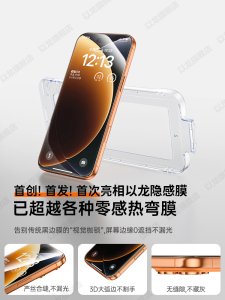
Privacy Screen Protector Tempered Glass Fingerprint Resistant for Apple iPhone 17 pro Max Full Screen Clear Dust Free Anti Spy
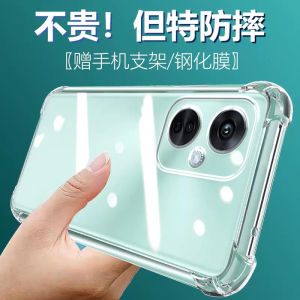
LuBang Anti-Fall Silicone Phone Case for OPPO K11X Ultra-Thin Transparent Full-Coverage Soft Edges Quadrant Thickened Lens Protective Cover
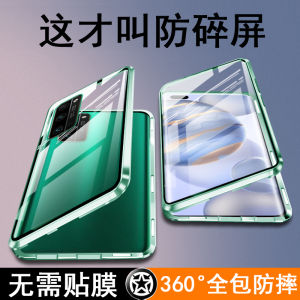
Honor30Pro+ New Model Phone Case Dual-Sided Full Coverage Anti-Fall Transparent Curved Screen Special Protection Cover for Men And Women Huawei
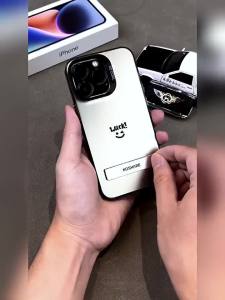
Casing Realme 5 realme c3 realme 5i realme 6i realme5 phone case hard case TPU Protector Smooth shockproof Cover new design aesthetic CYCBZJ01

Stylish & Cute Phone Cases for Your Samsung Device
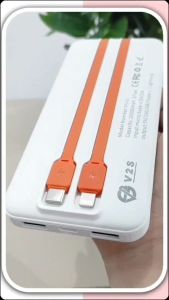
V2S PS10 2A 10000mAh Power Bank: A Comprehensive Guide

Luxury Diamond Leather Phone Case for Redmi Note15/15Pro/+ Creative Protective Cover Soft Personalized Redmi Note14/14Pro

ZeroQiQi Casing Case For Vivo V11 V11i V11 Pro Vivo V15 V15 Pro Case Anime Cartoon Luffy Phone Case Soft Rubber Cellphone New Full Cover Camera Protection Design Shockproof Case
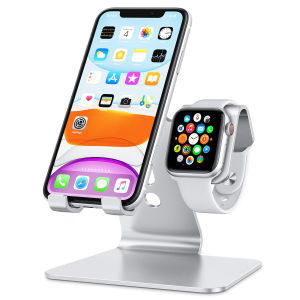
Stand for Apple Watch - 2 in 1 Universal Desktop Stand Holder for iPhone 15 14 13 12 11 All Series and Apple Watch Series
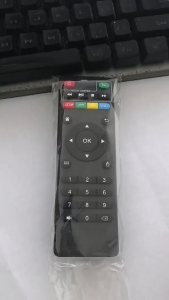
MX Q Universal Remote Control Android TV Box Accessory for MX Q MX Q PRO MX Q 4K M8S Ultra HD Smart Universal Remote Control for X96 X96mini X96W Android TV Box IR Controller for X96 Mini X96 X96W Set Top Box with KD Function
Ultra-Thin Pure Transparent Yellow Crystal-Like Phone Case for Meizu 21 Ultra Clear Hard Shell Full Cover Half Cover for 20 pro 18 pro 18 Classic