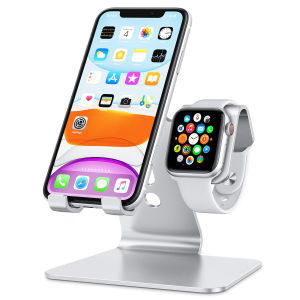
Stand for Apple Watch - 2 in 1 Universal Desktop Stand Holder for iPhone 15 14 13 12 11 All Series and Apple Watch Series
Stand for Apple Watch - 2 in 1 Universal Desktop Stand Holder for iPhone 15 14 13 12 11 All Series and Apple Watch Series
What is a 2 in 1 Stand for Apple Watch?
A 2 in 1 stand for Apple Watch is a versatile device holder designed to accommodate both your iPhone and Apple Watch simultaneously. This universal desktop stand holder is compatible with various iPhone models, including the latest iPhone 15, 14, 13, 12, and 11 series, as well as all Apple Watch series.
Key Features of the Adjustable Stand for Apple Watch
The adjustable stand for Apple Watch offers several key features, including:
- Compatibility: Supports all iPhone and Apple Watch series.
- Adjustability: Allows you to adjust the viewing angle for optimal comfort.
- Sturdiness: Made from durable materials to ensure stability.
- Ergonomics: Designed with user comfort in mind.
Benefits of Using a Universal Desktop Stand Holder
Using a universal desktop stand holder provides numerous benefits, such as:
- Improved organization: Keeps your devices within reach while maintaining a clutter-free workspace.
- Enhanced viewing experience: Enables you to view your devices comfortably, reducing eye strain.
- Convenient charging: Supports wireless charging for both your iPhone and Apple Watch.
How to Choose the Right Stand for Your Devices
When choosing a stand for your iPhone and Apple Watch, consider the following factors:
- Compatibility: Ensure the stand supports your specific iPhone and Apple Watch models.
- Adjustability: Look for a stand that allows you to adjust the viewing angle to suit your preferences.
- Sturdiness: Choose a stand made from durable materials to ensure stability.
- Ergonomics: Opt for a stand designed with user comfort in mind.
Compatibility with iPhone 15, 14, 13, 12, & 11
The 2 in 1 stand for Apple Watch is compatible with the latest iPhone models, including the iPhone 15, 14, 13, 12, and 11 series. This ensures that your devices will be securely held and easily accessible.
Comparing Different Stands on the Market
When comparing different stands on the market, consider the following factors:
- Price: Choose a stand that fits within your budget.
- Design: Select a stand that complements your workspace aesthetics.
- Features: Look for a stand that offers the features you need, such as wireless charging.
Tips for Maximizing Your Device's Display
To maximize your device's display, consider the following tips:
- Positioning: Place your devices at eye level to reduce neck strain.
- Angle: Adjust the viewing angle to minimize glare and reflections.
- Lighting: Position your devices in a well-lit area to improve visibility.
How to Position Your Devices for Optimal Viewing
To position your devices for optimal viewing, follow these steps:
- Place your devices at eye level to reduce neck strain.
- Adjust the viewing angle to minimize glare and reflections.
- Position your devices in a well-lit area to improve visibility.
Best Practices for Protecting Your Devices While Using the Stand
To protect your devices while using the stand, follow these best practices:
- Use a screen protector: Prevent scratches and damage to your device's screen.
- Keep your workspace clean: Reduce the risk of dust and debris accumulating on your devices.
- Avoid overcharging: Charge your devices only when necessary to prolong battery life.
Conclusion
In conclusion, a 2 in 1 stand for Apple Watch is a versatile device holder that offers numerous benefits, including improved organization, enhanced viewing experience, and convenient charging. When choosing a stand, consider factors such as compatibility, adjustability, sturdiness, and ergonomics. By following the tips provided, you can maximize your device's display and protect your devices while using the stand.

Global Merch Park
Review
You May Also Like
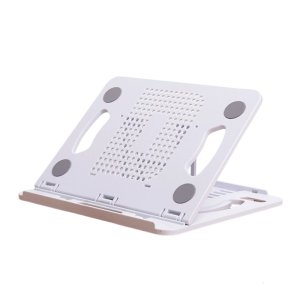
Adjustable Laptop Stand for Desk Ergonomic Laptop Bracket 360 Degree Rotating Base Foldable Notebook Computer Holder

ZUZG Flora Engraved Case for AirPods 4 Cover Shock-Proof Protective Silicone Case with Keychain for Apple Airpods 4th Generation 2024 Released
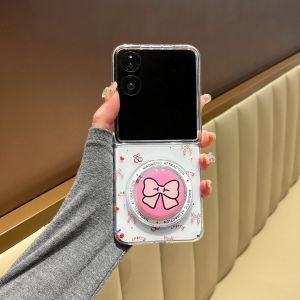
Ultra-Thin Strong Magnetic Absorption Cherry Heart Phone Case for Xiaomi OPPO Find N3 Flip Foldable Screen Honor Magic V Flip Protective Cover Vivo X Huawei Pocket 2

Panda Face round Face Suitable Phone Case for iPhone 13 pro 17 pro Max Cartoon Magnetic Absorption Full Cover Anti-Fall Protection

Compatible HP 14-BS TPN-W125 Q186 L136 Q187 C131 14T-BA 14M-BA Keyboard Replacement Part Original Brand New Condition
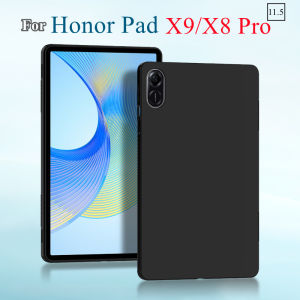
Tablet Case For HUAWEI Honor Pad X9 11.5\" 2023 Flexibel Black TPU Shell Soft Silicone Cover For Honor Pad X8 Pro 11.5\" ELN-W09
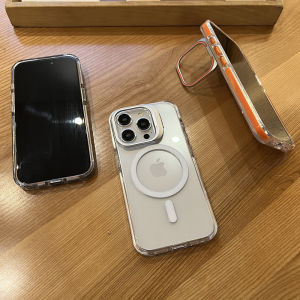
WANKEHUANG | Magnetic Anti-Shock Phone Case for iPhone 16 Pro Max iPhone 15 Pro Max iPhone 17 Air iPhone 14 Plus iPhone 13 iPhone 12

OFTBT Universal Microphone Windscreen Shockproof U Shape Microphone Pop Filter Mic Mesh Reusable Pop Net Shield Cover Radio Recording
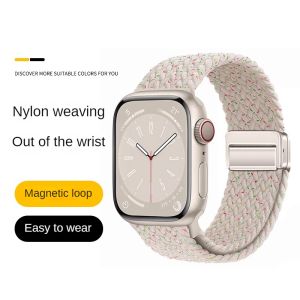
Fast Adsorption Braided Stretchy Loop Compatible with Apple Watch Band 40mm 41mm 44mm 45mm iWatch Bands Ultra/2 49mm 38mm 42mm Women MenElastic Woven Nylon Strap for Apple watch Series 9 8 7 6 5 4 3 2 SE
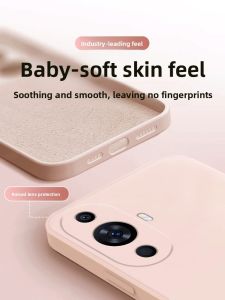
Huawei Nova11 Liquid Silicone Phone Case Slim Lightweight Womens Edition Pure Color Simple Design Full Lens Protection Anti-Fall
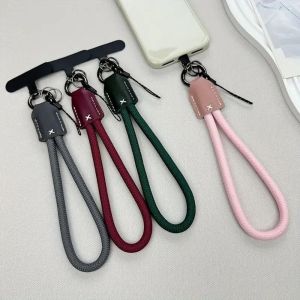
DFGFIN Pu Leather & Braided Rope Phone Chain: A Stylish & Functional Accessory