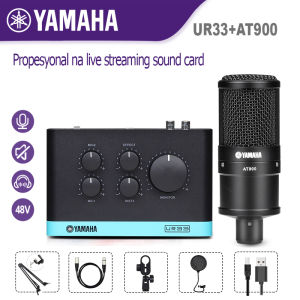
The Ultimate Guide to the Yamaha AT900 Condenser Microphone & UR33 Sound Card
The Ultimate Guide to the Yamaha AT900 Condenser Microphone & UR33 Sound Card
Understanding the Yamaha AT900 Condenser Microphone
What is the Yamaha AT900 Condenser Microphone?
The Yamaha AT900 condenser microphone is a versatile and high-quality audio device designed for live streaming, gaming, videoke, vlogging, podcasting, and meetings. This microphone is perfect for those who want to capture crystal-clear audio for their content creation.
Key Features of the Yamaha AT900 Condenser Microphone
- Condenser Capsule: The AT900 features a condenser capsule that delivers accurate sound reproduction and a wide frequency response.
- XLR Output: With an XLR output, the AT900 connects easily to mixers, sound cards, and other audio devices.
- Shock Mount: The built-in shock mount helps reduce handling noise and vibrations.
- High Sensitivity: The microphone's high sensitivity ensures that even the quietest sounds are captured.
- Compact Design: The compact design makes it easy to carry and set up.
How to Choose the Right Microphone for Live Streaming & Gaming
When choosing a microphone for live streaming and gaming, consider factors such as sound quality, connectivity options, and durability. The Yamaha AT900 condenser microphone offers excellent audio performance, making it an ideal choice for content creators who want to produce high-quality audio for their streams and gaming sessions.
Exploring the UR33 Sound Card for Streaming
What is the UR33 Sound Card?
The UR33 sound card is a compact and portable audio interface designed for streaming, gaming, and content creation. This sound card allows you to connect multiple audio devices, such as microphones, headphones, and instruments, to your computer for high-quality audio output.
Key Features of the UR33 Sound Card
- High-Quality Audio: The UR33 provides high-resolution audio with low latency, ensuring clear and crisp sound during live streams and gaming sessions.
- USB Connectivity: Connect the UR33 to your computer via USB for easy setup and use.
- Multiple Inputs/Outputs: The sound card features multiple inputs and outputs, allowing you to connect various audio devices simultaneously.
- Built-in Preamps: The UR33 includes built-in preamps, providing a clean and balanced signal for your microphones.
- Compact Design: The compact design makes it easy to carry and set up, making it perfect for on-the-go content creators.
How to Connect the UR33 Sound Card to Your Setup
To connect the UR33 sound card to your setup, follow these steps:
- Connect the UR33 to your computer via USB.
- Connect your microphone, headphones, and other audio devices to the UR33.
- Adjust the settings in your streaming software or audio mixer to ensure proper audio output.
Using the Yamaha AT900 Condenser Microphone & UR33 Sound Card Together
How to Set Up Your Microphone with a Tripod Stand
To set up your Yamaha AT900 condenser microphone with a tripod stand, follow these steps:
- Attach the microphone to the tripod stand using the included mounting hardware.
- Adjust the height and angle of the microphone to ensure proper positioning.
- Connect the microphone to the UR33 sound card via XLR cable.
Tips for Using the Microphone for Videoke, Vlogging, and Podcasting
- Positioning: Place the microphone at a comfortable distance from your mouth to capture clear audio.
- Background Noise: Minimize background noise by recording in a quiet environment.
- Volume Levels: Adjust the volume levels in your streaming software or audio mixer to ensure proper audio output.
- Microphone Settings: Experiment with different microphone settings to find the best sound quality for your content.
Best Practices for Live Streaming, Gaming, and Meetings
- Test Your Equipment: Test your microphone and sound card before going live to ensure everything is working properly.
- Monitor Your Audio: Monitor your audio levels during live streams and gaming sessions to avoid clipping or distortion.
- Use Headphones: Use headphones to monitor your audio and ensure proper audio output.
- Backup Equipment: Have backup equipment, such as microphones and sound cards, in case of technical difficulties.

Dynamic sound
Review

You May Also Like
T&G TG-606 Portable Wireless Bluetooth Speaker support USB/TF Card/FM Radio/AUX/Call Function with LED Colorful light
Sakura AV-993UB 5 Channel USB Karaoke Amplifier (Black) Sakura Av 993Ub Sakura Tree Artificial Sakura Sushi Karaoke Amp Sakura Earrings Amplifier For Karaoke Mixer - Lazada
ToKerNew Ear Hook Wireless Bluetooth Earphones HD Call Waterproof HiFi Sound Air Stereo Running Headsets Fone
Kebidumei Bluetooth 5.3 Speaker Mini Speaker Portable Magnetic Speaker Multifunctional RGB Speaker for PC Phone
JBL Bar 800 | 5.1.2 Channel Soundbar
6 Channel Audio Mixer 8 Channel Sound system 12 channel Audio interface EQ With 7-Band 99 DSP effect 16 Channel Bluetooth mixer USB Music Player for recording KTV outdoor party Stage
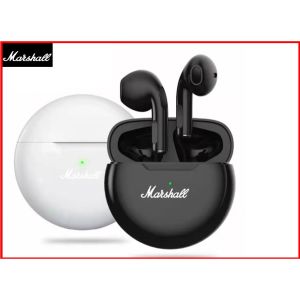
🎧【Readystock】 + FREE Shipping 🎧 Marshall TWS Bluetooth Earphones Stereo Wireless 5.0 Bluetooth Headphones Touch Control Noise Cancelling Gaming Headset
CIGNUS UV86 DUAL BAND RADIO (with FM RADIO) START MAY 2022
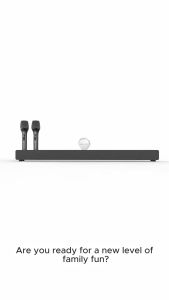
Karaoke Speaker with Wireless Microphone Family Sound Bar Home Theater Speakers Bluetooth Soundbar for TV with Remote
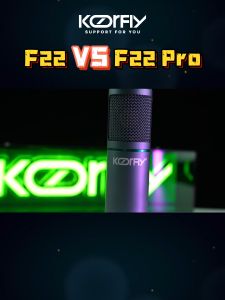
Koorfly Metal F22 48V Condenser Microphone Live Streaming Condenser DSP Professional Mute Accurate For Anchor Recording
Jabees PEACE Pillow Speaker: A Comfortable Wireless Audio Device