Karaoke Speaker with Wireless Microphone Family Sound Bar Home Theater Speakers Bluetooth Soundbar for TV with Remote
Karaoke Speaker with Wireless Microphone Family Sound Bar Home Theater Speakers Bluetooth Soundbar for TV with Remote
Karaoke Speaker with Wireless Microphone Family Sound Bar Home Theater Speakers Bluetooth Soundbar for TV with Remote is a fantastic home entertainment system designed to bring the fun of karaoke to your living room. This article will guide you through the key features, benefits, setup process, and troubleshooting tips for this amazing product.
What is a Karaoke Speaker & Wireless Microphone Family Sound Bar?
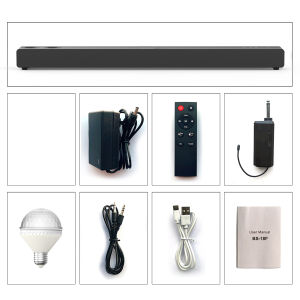
A Karaoke Speaker & Wireless Microphone Family Sound Bar is a versatile home entertainment system that combines the convenience of a soundbar with the excitement of karaoke. It includes a soundbar, remote control, AC adapter, audio cable, two wireless microphones, and a manual. This product is perfect for families and friends who enjoy singing along to their favorite tunes.
Key Features
-
High-Quality Sound: Enjoy crystal-clear audio with this Karaoke Speaker & Wireless Microphone Family Sound Bar. Its powerful soundbar delivers rich, immersive sound that will make your home theater experience truly unforgettable.
-
Wireless Microphones: Two wireless microphones included in the package make it easy for everyone to join in on the fun. No more tangled wires or restricted movement - sing wherever you want!
-
Bluetooth Connectivity: Connect your smartphone, tablet, or other Bluetooth-enabled devices to enjoy music and karaoke tracks wirelessly. This makes it simple to switch between different songs and playlists.
-
Remote Control: The included remote control allows you to adjust volume, change inputs, and access other features without leaving your seat. This adds convenience and ease of use to your entertainment system.
Benefits of Using this System
Using a Karaoke Speaker & Wireless Microphone Family Sound Bar offers several benefits, including:
-
Enhanced Home Entertainment: Transform your living room into a karaoke paradise with this versatile system. Enjoy movies, TV shows, and music with superior sound quality.
-
Family Fun: Bring your family together for a fun night of singing and laughter. This system is perfect for gatherings, parties, and game nights.
-
Easy Setup: With its straightforward design and included accessories, setting up this system is a breeze. Simply plug in the soundbar, connect the microphones, and you're ready to go!
-
Affordable Entertainment: Enjoy the luxury of a home theater system without breaking the bank. This affordable option provides excellent value for money.
How to Set Up Your Karaoke Speaker & Wireless Microphone System
Setting up your Karaoke Speaker & Wireless Microphone System is simple and straightforward. Follow these steps to get started:
-
Connecting the Soundbar & Remote Control: Plug in the soundbar using the included AC adapter. Pair the remote control by pressing and holding the 'Source' button until the LED light turns green.
-
Setting Up the Wireless Microphones: Turn on the microphones by pressing the power button. Pair them with the soundbar by pressing and holding the 'Mic' button on the soundbar until the LED light turns green.
Enhancing Your Home Entertainment Experience with a Karaoke Speaker & Wireless Microphone System
Once you've set up your system, it's time to enhance your home entertainment experience. Here are some tips to get the most out of your Karaoke Speaker & Wireless Microphone System:
-
Pairing with Bluetooth Devices: Connect your smartphone, tablet, or other Bluetooth-enabled devices to enjoy music and karaoke tracks wirelessly. This makes it simple to switch between different songs and playlists.
-
Customizing Sound Settings: Experiment with different sound settings to find the perfect balance for your entertainment needs. Adjust bass, treble, and volume to create a customized listening experience.
Troubleshooting Common Issues with Your Karaoke Speaker & Wireless Microphone System
If you encounter any issues with your Karaoke Speaker & Wireless Microphone System, here are some troubleshooting tips:
-
Connectivity Problems: If you're having trouble connecting your devices, try restarting the soundbar and pairing devices again. Check that all cables are securely connected and that the devices are within range.
-
Sound Quality Issues: If you notice poor sound quality, check that the soundbar is properly connected and that the volume is set correctly. Experiment with different sound settings to improve audio performance.
Conclusion
A Karaoke Speaker & Wireless Microphone Family Sound Bar Home Theater Speakers Bluetooth Soundbar for TV with Remote is a fantastic addition to any home entertainment system. With its high-quality sound, wireless microphones, Bluetooth connectivity, and remote control, this product offers endless fun and enjoyment for families and friends. Follow our setup guide and troubleshooting tips to get the most out of your system, and enjoy a night of singing and laughter!

Qualife PH
You May Also Like
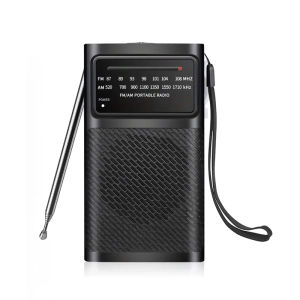
Portable Am Fm Transistor Radio Battery Operated Long Range Reception Loud Speaker Earphone Jack Indoor Outdoor & Emergency Use
![[24 Hours ship]2025 New ACEFAST TWS Earbuds FA001 ACEFIT Pro Call noise reduction LED floating digital display earbuds](https://img.lazcdn.com/g/ff/kf/Sa0683cbded264c91b5ae04666b1203ebY.png_300x300q80.png)
[24 Hours ship]2025 New ACEFAST TWS Earbuds FA001 ACEFIT Pro Call noise reduction LED floating digital display earbuds
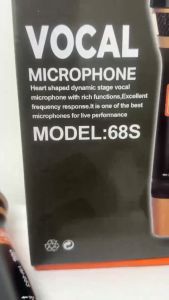
Yvonne shop 1PCS New Professional Vocal Wired Microphone 68S for Karaoke and Stage Performance
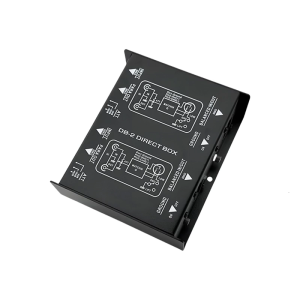
High Fidelitys Double Channel DI Box With Audios Ground Isolation Optimized For Recording 6.35mm/1/4 Input Interfaces
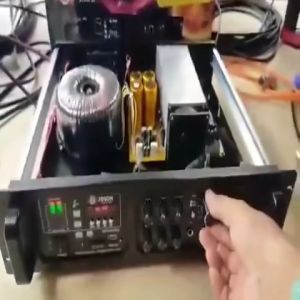
Joson Saturn Max Digital Amplifier: A Super Heavy Duty 4000 Watts x 2 Amplifier
Polk Audio Monitor XT20 Bookshelf Speakers - MXT20
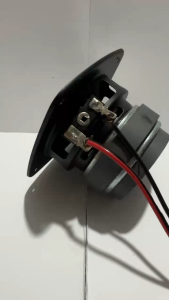
NEW JBL JB-3 3 Inches Full Range 4Ω 40W Hi-Fi Stereo Loudspeaker Car Subwoofer Bass Speaker
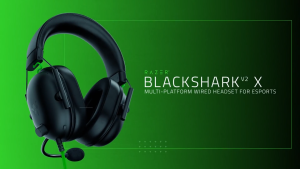
Razer BlackShark V2 X USB Gaming Headset with 7.1 Surround Sound Noise Isolating Microphone Memory Foam Cushion Lightweight Design for PC and Consoles
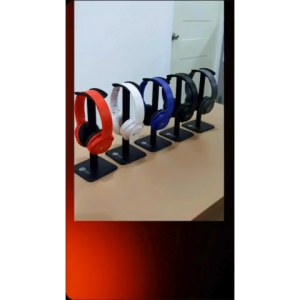
V2S EX2 Wireless Bluetooth Stereo Headphone Soft Silicone Head Beam
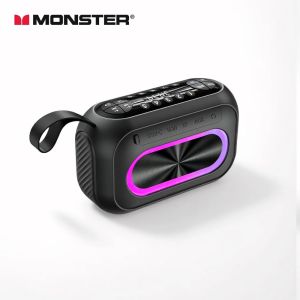
Monster M6 BT5.4 Speaker Wireless Portable Deep Bass FM Radio & TF/USB/AUX
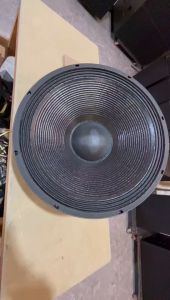
BEIJI Double 18 inch subwoofer dual magnetic subwoofer professional speaker 8Ω 100 voice 1500W