Printer & Copier Dust Covers: Protect Your HP, Canon, Epson & Brother Machines
Printer & Copier Dust Covers: Protect Your HP, Canon, Epson & Brother Machines
What Are Printer & Copier Dust Covers?
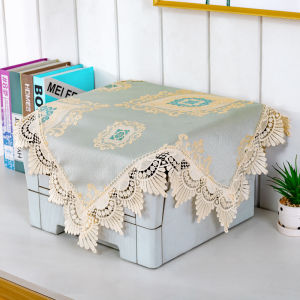
Printer and copier dust covers are protective coverings designed to shield your office equipment from dust, dirt, and other contaminants. They are essential for maintaining the performance and longevity of your printer, copier, or all-in-one machine. Dust covers come in various types and styles, including fabric slipcovers, curtain-style covers, and custom-made covers tailored to specific brands like HP, Canon, Epson, and Brother.
Types of Dust Covers
There are several types of dust covers available on the market, each offering unique features and benefits. Some popular options include:
-
Fabric slipcovers: These covers are made from durable, breathable fabrics that fit snugly over your printer or copier. They provide excellent protection against dust and dirt while allowing air circulation to prevent moisture buildup.
-
Curtain-style covers: These covers are typically made from lightweight, flexible materials that drape over your printer or copier. They are easy to install and remove, making them ideal for frequent use.
-
Custom-made covers: These covers are specifically designed to fit your printer or copier model, providing a perfect fit and maximum protection.
Benefits of Using Dust Covers
Using a dust cover for your printer or copier offers numerous benefits, including:
-
Protection against dust and dirt: Dust covers shield your equipment from contaminants that can affect its performance and lifespan.
-
Improved print quality: By keeping your printer or copier clean, dust covers help maintain optimal print quality and reduce the risk of paper jams.
-
Extended equipment life: Properly protecting your printer or copier with a dust cover can extend its lifespan and reduce the need for costly repairs.
-
Cost savings: Investing in a dust cover can save you money in the long run by reducing maintenance costs and extending the life of your equipment.
How to Choose the Right Dust Cover for Your Printer or Copier
Selecting the right dust cover for your printer or copier requires careful consideration of several factors, including:
-
Brand compatibility: Make sure the dust cover is compatible with your printer or copier brand, such as HP, Canon, Epson, or Brother.
-
Size and fit: Ensure the dust cover fits your printer or copier model and provides a snug, secure fit.
-
Material quality: Choose a dust cover made from high-quality, durable materials that offer excellent protection against dust and dirt.
-
Ease of installation and removal: Opt for a dust cover that is easy to install and remove, making it convenient for frequent use.
Comparing HP, Canon, Epson & Brother Dust Covers
When comparing dust covers for different brands, consider the following factors:
-
Brand-specific features: Some dust covers may offer unique features tailored to specific printer or copier models.
-
Price: Compare the prices of dust covers for different brands to find the best value for your budget.
-
Customer reviews: Read customer reviews to learn about the performance and durability of dust covers for different brands.
How to Install a Printer & Copier Dust Cover
Installing a dust cover for your printer or copier is a simple process that typically involves the following steps:
-
Step 1: Turn off and unplug your printer or copier.
-
Step 2: Remove any paper from the input tray and output tray.
-
Step 3: Carefully place the dust cover over your printer or copier, ensuring it fits snugly and securely.
-
Step 4: Adjust the dust cover as needed to ensure proper coverage and fit.
-
Step 5: Turn on and plug in your printer or copier.
Tips for Maintaining Your Dust Cover
To keep your dust cover in good condition and extend its lifespan, follow these tips:
-
Clean the dust cover regularly with a soft cloth or vacuum cleaner.
-
Store the dust cover in a dry, clean place when not in use.
-
Avoid exposing the dust cover to extreme temperatures or direct sunlight.
-
Replace the dust cover if it becomes damaged or worn out.
Dust Protection for Office Equipment: Why It Matters
Protecting your printer, copier, or all-in-one machine from dust and dirt is crucial for maintaining its performance and longevity. Dust can cause paper jams, clog ink cartridges, and damage internal components, leading to costly repairs and downtime. By investing in a high-quality dust cover, you can keep your equipment clean and functioning optimally, saving you time and money in the long run.
The Impact of Dust on Printer & Copier Performance
Dust can have a significant impact on the performance of your printer or copier, causing issues such as:
-
Paper jams: Dust can accumulate in the paper path, causing paper jams and disrupting printing processes.
-
Clogged ink cartridges: Dust can clog ink cartridges, leading to poor print quality and increased maintenance costs.
-
Damage to internal components: Dust can damage internal components, causing costly repairs and downtime.
Long-Tail Keywords: Fabric Slipcover for Printer, Printer Copier Dust Cover, All-in-One Machine Cover, Dust Protection for Office Equipment
By using long-tail keywords in your content, you can improve your search engine optimization (SEO) and attract more targeted traffic to your website. Some relevant long-tail keywords for this topic include:
-
Fabric slipcover for printer
-
Printer copier dust cover
-
All-in-one machine cover
-
Dust protection for office equipment

TB EL SHOP
You May Also Like
YCALL Queue Number Printer: A Plug-and-play Que Number System for Ticket Dispenser

Bambu Lab A1/P1/X1 Textured PEI Plate for BambuLab 3d parts
【BIG SALE】EPSON ink 774 Pigment Bottle ink Genuine Black 140ml Ink EPSON Workforce M200 M105 M100 L655 L605 L1455 T7741 7741 774 INKS
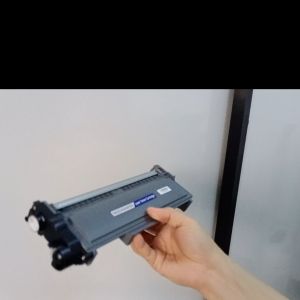
Compatible Toner Cartridge TN2380 Drum unit Dr2355 for Brother DCP-2540 Series
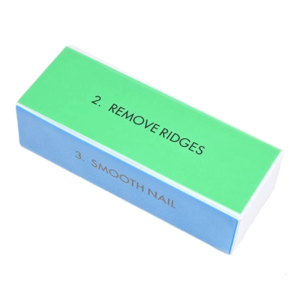
Flexible Unguis Filing Block 4 Unique Hominy In Single Spongiform four hundred eight hundred twelve hundred four thousand Exemplary For Homestudio Use Dense Permanent EVA Substance
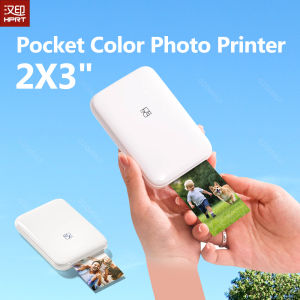
HPRT Portable Photo Printer Pocket 2x3 inch Size Wireless Zink Technology Print 2x3 Sticky-Backed Photos Maker with Papers Case

INKSCRIBED DR269CL DR-269CL Compatible for Bro HL-L3280CDW DCP-L3560CDW MFC-L8340CDW Printer etc. Universal for All Colors
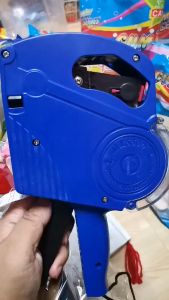
MX-5500 8-Digit Price Tagger: A Retail Inventory Management Solution
Cidy Manual Label Maker with FREE 2 TAPESManual Typewriter Tape Embossing Label Maker (9mm x 3mtrs)
Compatible Konica-Minolta TN-118 Toner Cartridge
Niimbot D11 & D110 Portable Thermal Sticker Label Handheld Maker: Your Ultimate Guide