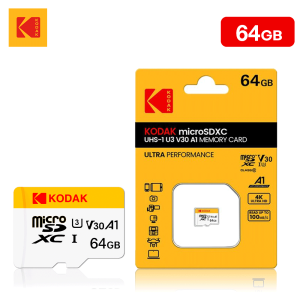
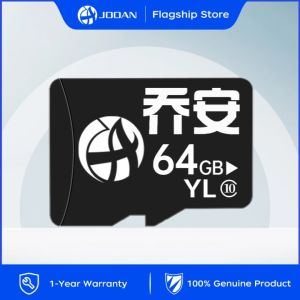
Micro SD Card 64GB Class10: Optimal Storage for Wireless CCTV & IP Cameras
Micro SD Card 64GB Class10: Optimal Storage for Wireless CCTV & IP Cameras
What is a Micro SD Card 64GB Class10?
A Micro SD card is a small storage device used in various electronic devices, including wireless CCTV cameras and IP cameras. The 64GB Class10 micro SD card offers ample storage capacity and fast data transfer speeds, making it an ideal choice for surveillance systems. It can store up to 64GB of video footage, audio recordings, and other data, providing excellent value for money.
Key Features & Benefits
The Micro SD Card 64GB Class10 has several key features and benefits:
- High Storage Capacity: With 64GB of storage, this card can store a vast amount of video footage and other data, ensuring that your surveillance system runs smoothly.
- Fast Data Transfer Speeds: Class10 cards offer fast read and write speeds, allowing for seamless recording and playback of video footage.
- Compatibility: This card is compatible with most wireless CCTV cameras and IP cameras, making it easy to integrate into your existing system.
- Durability: The Micro SD Card 64GB Class10 is built to last, with a robust design that can withstand extreme temperatures, shock, and vibration.
Applications in Surveillance Systems
The Micro SD Card 64GB Class10 is widely used in surveillance systems, particularly wireless CCTV cameras and IP cameras. It can store video footage, audio recordings, and other data, providing valuable insights into your surroundings. This card is ideal for both home and business security applications, offering peace of mind and protection against potential threats.
Choosing the Right Micro SD Card for Your CCTV System
When selecting a micro SD card for your wireless CCTV camera or IP camera, it's important to consider several factors, including storage capacity and speed requirements.
Evaluating Storage Capacity & Speed Requirements
The storage capacity and speed requirements of your surveillance system will depend on several factors, including the number of cameras, resolution, frame rate, and retention period. For example, if you have multiple high-resolution cameras recording at a high frame rate, you may require a higher storage capacity and faster data transfer speeds.
Selecting Between Class10 & Other Classes
Class10 micro SD cards offer fast read and write speeds, making them ideal for high-performance applications like wireless CCTV cameras and IP cameras. However, if your system has lower performance requirements, you may consider using a lower class card, such as Class4 or Class6. It's important to choose a card that meets your system's storage capacity and speed requirements while also offering good value for money.
How to Install & Set Up Your Micro SD Card
Installing and setting up your Micro SD Card 64GB Class10 is straightforward, requiring just a few simple steps.
Preparing Your Wireless CCTV Camera
Before installing the Micro SD Card 64GB Class10, ensure that your wireless CCTV camera is properly connected to power and the internet. This will allow you to access the camera's settings menu and configure the card.
Connecting & Configuring the TF Card
To connect and configure the TF card, follow these steps:
- Turn off your wireless CCTV camera and remove the existing micro SD card (if any).
- Insert the Micro SD Card 64GB Class10 into the camera's micro SD card slot.
- Turn on your wireless CCTV camera and access the camera's settings menu.
- Configure the camera to recognize and use the new micro SD card for recording and storage.
Maximizing Performance & Security with Your Micro SD Card
To maximize the performance and security of your Micro SD Card 64GB Class10, consider the following tips:
Optimizing Recording Settings
Optimize your recording settings to ensure that your surveillance system runs smoothly and efficiently. This may include adjusting the resolution, frame rate, and retention period to match your system's requirements.
Protecting Your Data & Maintaining Your System
Protect your data by regularly backing up your video footage and other recordings. Additionally, maintain your system by cleaning the camera lenses, updating firmware, and performing regular maintenance checks.

JOOAN Security Camera Store
You May Also Like
KINGSTON USB Flash Drive 32GB
Newman Mobile High Capacity Hard Disk Fast Read And Write 500G Data Mechanical Transmission for Laptop Computer Notebook
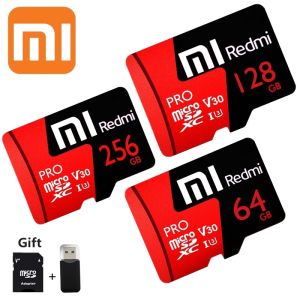
♥【Readystock】FREE Shipping+COD♥ Xiaomi Redmi V30 PRO Micro SD Card SDXC / UHS-I U3 Class 10 High Speed Memory Card 1TB 512GB 256GB
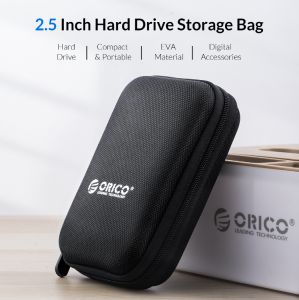
ORICO 2.5 Inch HDD Box Bag Case: A Durable & Compact Hard Drive Case
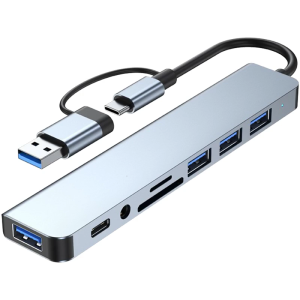
USB C HUB 8 in 1 USB C/USB3.0 Adapter Docking Station with 3xUSB2.0+1xUSB3.0+1xType C Reader Adapter Laptop Dock

Sandisk Extreme Go USB 3.2 Flash Drive ~ 256GB
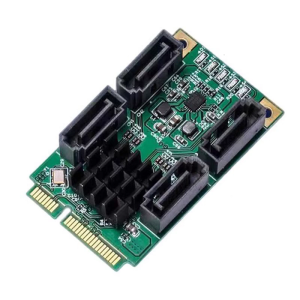
Mini PCIe to SATAs Adapters 4 Channel 6Gbps Speed Marvells Chipset Hot Plugs Functionality

USB FLASH DRIVE / MEMORY CARD WITH MUSIC / SONGS COLLECTION HIGH QUALITY 320 KBPS QUALITY |
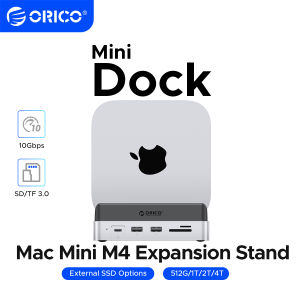
ORICO MiniDock Storage Expansion Dock for MaMini M4&M4 Pro Stand USB3.2 Gen2 Type C Dock with 512G 1T 2T 4T M.2 SSD
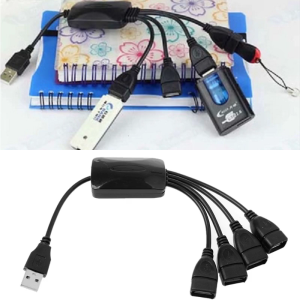
USB 2.0 HUBs Connect with Usb Mouse Hdd Usb Storage Device Usb Cd-r/rw Dvd-rom Drives Usb 1.1 Hubs Splitter

Laptop Carrying Case Liner Bag For 10-11Inch 13.3inch Notebook Shock Resistant Fabric NOtebook Storage