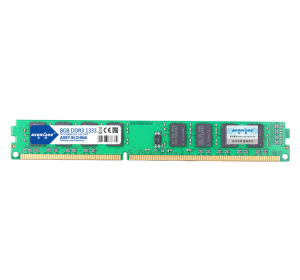
Hongxiang DDR3 8G 1333 Desktop Memory: A Comprehensive Guide
Hongxiang DDR3 8G 1333 Desktop Memory: A Comprehensive Guide
Introduction & Key Features
Hongxiang DDR3 8G 1333 Desktop Memory is a top-of-the-line memory module designed specifically for desktop computers. This memory module features a 1333 MHz speed, which ensures smooth and efficient performance in various applications, including gaming, video editing, and software development. The Hongxiang DDR3 8G Memory supports dual-pass 16G support, allowing users to achieve maximum performance by utilizing two memory bars simultaneously.
What is Hongxiang DDR3 8G 1333 Desktop Memory?
Hongxiang DDR3 8G 1333 Desktop Memory is a high-performance memory module that offers excellent stability and reliability. It is compatible with most desktop motherboards and provides a significant boost in system performance. The memory bar has a capacity of 8GB, making it ideal for users who require ample storage space for their programs and files.
Understanding 1333 MHz Desktop RAM & Its Benefits
DDR3 RAM operates at a speed of 1333 MHz, which translates to faster data transfer rates and improved system responsiveness. This speed is particularly beneficial for gaming, as it reduces lag and enhances overall performance. Additionally, 1333 MHz RAM is energy-efficient, reducing power consumption and heat generation within the system.
Exploring Dual-Pass 16G Support
Hongxiang DDR3 8G Memory supports dual-pass 16G support, allowing users to install two memory bars simultaneously to achieve a total capacity of 16GB. This feature is especially useful for users who require a large amount of storage space for their applications and files. By utilizing dual-pass support, users can maximize the performance of their system and enjoy a smoother, more efficient computing experience.
Performance & Compatibility
The Hongxiang DDR3 8G Memory offers excellent performance and compatibility with most desktop systems. In this section, we will explore how to optimize gaming performance with Hongxiang DDR3 8G Memory, ensure compatibility with your system, and compare single memory bar vs. dual-pass support.
How to Optimize Gaming Performance with Hongxiang DDR3 8G Memory
To optimize gaming performance with Hongxiang DDR3 8G Memory, it is essential to ensure that your system meets the minimum requirements for running the game. Additionally, installing two memory bars using dual-pass support can significantly improve gaming performance by providing ample storage space and faster data transfer rates. To further enhance gaming performance, consider upgrading other components, such as the CPU and graphics card, to achieve maximum performance.
Ensuring Compatibility with Your System
Hongxiang DDR3 8G Memory is compatible with most desktop motherboards and provides excellent stability and reliability. However, it is crucial to verify that your system meets the minimum requirements for installing the memory module. Check your motherboard's specifications to ensure that it supports DDR3 RAM and has enough slots for installing the memory bar(s).
Comparing Single Memory Bar vs. Dual-Pass Support
When deciding between a single memory bar and dual-pass support, consider the amount of storage space required for your applications and files. A single memory bar provides ample storage space for most users, while dual-pass support allows for increased capacity and improved performance. Additionally, dual-pass support can reduce lag and enhance overall system responsiveness, making it ideal for gaming and other resource-intensive applications.
Installation & Troubleshooting
Installing Hongxiang DDR3 8G Memory is a straightforward process that can be completed in just a few steps. However, it is essential to follow the manufacturer's instructions carefully to avoid damaging the memory module or your system. In this section, we will provide a step-by-step guide to installing Hongxiang DDR3 8G Memory, troubleshoot common issues, and offer tips and tricks for maximizing performance.
Step-by-Step Guide to Installing Hongxiang DDR3 8G Memory
- Turn off your computer and unplug all cables and peripherals.
- Open the case and locate the memory slots on the motherboard.
- Carefully remove any existing memory modules by pressing down on the clips on either side of the slot.
- Align the notches on the memory module with the slots on the motherboard and gently press down until the clips click into place.
- Close the case and reconnect all cables and peripherals.
- Power on your computer and enter the BIOS to verify that the new memory module has been detected.
Troubleshooting Common Issues
If you encounter any issues during installation or after booting up your computer, try the following troubleshooting steps:
- Verify that the memory module is properly seated in the slot.
- Check that the memory module is compatible with your motherboard.
- Ensure that the power supply unit is providing enough power to the system.
- If the issue persists, try removing the memory module and reinstalling it.
Maximizing Performance: Tips & Tricks
To maximize the performance of Hongxiang DDR3 8G Memory, consider the following tips and tricks:
- Install two memory bars using dual-pass support to achieve maximum capacity and improved performance.
- Upgrade other components, such as the CPU and graphics card, to achieve maximum performance.
- Disable unnecessary startup programs and services to free up system resources.
- Regularly update your operating system and drivers to ensure optimal performance.

Hongxiang Store
Review

You May Also Like
Double Port Mobile Recording Adapters Plugs & Play Phone Microphones Adapters Space Saving Designs Suitable for Mic Mini
Nvision 14" Laptop Screen Extender Portable Monitor FHD IPS Panel Portable Laptop Extender Monitor N14X1
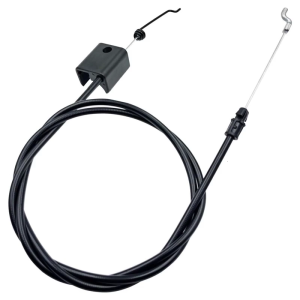
Effective Area Line For Business Mowers 1160905 Model Metal Frame For Added Durability
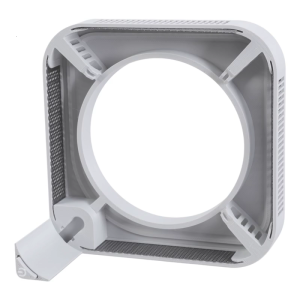
Desktop Holder for Mini4 Featuring Top Mounted Power Switches for Easy Access and Better Heat Dissipation
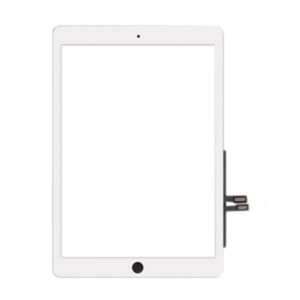
Digitizer Repair Kit for 9.7inch (2018 Version) A1954 A1893 Touch Screens Digitizer Replacement Easy Installation

2X Ultra Clear / Anti-Glare / Anti Blue-Ray Screen Protector Guard Cover for 15.6" ROG Zephyrus Duo 15 GX550 Gaming Laptop
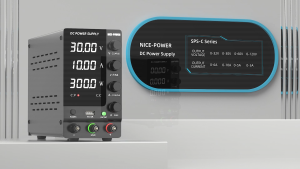
KUAIQU Regulated DC Power Supply 30V10A Adjustable Laboratory Bench 60V 5A Voltage Regulator Stabilizer Switch
Colorful ARGB GPU Card Holder CM-GH2 BLACK COD
USB 3.0 19-Pin Header Extension Cable 1 to 2 Double Ports Ultra Durable for Computer Motherboard USB Splitter PCIE Pin
![[COD] Bsuimki 1Set CA-901 LCD TV Switching Power Supply DC Sampling Power Module Chip](https://img.lazcdn.com/g/p/b81ef9b5ab4a53f5e5305408698dcbe3.jpg_300x300q80.jpg)
[COD] Bsuimki 1Set CA-901 LCD TV Switching Power Supply DC Sampling Power Module Chip
Circuitrocks Tire Off-Road Tamiya 70096 2PCS