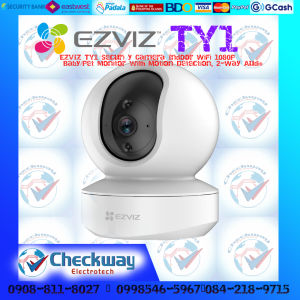
EZVIZ TY1 Security Camera Indoor WiFi 1080P | CHECKWAY ELECTROTECH
EZVIZ TY1 Security Camera Indoor WiFi 1080P | CHECKWAY ELECTROTECH
What is Checkway ElectroTech Camera?
Checkway ElectroTech Camera, specifically the EZVIZ TY1 indoor security camera, is a cutting-edge surveillance device designed to provide homeowners and businesses with reliable, high-definition monitoring capabilities. With its sleek design and user-friendly interface, this camera offers unparalleled security features and performance.
Key Features & Specifications
The EZVIZ TY1 indoor security camera boasts a range of impressive features, including:
- 1080P HD resolution: Capture every detail with crystal-clear video quality.
- WiFi connectivity: Connect to your home network for seamless monitoring.
- Night vision: See clearly in low-light conditions with infrared LEDs.
- Motion detection: Receive real-time alerts when motion is detected.
- Two-way audio: Communicate with visitors or intruders through the camera's built-in microphone and speaker.
How It Compares to Other Indoor Security Cameras
Compared to other indoor security cameras on the market, the EZVIZ TY1 offers several advantages:
- Superior image quality: With its 1080P HD resolution, this camera provides sharper images than many competitors.
- User-friendly app: The EZVIZ app makes it easy to control and monitor your camera from anywhere.
- Affordable price point: Despite its advanced features, the EZVIZ TY1 remains budget-friendly for most consumers.
Setting Up Your EZVIZ TY1 Indoor Security Camera
Installing and setting up your EZVIZ TY1 indoor security camera is a straightforward process. Follow these steps to get started:
Step-by-Step Installation Guide
- Unbox your camera and remove any protective packaging.
- Attach the camera to the wall or ceiling using the included mounting bracket.
- Connect the power adapter to the camera and plug it into a nearby outlet.
- Download the EZVIZ app from the App Store or Google Play.
- Follow the app's on-screen instructions to connect your camera to your home WiFi network.
Connecting to WiFi & App Setup
Once your camera is installed, connecting it to your WiFi network and setting up the app is simple:
- Open the EZVIZ app and sign in or create an account.
- Select "Add Device" and follow the prompts to connect your camera to your WiFi network.
- Customize your camera settings, including motion detection sensitivity and alert preferences.
Maximizing Your EZVIZ TY1 Security Camera's Performance
To get the most out of your EZVIZ TY1 indoor security camera, consider these tips for optimal placement and customization:
Tips for Optimal Placement & Positioning
- Place the camera in a central location, facing outward toward the areas you want to monitor.
- Avoid placing the camera near bright lights or windows, which can cause glare and affect image quality.
- Position the camera at eye level or slightly higher for the best field of view.
Advanced Settings & Customization Options
Customize your EZVIZ TY1 camera's settings to suit your specific needs:
- Adjust the motion detection sensitivity to reduce false alarms.
- Set up scheduled recordings to capture footage during specific times of day.
- Enable two-way audio to communicate with visitors or intruders.
Troubleshooting Common Issues
If you encounter any issues with your EZVIZ TY1 indoor security camera, refer to these troubleshooting tips:
Connectivity Problems & Solutions
- Ensure your camera is within range of your WiFi network.
- Restart your router and camera to resolve connectivity issues.
- Check that your WiFi network settings are correct.
Image Quality & Performance Issues
- Adjust the camera's position to avoid glare or obstructions.
- Clean the camera lens to improve image clarity.
- Update the camera firmware to ensure optimal performance.

CHECKWAY ELECTROTECH
Review

You May Also Like
【Shipping From Manila+COD】100% Original Tactical Red Dot Optical Scope Reflex Folding Portable Sight Scope for Outdoor 20mm Mount

HD 8MP Dual Lens CCTV Camera: A Comprehensive Guide
Goldstar bulb monitoring camera lamp head type home monitor 360 degree wifi mobile phone remote 2-in-1

V380 Waterproof CCTV Camera Outdoor Wireless IP Camera Alarm Security Video Night Vision

ALLAN 4 Channel Port Output 12V5A DC CCTV PTC Fuse Distributed Power Supply Box for Security Cameras
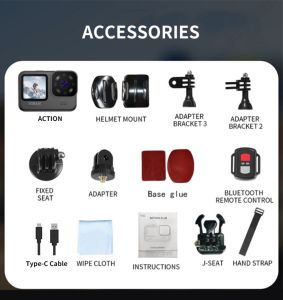
V11 5K Sports Cameras Factory Supplied 5K30 FPS Ultra High Definition Dual Color 5k Action Camera
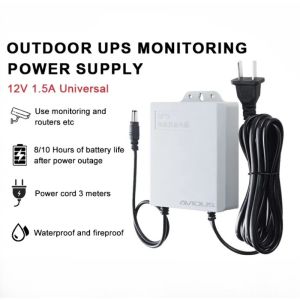
12V 1.5A UPS Monitoring Power Outage Endurance Power Supply for Router and Monitoring Outdoor CCTV Built-in Battery IP Camera Power Cord
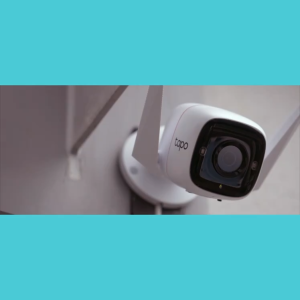
TP-Link Tapo TC65 3MP Camera Outdoor CCTV Camera connect cellphone Waterproof Security Wi-Fi IP Camera Wi-Fi connect Night Vision Motion Detection Ultra-High Definition Two-way Audio

V380 PRO 4K 6MP Dual Lens Security CCTV Camera Outdoor Waterproof cctv camera wifi connect 360 PTZ Control CCTV Connect To Cellphone

Dahua HD 2MP Full-color IR Bullet CCTV camera Wired Outdoor Weatherproof Night Vision Camera

COD Hikvision CCTV Camera 2MP/5MP HD Full-Color With Audio Security Camera Bullet Camera Outdoor IP67 Waterproof Analog Camera