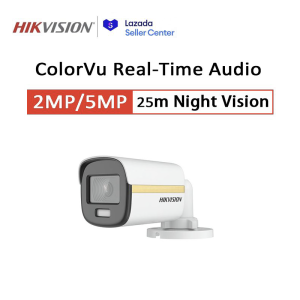
COD Hikvision CCTV Camera 2MP/5MP HD Full-Color With Audio Security Camera Bullet Camera Outdoor IP67 Waterproof Analog Camera
COD Hikvision CCTV Camera 2MP/5MP HD Full-Color With Audio Security Camera Bullet Camera Outdoor IP67 Waterproof Analog Camera
What is COD Hikvision CCTV Camera?
The COD Hikvision CCTV Camera is a top-of-the-line security camera that offers high-definition (HD) video quality and full-color night vision. It comes in two models: a 2MP and a 5MP version, both equipped with audio functionality and designed for outdoor use.
Features of the 2MP/5MP HD Security Camera
- High Definition: With resolutions of up to 2MP and 5MP, these cameras offer crystal-clear video quality that captures every detail.
- Full-Color Night Vision: Thanks to advanced technology, this camera provides full-color images even in low-light conditions, making it easy to identify people and objects at night.
- Audio Functionality: Equipped with built-in microphones, these cameras allow you to hear what's happening in real-time, adding another layer of security.
Advantages of Full-Color Analog Camera
- Improved Image Quality: Full-color cameras provide better image quality than traditional black-and-white night vision cameras, making it easier to identify people and objects.
- Cost-Effective: Compared to IP cameras, analog cameras like the COD Hikvision CCTV Camera are more affordable and easier to install.
- Easy to Integrate: These cameras can be easily integrated into existing security systems, making them a great choice for both new installations and upgrades.
How to Install COD Hikvision CCTV Camera
Installing the COD Hikvision CCTV Camera is a straightforward process that can be completed in just a few steps.
Step-by-Step Installation Guide
- Choose a location for your camera: Make sure it's in a well-lit area, away from direct sunlight, and out of reach of potential vandals.
- Mount the camera: Follow the manufacturer's instructions to securely mount the camera on a wall or pole.
- Connect the power supply: Plug the camera into a power outlet or connect it to a battery-powered system.
- Connect the video cable: Run the video cable from the camera to your monitor or DVR.
- Test the camera: Once everything is connected, test the camera to ensure it's working properly.
Tips for Proper Placement & Setup
- Position the camera strategically: Place the camera at eye level or slightly higher to capture the best view of the area.
- Avoid direct sunlight: Direct sunlight can cause glare and affect image quality, so make sure the camera is shaded or positioned away from direct sunlight.
- Secure the camera: Use anti-theft screws or other security measures to prevent unauthorized access to the camera.
How to Use COD Hikvision CCTV Camera
Using the COD Hikvision CCTV Camera is simple and straightforward, thanks to its user-friendly design and advanced features.
Maximizing Audio Functionality
- Adjust the microphone sensitivity: Fine-tune the microphone settings to ensure clear audio even in noisy environments.
- Use noise-cancelling technology: Some models of the COD Hikvision CCTV Camera come with noise-cancelling technology, which helps to filter out background noise and improve audio clarity.
- Monitor audio remotely: With the right software, you can monitor audio from your camera remotely, allowing you to stay informed about what's happening even when you're not at home.
Setting Up Outdoor IP67 Waterproof Camera
- Choose the right location: Select a location that's protected from rain, snow, and other elements, such as under an eave or in a covered area.
- Install the camera securely: Use weather-resistant mounting hardware to secure the camera in place.
- Connect the power supply: Use a waterproof power adapter to connect the camera to a power source.
Troubleshooting Common Issues
Even with the best cameras, issues can arise from time to time. Here are some common problems and how to resolve them.
Resolving Connectivity Problems
- Check the power supply: Ensure the camera is properly connected to a power source.
- Check the video cable: Make sure the video cable is securely connected to both the camera and the monitor/DVR.
- Reset the camera: If the camera isn't working, try resetting it by unplugging it from the power source and plugging it back in.
Addressing Image Quality Concerns
- Adjust the camera settings: Fine-tune the camera's settings, such as brightness and contrast, to improve image quality.
- Clean the lens: Use a soft cloth to wipe away any dirt or debris on the camera's lens.
- Upgrade the camera: If the camera is old or outdated, consider upgrading to a newer model with better image quality.
Conclusion: COD Hikvision CCTV Camera - A Complete Package
The COD Hikvision CCTV Camera is a comprehensive security solution that offers high-definition video quality, full-color night vision, and audio functionality. With its easy installation process and user-friendly design, it's the perfect choice for anyone looking to enhance their home or business security. Whether you're a homeowner, business owner, or security professional, the COD Hikvision CCTV Camera is a reliable and cost-effective solution that will help keep you and your loved ones safe.

Hikvision.EYE.Online Store
Review
You May Also Like
V380 PRO 12V 1.5A ups Power Supply Heavv Duty for WiFi Router Modem and Outdoor CCTV Security Camera UPS Monitoring Power Outage Endurance Power Supply Outdoor CCTV Built-in Battery Working System IP Camera Power Cord
Video Laryngoscope digital portable USB Video Endoscope for Intubation
Samsung CCTV Camera Dual Lens WiFi Connect To Cellphone Two-Way Voice IP69 Smart Outdoor Waterproof Camera 360 Night Vision Auto Tracking
V380 PRO E27B CCTV Camera Home Security Camcorders 4MP Dome IP Camera 4X Wifi Auto Tracking Surveillance Camera IP Cam
SJCAM SJ4000 Air | 4K 30fps | 16 Megapixel Camera | 98 waterproof housing | Built-in mic and speaker | Complete Mounts and Accessories
BUY 1 TAKE 1TAPO V380 Pro CCTV Camera Wifi Connect 360 Mini IP Security Camera With Voice Speaker Full Color Night Outdoor HD Wireless Vision Auto Tracking
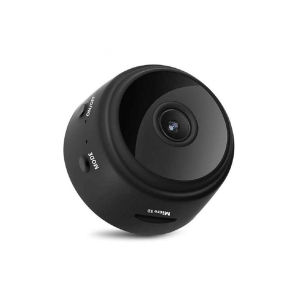
Brifit Mini Night Vision Camera: Hidden Wireless WiFi Camera & IP Home Security HD 1080P Recorder
Imou Bullet 2E 5MP Outdoor Camera CCTV Security Camera ip Camera Wi-Fi Human Detectio | Night Vision

COD Hikvision CCTV Package 4CH 8CH Built in SSD storage for EDVR camera KIT Remote monitoring CCTV KIT
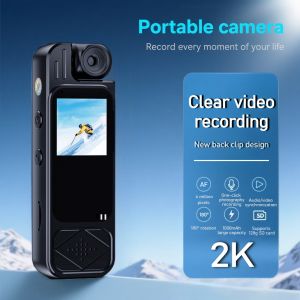
2K Mini Body Camera 1.3inch Screen 180°Rotatable Lens Body Mounted Camera Small Portable IR Night Vision Body Camera Camera Bike
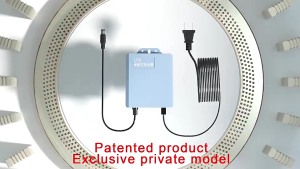
12V 1.5A Monitoring Power Supply Endurance Outdoor CCTV Built-in Battery CCTV Power Cord