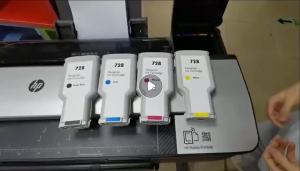
Epson T664 Ink Bottle: A Comprehensive Guide
Epson T664 Ink Bottle: A Comprehensive Guide
Introduction to Epson T664 Ink Bottle
The Epson T664 ink bottle is a genuine ink solution designed for use with select Epson printers, including the L120, L360, L121, L310, L405, L1300, L130, and L110 series. This ink bottle comes in four colors - black, cyan, yellow, and magenta - with a volume of 70ml per bottle.
Overview of Epson T664 Ink Bottle
Epson T664 ink bottles are high-quality, genuine ink solutions that provide superior print quality, longevity, and cost-effectiveness compared to compatible ink cartridges. They are designed specifically for use with select Epson printers, ensuring optimal performance and compatibility.
Compatible Printers
The Epson T664 ink bottle is compatible with the following printers:
- Epson L120
- Epson L360
- Epson L121
- Epson L310
- Epson L405
- Epson L1300
- Epson L130
- Epson L110
Benefits of Using Genuine Epson Ink
Using genuine Epson ink offers several advantages over compatible ink cartridges. These benefits include:
Quality and Longevity
Genuine Epson ink provides superior print quality, with vibrant colors and sharp details. Additionally, prints made with genuine ink are more resistant to fading and smudging, ensuring lasting results.
Cost-Effectiveness
Although the initial cost of purchasing genuine Epson ink may be higher, the overall cost per page is often lower due to the increased number of pages printed per bottle. This makes using genuine ink a more cost-effective option in the long run.
Environmental Impact
Epson T664 ink bottles are designed to minimize waste by allowing users to refill their printer cartridges instead of replacing them entirely. This reduces the amount of plastic waste generated by printing.
Comparison with Compatible Inks
While compatible ink cartridges may offer lower upfront costs, they often come with drawbacks that can outweigh the savings. Here are some key differences between genuine Epson ink and compatible ink:
Performance Differences
Compatible ink cartridges may produce inferior print quality, with dull colors and blurry details. Additionally, prints made with compatible ink may be more susceptible to fading and smudging over time.
Compatibility with Printers
Using compatible ink cartridges may cause issues with printer compatibility, leading to clogged nozzles, ink leaks, or even printer malfunctions. In contrast, genuine Epson ink is specifically designed for use with select Epson printers, ensuring optimal performance and compatibility.
How to Install Epson T664 Ink Bottle
Installing the Epson T664 ink bottle is a straightforward process that involves a few simple steps. Here's how to install the ink bottle:
Preparation Steps
- Ensure your printer is powered on and ready to receive the ink bottle.
- Remove the protective cap from the ink bottle.
- Locate the ink cartridge compartment on your printer.
Installation Process
- Open the ink cartridge compartment and remove the empty ink cartridge.
- Insert the new ink bottle into the designated slot, making sure it clicks into place.
- Close the ink cartridge compartment and allow the printer to initialize the new ink bottle.
Troubleshooting Tips
If you experience any issues during the installation process, try the following troubleshooting tips:
- Check that the ink bottle is properly inserted and securely clicked into place.
- Make sure the ink cartridge compartment is fully closed before initializing the new ink bottle.
- If the printer displays an error message, consult the user manual or contact Epson support for assistance.
Conclusion
In conclusion, the Epson T664 ink bottle is a high-quality, genuine ink solution that provides superior print quality, longevity, and cost-effectiveness compared to compatible ink cartridges. By following the installation instructions and troubleshooting tips outlined in this guide, users can ensure optimal performance and compatibility with their Epson printer.

uytuituy6

You May Also Like
Epson ERC-38 B For TM-U Series Compatible Dot Matrix Ribbon EPSON ERC-38 B 100% LONG-LASTING Ribbon Cartridge
KAYISON 3 Rolls Label Printer: A Portable Handheld Thermal Mini Barcode QR Code Sticker Printer
Easy Installation Printer Head For QY6 8010 QY6 8022 Models Printer Head Consistent Precise Printing Result
L&C 79A CF279A Toner Cartridge for HP LaserJet Printers
OPC Drum DR2355 DR2455 DR2255 Compatible for Brother DCP L2540 L2540DW L2550 L2550DW (Black Gear)
Dye Ink Refill For Brother Ink T810W/MFCT910DWHL-T4000DW/MFC-T4500DW Dye Ink For Printer T220
Portable Handheld Small Label Printer Jingchen B21 Thermal Printer Barcode Price Tag Sticker Clothing Jewelry Food Commercial Smart Printer for Home Use
PU Leather Protector Scratch Resistant Name Label For Healthcare Clinical Doctors Nurses Favor Gift
![[COD] Laogeliang Waste Ink Collector Box For Epson L1250 L3110 L3158 L3160 L3210 L3250 L1110 Printer Maintenance Box Waste Ink Pad Sponge](https://img.lazcdn.com/g/p/015e84366d0272f5f112fde47195fb18.jpg_300x300q80.jpg)
[COD] Laogeliang Waste Ink Collector Box For Epson L1250 L3110 L3158 L3160 L3210 L3250 L1110 Printer Maintenance Box Waste Ink Pad Sponge
ERYONE PLA Matte Rainbow Premium Filament 3D PrintMacaron+Watercolor New Style1kg pla matte rainbow filamentsale1KG/Spool

CF217A 17A Compatible Toner Cartridge For MFP M130a MFP M130nw MFP M130fn MFP M130fw M102a M102w