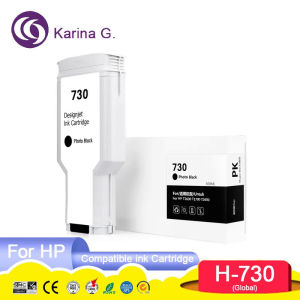
High-Quality HP DesignJet Ink Cartridges & Premium 730 P2V71A P2V73A P2V72A P2V70A Ink
High-Quality HP DesignJet Ink Cartridges & Premium 730 P2V71A P2V73A P2V72A P2V70A Ink
Understanding Compatible HP DesignJet Printer Ink
Introduction to Karina G. Ink Cartridges
Karina G. offers high-quality compatible HP DesignJet ink cartridges that are designed to meet the demands of demanding printing tasks. Our P2V71A, P2V73A, P2V72A, and P2V70A ink cartridges are perfect for HP DesignJet 2600, T2600, T1600, and T1700 printers.
Advantages of Using Compatible Inks
Using compatible inks from Karina G. offers several advantages over using original HP ink cartridges. These include:
- Cost savings: Compatible inks are often less expensive than their OEM counterparts.
- Reliability: Our ink cartridges have been rigorously tested to ensure they meet the highest standards of quality and performance.
- Environmental responsibility: By choosing compatible inks, you help reduce waste and contribute to a more sustainable future.
Ensuring Quality with ISO9001 & ISO14001 Certifications
At Karina G., we take pride in our commitment to quality and environmental responsibility. Our ink cartridges are certified by ISO9001 and ISO14001, ensuring that our products meet the highest standards of quality and environmental management.
Choosing the Right Ink Cartridge
Identifying the Correct Model Number
When selecting an ink cartridge for your HP DesignJet printer, it is crucial to identify the correct model number. This will ensure that you receive the right ink cartridge for your specific printer model.
Selecting Between Pigment & Other Types
Karina G. offers both pigment and dye-based ink cartridges. Pigment inks are ideal for printing high-quality graphics and images, while dye-based inks are better suited for everyday printing tasks.
Comparing Prices & Value
When comparing prices and value, it is important to consider the cost per page and the overall print quality. Karina G. compatible ink cartridges offer excellent value for money, providing high-quality prints at a fraction of the cost of OEM ink cartridges.
Installing & Using Your New Ink Cartridge
Preparing Your HP DesignJet Printer
Before installing your new ink cartridge, make sure that your printer is turned off and unplugged. This will help prevent any electrical interference during the installation process.
Step-by-Step Installation Process
- Open the printer cover and remove the old ink cartridge.
- Remove the new ink cartridge from its packaging and carefully peel off the protective tape.
- Insert the new ink cartridge into the appropriate slot and press down until it clicks into place.
- Close the printer cover and turn on the printer.
Tips for Optimal Performance
To get the best performance from your new ink cartridge, we recommend:
- Printing a test page to ensure that the ink cartridge is installed correctly and functioning properly.
- Cleaning the printhead regularly to maintain optimal print quality.
- Storing the ink cartridge in a cool, dry place when not in use.
Maintaining Your Ink Cartridge
Proper Storage Techniques
To prolong the life of your ink cartridge, it is important to store it in a cool, dry place away from direct sunlight. Avoid storing the ink cartridge in areas with high humidity or extreme temperatures.
Cleaning & Maintenance Tips
Regular cleaning and maintenance of your ink cartridge can help extend its lifespan and improve print quality. We recommend cleaning the printhead every few weeks to remove any dried ink or debris.
Troubleshooting Common Issues
If you encounter any issues with your ink cartridge, try the following troubleshooting steps:
- Check that the ink cartridge is installed correctly and securely.
- Clean the printhead and check for any clogs or blockages.
- Run a print test to check for any issues with the ink cartridge or printer settings.
Conclusion & Final Thoughts
In conclusion, Karina G. offers high-quality compatible HP DesignJet ink cartridges that provide excellent value for money and outstanding print quality. By following the guidelines outlined in this article, you can ensure that you get the most out of your new ink cartridge and maintain optimal print performance.
Recap of Key Points
- Karina G. offers high-quality compatible HP DesignJet ink cartridges.
- Compatible inks offer cost savings, reliability, and environmental responsibility.
- Proper installation, maintenance, and troubleshooting can extend the life of your ink cartridge.
Final Recommendations
We recommend choosing Karina G. compatible HP DesignJet ink cartridges for your printing needs. With our commitment to quality and environmental responsibility, you can trust that you are getting the best possible product at an unbeatable price.
Contact Information for Support
For more information or support, please visit our website at www.karina-g.com or contact us at support@karina-g.com.

ColoWorld
Review

You May Also Like
Copper 3D Printer Nozzle High Temperature Performances 240°C To 260°C Multiple Diameter Selection Easy Replacement
6/9/12/18/24mm TZE231 tze231 tz231 Compatible for Brother Label Tape TZe-231 TZ231 TZe241 TZe251 TZe221 Label Tape Laminated White TZe Label Tape for PTouch PTD220 PTD210 PTH110 PT-2040C PTD400AD PTD600 PTD450 PT-1880 Label Maker
Mini Pocket Printer: A Portable Thermal Sticker Printer Bluetooth Inkless Pocket Printer
ETQ Paper Feed Pickup Roller for Xerox Docucentre S1810 S2010 S2420 S2220 S2240 S2320 S2011 S2110 2010 2240
Phomemo 245BT: The Ultimate Barcode Address & Shipping Label Printer
Third-generation super 3D pen with 1.75mm PLA filament LED display 3D printing pen childrens birthday or Christmas gift

Pilot BXC V5V7 Hi-Tecpoint Refill Ink Cartridge Replacements - BlackRedBlueGreen 6 Packs BXS-IC
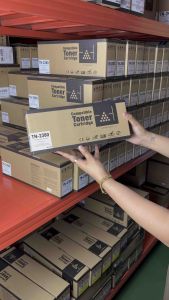
TN 2380 TN2380 Toner Cartridge Compatible for DCP L2540 L2700 L2740 L2365 etc.
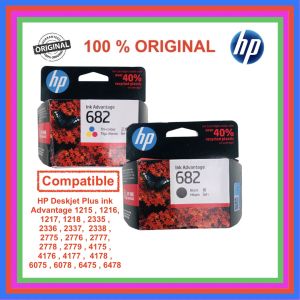
HP 682 Black 100% Original Ink Advantage Cartridge: A Comprehensive Guide
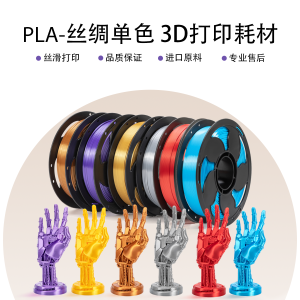
Sunsekj 3D Printing Materials PLA Silk Single Color Rainbow 1KG Diameter 1.75mm Silver Gold for Office Equipment And Consumables
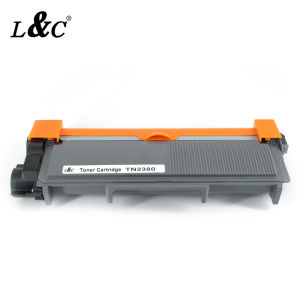
【PH Ready Stock】L&C TN2380 TN2360 TN660 2380 Premium Toner Cartridge for BROTHER DCP L2540dw PRINTER