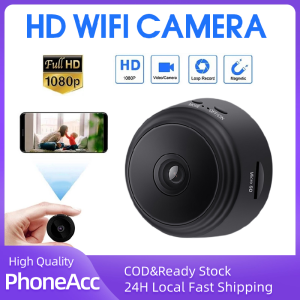
A9 Mini Camera: Your Ultimate 1080P HD Night Vision Smart Home IP Security Solution
A9 Mini Camera: Your Ultimate 1080P HD Night Vision Smart Home IP Security Solution
What is the A9 Mini Camera?
The A9 Mini Camera is a compact yet powerful 1080P HD night vision smart home IP security camera designed to provide reliable surveillance and peace of mind for homeowners. This versatile mini camera offers a wide range of features, including wireless connectivity, remote access, motion detection, and more.
Key Features
- 1080P HD Resolution: Capture crystal-clear video footage with this high-definition camera.
- Night Vision: See in the dark with infrared LEDs that provide up to 30 feet of night vision coverage.
- WiFi Connectivity: Connect to your home network for easy remote access and viewing.
- Motion Detection: Receive instant alerts when motion is detected, allowing you to respond quickly to potential threats.
- Smart Home Integration: Compatible with popular smart home platforms, including Amazon Alexa and Google Assistant.
Compatibility & Connectivity
The A9 Mini Camera is compatible with most standard WiFi networks, including 2.4GHz and 5GHz bands. It can be easily integrated into your existing smart home ecosystem, allowing you to control and monitor your camera using popular voice assistants like Amazon Alexa and Google Assistant.
Setting Up Your A9 Mini Camera
Setting up your A9 Mini Camera is a straightforward process that can be completed in just a few simple steps.
Installation Guide
- Unbox the camera and place it in a suitable location within your home.
- Connect the power adapter to the camera and plug it into an electrical outlet.
- Download the A9 Mini Camera app from the App Store or Google Play Store.
- Follow the on-screen instructions to connect your camera to your WiFi network.
Connecting to WiFi
To connect your A9 Mini Camera to your WiFi network, follow these steps:
- Open the A9 Mini Camera app on your smartphone or tablet.
- Select 'Add New Device' and choose your camera from the list of available devices.
- Follow the prompts to enter your WiFi network credentials.
- Wait for the camera to connect to your network.
Configuring Security Settings
Once your camera is connected to your WiFi network, you can configure its security settings by following these steps:
- Open the A9 Mini Camera app and navigate to the 'Settings' menu.
- Choose 'Security' and set up a strong password to protect your camera from unauthorized access.
- Enable encryption to secure your video footage and prevent eavesdropping.
Maximizing Your Surveillance Experience
Take advantage of the A9 Mini Camera's advanced features to maximize your surveillance experience.
Motion Detection & Alerts
The A9 Mini Camera's motion detection feature allows you to receive instant alerts when motion is detected within the camera's field of view. To set up motion detection, follow these steps:
- Open the A9 Mini Camera app and navigate to the 'Settings' menu.
- Choose 'Motion Detection' and enable the feature.
- Set up alert preferences, such as email notifications or push notifications.
Remote Access & Viewing
With the A9 Mini Camera, you can access and view live video footage from anywhere in the world using your smartphone or computer. To access your camera remotely, follow these steps:
- Open the A9 Mini Camera app and log in using your account credentials.
- Select the camera you want to view and tap 'Live View' to stream video footage.
Storage & Backup Solutions
The A9 Mini Camera offers several storage and backup solutions to help you protect your valuable video footage. These include local storage on an SD card, cloud-based storage, and automatic backups to your computer or mobile device.
Troubleshooting Common Issues
Encounter problems with your A9 Mini Camera? Here are some common issues and their solutions.
Connectivity Problems
If you're experiencing connectivity issues with your A9 Mini Camera, try the following troubleshooting steps:
- Ensure your camera is connected to a stable WiFi network.
- Reset your router and reconnect your camera to the network.
- Check your camera's firmware for updates and install any available updates.
Image Quality Concerns
If you're concerned about the image quality of your A9 Mini Camera, try the following troubleshooting steps:
- Adjust the camera's exposure settings to optimize image brightness and contrast.
- Clean the camera lens to remove any dust or debris that may be obstructing the view.
- Position the camera in a well-lit area to improve image clarity.
Security & Privacy Concerns
Protect your privacy and security by taking the following precautions with your A9 Mini Camera:
- Set a strong password to prevent unauthorized access to your camera.
- Enable encryption to secure your video footage and prevent eavesdropping.
- Regularly update your camera's firmware to address any potential security vulnerabilities.

PhoneAcc
You May Also Like
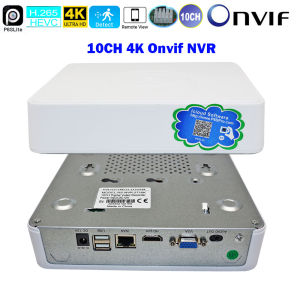
Ai Face capture 10ch 4K Network Video Recorder Surveillance NVR Recorder With Onvif P2P For HD 8MP 5MP 1080P 720P CCTV IP Camera
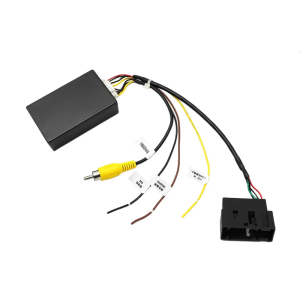
Video Format Adapter Car Backup Reverse Camera Decoders Suitable for Car Stereos With RCD510 RNS510 RNS315 Compatibility
Optical Pick-Up Lens KSS-210A KSS210A Optical Pick-Up Lens for CDS Mechanism Replacement Part Quick Fixing Durable

SJCAM ZV100 Portable 5K Digital Camera Video Camcorder 80MP 2.8 Inch IPS Screen Auto Focus 18X Zoom Anti-shake Face Detect Built-in Flash CCD Gift for Teens
BUY 1 TAKE 1TAPO V380 Pro CCTV Camera Wifi Connect 360 Mini IP Security Camera With Voice Speaker Full Color Night Outdoor HD Wireless Vision Auto Tracking

EZVIZ H8c: The Ultimate 2K+ QHD Resolution Outdoor Smart Camera

1PC 30cm x 20cm PU Heat Transfer Vinyl: A Guide to Cutting & Decorating
Round CCTV Waterproof Junction Box Cameras CCTV Round Junction Box For Cameras
⭐⭐⭐2.7K Mini FPV Eyeglasses Video Shooting Micro-camera HD WiFi Intelligent Headset Glasses Video&Sound Recording WiFi APP Control
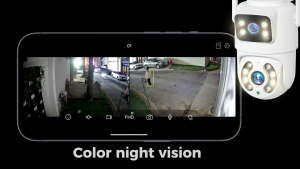
V380 Pro Dual Lens 8MP Outdoor CCTV Camera No Need Wifi Waterproof Wireless Two-Way Audio Night Vision Camera
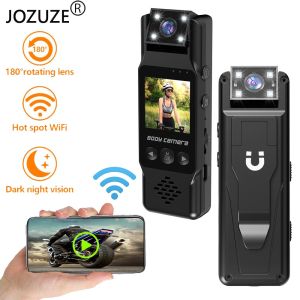
JOZUZE New Wifi Mini Camera 1080P Portable Digital Video Recorder Worn Police Small Body Cam Night Vision DV Miniature Camcorder