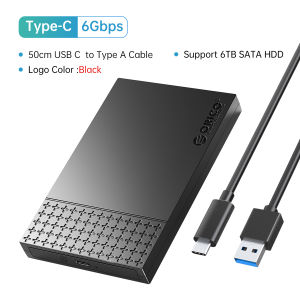
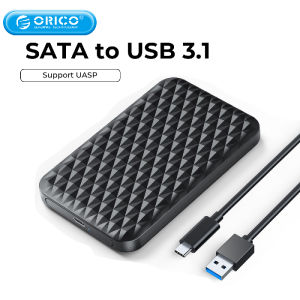
ORICO USB3.1 6Gbps HDD Enclosure SATA to Type-C HDD SSD Hard Drive Enclosure Support UASP for 7~9.5mm 2.5 Inch SSD/HDD
ORICO USB3.1 6Gbps HDD Enclosure SATA to Type-C HDD SSD Hard Drive Enclosure Support UASP for 7~9.5mm 2.5 Inch SSD/HDD
Introduction to ORICO USB3.1 6Gbps HDD Enclosure
The ORICO USB3.1 6Gbps HDD Enclosure is a sleek and compact external hard drive enclosure designed to accommodate 2.5-inch SATA SSDs and HDDs. With its USB3.1 Type-C interface, it offers a transmission rate of up to 6Gbps, ensuring fast data transfer speeds. This enclosure is compatible with various devices, including PCs, laptops, smart TVs, smart routers, and PS4, making it a versatile addition to any home or office setup.
Key Features & Benefits
- SATA to Type-C Enclosure: The ORICO enclosure allows you to easily convert your 2.5-inch SATA SSD/HDD into a USB3.1 Type-C external drive, enabling faster data transfer speeds and compatibility with modern devices.
- 2.5 Inch SSD/HDD Enclosure: Designed specifically for 2.5-inch hard drives, this enclosure supports SSDs and HDDs with thicknesses ranging from 7mm to 9.5mm, providing ample storage capacity.
- USB3.1 HDD Enclosure: With its USB3.1 interface, the ORICO enclosure delivers fast data transfer rates, making it ideal for transferring large files and media.
- 7~9.5mm Hard Drive Enclosure: The enclosure supports hard drives with thicknesses ranging from 7mm to 9.5mm, ensuring compatibility with a wide range of storage devices.
- UASP Support Enclosure: The enclosure supports the USB Attached SCSI Protocol (UASP), which enables faster data transfer speeds and improved performance compared to traditional USB mass storage devices.
Compatibility & Applications
The ORICO USB3.1 6Gbps HDD Enclosure is compatible with various operating systems, including Windows, Mac OS, and Linux. It can be used with a wide range of devices, including PCs, laptops, smart TVs, smart routers, and PS4, making it a versatile solution for storing and accessing your data.
How to Use ORICO USB3.1 6Gbps HDD Enclosure
Using the ORICO USB3.1 6Gbps HDD Enclosure is simple and straightforward. Follow these steps to connect your hard drive to your device:
Connecting to PC/Laptop
- Insert your 2.5-inch SATA SSD/HDD into the enclosure.
- Connect the included Type-C cable to the enclosure and your PC/laptop.
- Power on your device and wait for it to recognize the external drive.
Connecting to Smart TV, Smart Router, PS4
To connect the ORICO enclosure to a smart TV, smart router, or PS4, simply follow the steps above, ensuring that the device supports USB3.1 Type-C connections.
Using with Windows/Mac OS/Linux Systems
The ORICO USB3.1 6Gbps HDD Enclosure is compatible with various operating systems, including Windows, Mac OS, and Linux. Simply connect the enclosure to your device and follow the instructions provided by your operating system to access and manage your data.
ORICO USB3.1 6Gbps HDD Enclosure Specifications
Here are some key specifications of the ORICO USB3.1 6Gbps HDD Enclosure:
- External Interface: USB
- Internal Interface: SATA
- Case Material: Plastic
- Size: 2.5 Inch
- Transmission Interface: USB3.1 Type-C
- Transmission Rate: 6Gbps
- Hard Disk Support Thickness: 7~9.5mm SSD/HDD
Conclusion & Final Thoughts
The ORICO USB3.1 6Gbps HDD Enclosure is a versatile and reliable solution for converting your 2.5-inch SATA SSD/HDD into a USB3.1 Type-C external drive. With its fast data transfer speeds and compatibility with various devices and operating systems, this enclosure is an excellent choice for anyone looking to expand their storage capacity and access their data on the go.

Orico Transmission Mall
You May Also Like
Yottamaster DM200: A 44TB Capacity 2 Bay NAS Server
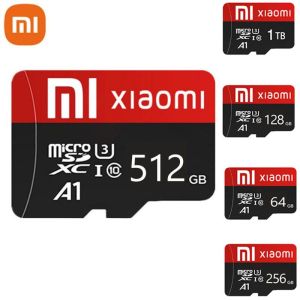
♥ SPLAY Shipping+Readystock ♥Original XIAOMI ultra pro SD Memory Card TF/SD Card 128gb 256gb 512gb 1tb Mini SD Card A1 Class10 For Camera/Phone 2023 NEW
Shockproof Hard Carrying Case Travel Pouch for Hard Drive Cellphone Small Electronic Storage Case Accessories

Pen Drive HP USB3.0 High Speed Rotating USB Flash Drive 1TB 2TB 128GB 256GB 512GB PenDrive Mental Drive Jump Drive Data Storage With Keychain and OTG
![[COD] SHGMYD 1Pcs Portable TF To XD Olympus Picture Memory Card Adapter SD Cards Converter Smart Tf To Xd MASD-1 Xd](https://img.lazcdn.com/g/p/85526baee9da8ffeebde8c36ae43b6ea.jpg_300x300q80.jpg)
[COD] SHGMYD 1Pcs Portable TF To XD Olympus Picture Memory Card Adapter SD Cards Converter Smart Tf To Xd MASD-1 Xd
USB 3.0 to Microed B Cable for Fast Data Transfer For External Hard Drives and Devices 50/100cm
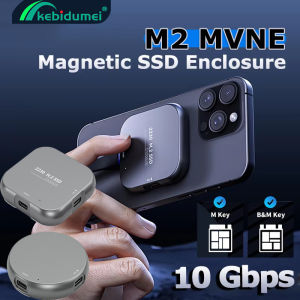
Kebidumei M.2 2230 NVMe SSD Enclosure Ma-gnetic Case 10Gbps PD100W External Case for i-Phone 16 15 Pro Max M-acBook i-Pad 4TB Portable Solid State

HDD Full of PC Games Plug and Play with HDD Enclosure (Read Description) Ssd Drive Enclosure Video Game Storage External Video Card Enclosure Harddrive Enclosure Hard Drive Case Enclosure - Lazada
2 in 1 USB 3.0 OTG Data Cable17CM Nylon Braid Wire Adapter for Cellphone Samsung/Xiaomi/Huawei&PCU Disk Card Reader
WD Western Digital 1TB / 2TB Slim Portable External Hard Disk USB 3.2With Backup Software & Password
2TB External Hard Drive SSD 16TB 20TB 30TB 500GB Mobile Solid State Hard Drive USB 3.0 External