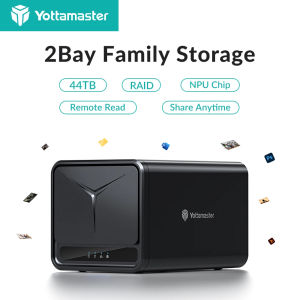
Yottamaster DM200: A 44TB Capacity 2 Bay NAS Server
Yottamaster DM200: A 44TB Capacity 2 Bay NAS Server
Introduction to Yottamaster DM200
The Yottamaster DM200 is a powerful 2-bay enterprise storage server designed to provide robust and reliable private cloud storage solutions for businesses and organizations. With a capacity of up to 44TB using 2.5"/3.5" SATA HDDs and 2.5" SATA SSDs, this device offers ample space for storing files, media, and applications. In addition to its impressive storage capabilities, the Yottamaster DM200 boasts a range of features, including multi-account usage, double encryption cloud storage, remote access, and auto backup.
Key Features & Specifications
- Brand: Yottamaster
- Model Number: Yottamaster-DM200
- Memory: 2GB DDR4
- Flash Memory: 8GB eMMC
- Rate: 1GbE
- Internal Interface: SATA3.0 6Gbps x2
- External Interface: 1 Gigabit Ethernet, USB3.2 GEN1 Type-Cx1, USB3.2 GEN1 Type-Ax1, DCIN 12Vx1
- RAID Mode: LVM, RAID 0, 1
- Power Supply: DC 12V 5A
- Hard Disk Capacity: 44TB capacity
- Hard Disk Type: 2.5"/3.5" SATA HDD, 2.5" SATA SSD
Why Choose Yottamaster DM200 NAS Server
The Yottamaster DM200 is a versatile and reliable solution for businesses looking to improve their storage infrastructure. With its large capacity, flexible RAID modes, and robust security features, this device is perfect for storing critical data, files, and applications. Additionally, the Yottamaster DM200 offers a range of convenient features, such as remote access and auto backup, which make it easy to manage and protect your data.
Multi-account Usage Storage
The Yottamaster DM200 supports multi-account usage, allowing multiple users to access and manage their files and applications independently. This feature is ideal for businesses with multiple departments or teams, as it enables each team to have its own dedicated storage space and access control settings.
Setting Up Multiple User Accounts
To set up multiple user accounts on the Yottamaster DM200, simply log in to the device's web interface and navigate to the user management section. From there, you can create new user accounts, assign permissions, and configure access control settings.
Managing Access Control & Permissions
Access control and permissions can be managed through the Yottamaster DM200's web interface. You can set different levels of access for each user account, including read-only, read-write, and admin privileges. Additionally, you can configure access control settings for specific folders or files, allowing you to restrict access to sensitive data.
Double Encryption Cloud Storage
The Yottamaster DM200 offers double encryption cloud storage, providing an additional layer of security for your data. This feature ensures that your files and applications are protected from unauthorized access and cyber threats.
Understanding Data Encryption Methods
Data encryption methods include symmetric and asymmetric encryption, which use complex algorithms to scramble and unscramble data. Symmetric encryption uses the same key for both encryption and decryption, while asymmetric encryption uses a pair of keys – one public and one private – to encrypt and decrypt data.
Implementing Data Security Measures
To implement data security measures on the Yottamaster DM200, simply enable the double encryption feature through the device's web interface. This will automatically encrypt all files and applications stored on the device, providing an additional layer of protection against cyber threats.
Remote Access & Auto Backup
The Yottamaster DM200 offers remote access and auto backup features, making it easy to manage and protect your data from anywhere in the world.
Enabling Remote Access
To enable remote access on the Yottamaster DM200, simply configure the device's web interface to allow remote connections. This will enable you to access your files and applications from any location, as long as you have an internet connection.
Configuring Automatic Backups
Automatic backups can be configured through the Yottamaster DM200's web interface. Simply set the backup schedule and destination, and the device will automatically back up your files and applications at regular intervals.
Intelligent Storage Management
The Yottamaster DM200 offers intelligent storage management features, allowing you to optimize disk space usage and monitor storage performance.
Optimizing Disk Space Usage
Disk space usage can be optimized by configuring the device's RAID modes and file system settings. Additionally, you can use the Yottamaster DM200's built-in tools to identify and delete unnecessary files and applications, freeing up valuable storage space.
Monitoring Storage Performance
Storage performance can be monitored through the Yottamaster DM200's web interface, which provides real-time data on disk usage, transfer rates, and other important metrics. This allows you to quickly identify and address any issues that may arise, ensuring optimal performance and reliability.

Yottamaster
Review
You May Also Like
Kebidumei USB3.2 HDD Enclosure 2.5 inch HDD SSD External Hard Drive Case with Display Screen Clear Portable Storage Case for Laptop PC
PCIExpress2.0 x1 DB9 RS422/485 Serial with Asynchronous Full Communication Capability
♥FREE Shipping+COD♥ Hp USB flash drive USB2.0 2TB waterproof metal flashdrive

WD Portable External HDD Storage 1TB /2TB USB 3.0 SATA3 2.5 Laptop Desktop Portable Security Password Protection
SanDisk Ultra Flair 256GB USB 3.0 Flash Drive: High-Speed Data Transfer & Storage

【Local Shop】Western Digital 1TB/2TB External Hard Drive storage For Mac and Windows WD Portable HDD USB 3.0
2.5 Inch HDD SSD Case SATA to USB 3.1 Type C 4TB Transparent External Hard Drive Housing Compatible UASP SATA III Laptop
Sandisk Extreme PRO SD Card UHS-I ~ 32GB (SDSDXXO): A Reliable SD Card for Professional Use
661914-001 for HP G8/G9 Gen8/Gen9 Server 651314-001 SAS/SATA Tray Caddy 2.5" to 3.5" SSD Adapter
ORICO New Metal M.2 SSD Case Dual Protocol NVME SATA SSD Enclosure Tool Free 10Gbps M.2 to USB Type C Transparent External Adapter Portable
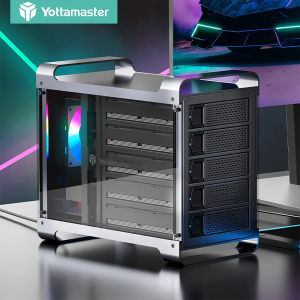
Yottamaster Multi 5 Bay RAID External Hard Drive Enclosure: A Comprehensive Guide