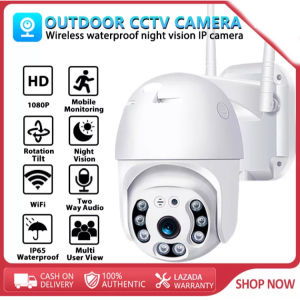
Original V380 Pro CCTV Camera: A8-1 Outdoor Wireless WIFI Two-Way Audio IP Camera Connected to Mobile Phone 1080p High-Definition Night Vision Outdoor IP65 Waterproof CCTV High-Definition Dome IP Camera CCTV Security Camera
Original V380 Pro CCTV Camera: A8-1 Outdoor Wireless WIFI Two-Way Audio IP Camera Connected to Mobile Phone 1080p High-Definition Night Vision Outdoor IP65 Waterproof CCTV High-Definition Dome IP Camera CCTV Security Camera
What is the V380 Pro CCTV Camera?
The V380 Pro CCTV Camera is a high-quality outdoor wireless IP camera designed to provide top-notch surveillance capabilities. This 1080p high-definition CCTV camera offers an IP65 waterproof rating, making it perfect for outdoor use. The camera also features two-way audio communication and night vision mode, ensuring comprehensive security coverage day and night.
Key Features & Specifications
- 1080p high-definition resolution
- Outdoor wireless IP camera
- IP65 waterproof rating
- Two-way audio communication
- Night vision mode
- Mobile phone connectivity
Package Contents
- Smart WiFi camera ×1
- Quick guidance ×1
- Power adapter ×1
- Connecting wire ×1
- Screws kit ×1
- Pedestal ×1
How to Install the V380 Pro CCTV Camera
Installing the V380 Pro CCTV Camera is straightforward and can be done in just a few simple steps.
Setting Up the WiFi Connection
- Connect the power adapter to the camera and plug it into a power outlet.
- Download the mobile app from the App Store or Google Play Store.
- Follow the on-screen instructions to connect the camera to your WiFi network.
Mounting the IP65 Waterproof Camera
- Choose a suitable location for the camera, ensuring it has a clear view of the area you want to monitor.
- Use the screws kit to securely mount the camera onto a wall or ceiling.
- Connect the connecting wire to the power adapter and plug it into a power outlet.
How to Connect the V380 Pro CCTV Camera to Your Mobile Phone
Connecting the V380 Pro CCTV Camera to your mobile phone is easy and allows you to monitor your property remotely.
Downloading the Mobile App
- Download the mobile app from the App Store or Google Play Store.
- Follow the on-screen instructions to set up the app.
Adding the Camera to Your Network
- Open the mobile app and select the option to add a new camera.
- Follow the on-screen instructions to connect the camera to your network.
How to Utilize Two-Way Audio & Night Vision
The V380 Pro CCTV Camera offers two-way audio communication and night vision mode, allowing you to communicate with visitors and monitor your property even in low-light conditions.
Activating Two-Way Audio Communication
- Open the mobile app and select the camera you want to communicate with.
- Tap the two-way audio icon to initiate a conversation.
Enabling Night Vision Mode
- Open the mobile app and select the camera you want to monitor.
- Tap the night vision icon to enable night vision mode.
In conclusion, the V380 Pro CCTV Camera is a top-of-the-line security solution that offers 1080p high-definition resolution, outdoor wireless IP camera capabilities, IP65 waterproof rating, two-way audio communication, night vision mode, and mobile phone connectivity. With its easy installation process and comprehensive features, the V380 Pro CCTV Camera is the perfect choice for anyone looking to enhance their home or business security.

mycarriedoshop
Review

You May Also Like
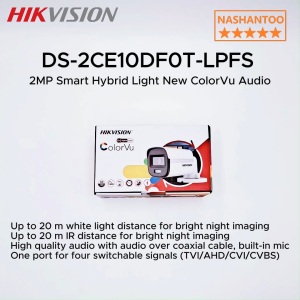
(2025 New) HIKVISION DS-2CE10DF0T-LPFS 2MP Smart Hybrid Light New ColorVu Audio Analog Bullet Camera 1080P 24/7 Color 3D DNR Built-in Mic 4 IN 1(TVI/AHD/CVI/CVBS) CCTV Camera NASHANTOO
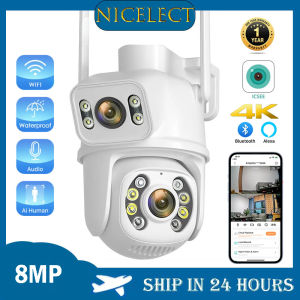
NICELECT ICSEE WIFI CCTV Camera: 4K 8MP Wireless Outdoor Surveillance Camera with Multi View Dual Lens Human Body Detection Infrared Night Vision
YOUO Original Genuine A9 cctv camera Hidden Mini Camera connect cellphone no need internet no wifi needed 1080P HD Indoor Mini Wireless cctv
LS VISION 4K WIFI/4G SIM Dual Lens Solar CCTV Camera: A Comprehensive Guide
v380 pro cctv camera connect cellphone with voice calls smart home cctv outdoor waterproof 360 with night vision Light 1080P with alarm Weatherproof Video Home Monitor cctv camera package set Easy to install
PK Lens Mount Adapter Ring for Pentax Phoenix PK Lens to EF Camera
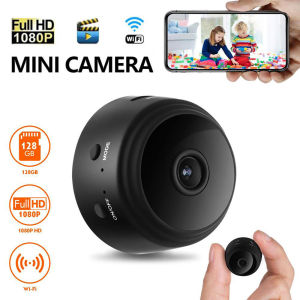
A9 Mini Wireless Camera 1080P HD IP Camera WiFi Video Surveillance Camera For Home Secret Security Protection Remote Camcorders
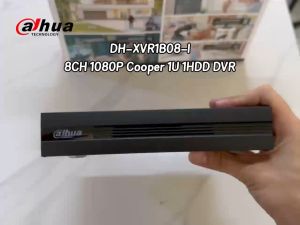
Dahua CCTV 4/8/16CH DVR H.265+ 2MP/5MP XVR Dual-stream video compression WizSense Digital Video Recorder For CCTV Camera

Intelligent Anti-Snooping Detector Pinhole Hidden Lens Anti-Peeping for Hotel Mini Camera Detector Travel Essentials
X-MagiTech V380 Pro CCTV Dual Lens & Dual Screen 8K 16MP WIFI IP Wireless Camera Auto Tracking 8X Zoom Outdoor Waterproof 360° PTZ Color Night Vision Smart CCTV Home Security Cameras Surveillance
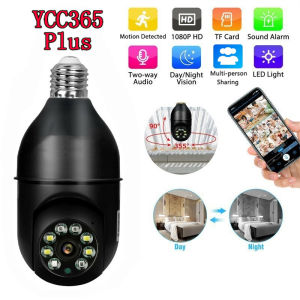
Ycc365 Plus E27 Surveillance Bulb: A Comprehensive Guide